
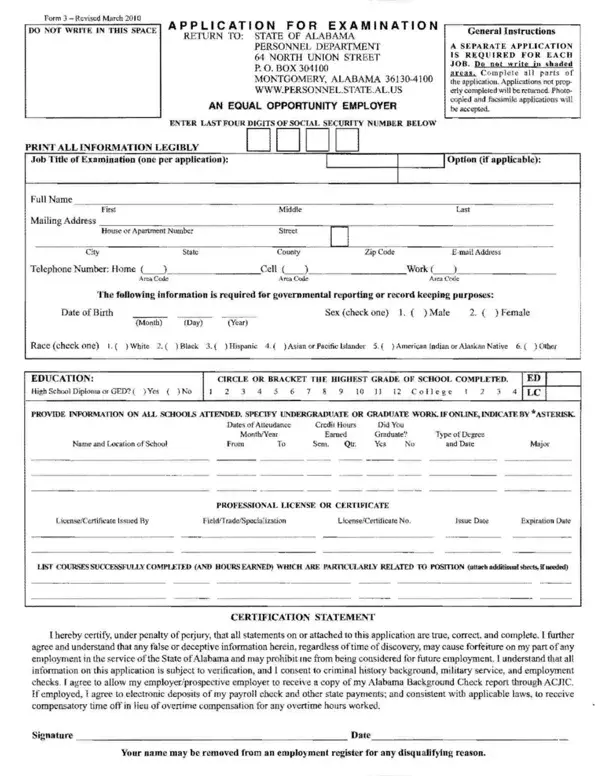
The Alabama Form 3, officially titled the State of Alabama Application for Examination, is issued by the Alabama State Personnel Department for individuals seeking state government employment. This 4-page document covers the full range of information required to evaluate a job applicant for civil service roles across Alabama's executive branch agencies.
Applicants must complete the personal identification section, including full legal name, mailing address, contact information, and Social Security number. The form also requires a complete educational history covering all degrees and professional certifications earned, as well as a full employment history for at least the past 10 years. Each employer entry must include the job title, dates of employment, key responsibilities, and supervisor contact details.
Professional and personal references are required on Alabama Form 3. List at least three references who can speak to your qualifications and character. These references must not be family members and should be current or former supervisors whenever possible.
Other Alabama state forms you may need are available on FormsPal, including the Alabama 8453 Form, the Alabama A-1 Form, and the Alabama Business License Application. For a complete collection of employment paperwork, browse our employment forms library.
| Question | Answer |
|---|---|
| Form Name | Alabama Form 3 |
| Form Length | 4 pages |
| Fillable? | No |
| Fillable fields | 0 |
| Avg. time to fill out | 1 min |
| Other names | the state application form, alabama application personnel, state of alabama employment application, state of alabama job application |