
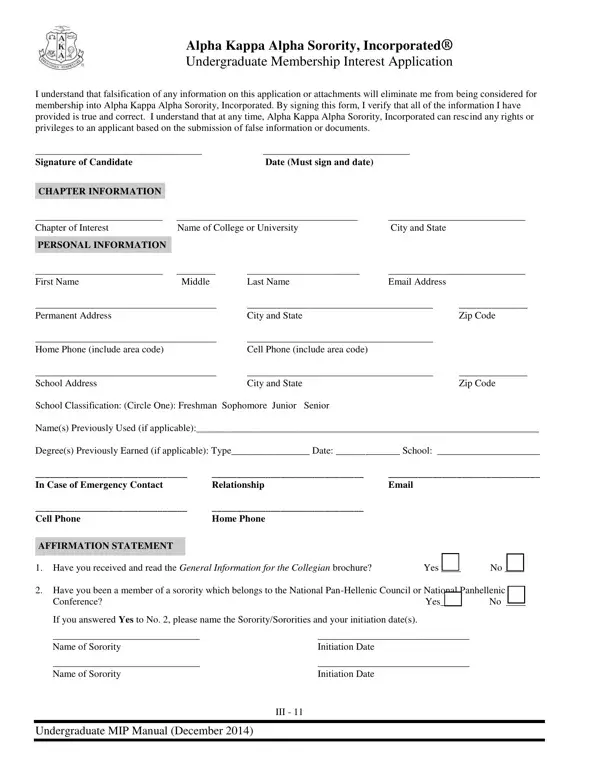
The Alpha Kappa Alpha Sorority, Incorporated® Undergraduate Membership Interest Application is a detailed form for prospective members. It collects personal background, academic records, and campus involvement to evaluate candidates for membership.
The form requires honest answers throughout. Candidates must disclose any previous affiliations with sororities in the National Pan-Hellenic Council or National Panhellenic Conference, as well as any past involvement in hazing activities. Falsification of any information leads to disqualification.
Applicants affirm they understand the sorority's anti-hazing policy and agree to a background check, which the applicant pays for. All disputes are resolved through arbitration. The Evidence of Community/Campus Involvement (ECCI) form is also included to capture leadership and service activities.
Looking for related forms? Visit the Alpha Kappa Alpha undergraduate membership form or the AKA membership intake process form for additional steps in the enrollment sequence.
| Question | Answer |
|---|---|
| Form Name | Alpha Kappa Application Form |
| Form Length | 7 pages |
| Fillable? | Yes |
| Fillable fields | 119 |
| Avg. time to fill out | 1 min |
| Other names | AKA MIP application, Alpha Kappa Alpha undergraduate membership form, AKA membership interest application |
Alpha Kappa Application Form isn’t the one you’re looking for?