
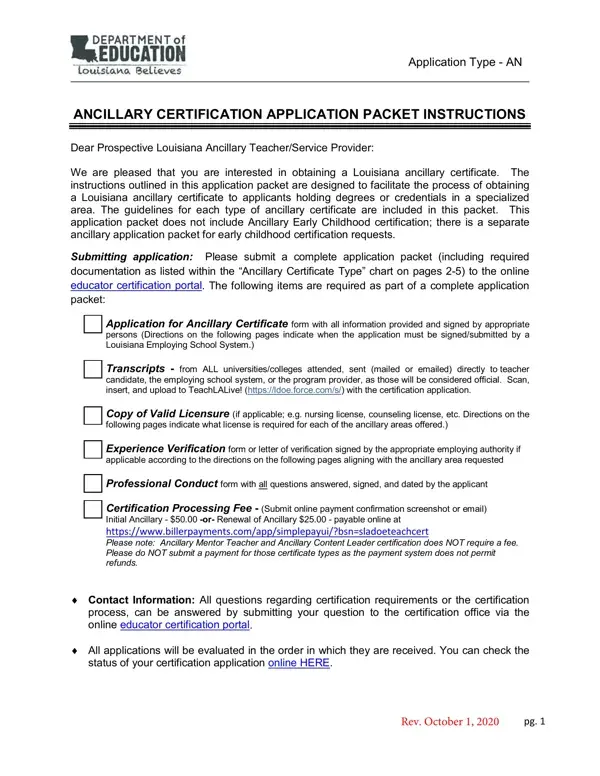
To fill out an ancillary certification form online, you do not need to download any software. FormsPal's PDF editor works directly in your browser. Follow these steps to complete your ancillary application form.
Step 1: Click the "Get Form" button above. This opens the PDF editor so you can begin entering your information.
Step 2: The document will appear on screen, ready for input. In addition to filling in fields, you can add custom text, edit existing content, insert images, and add your signature.
Fill out every field with care. Accuracy in your ancillary application helps avoid delays in the review process.
1. Start with the personal and certification information section. Complete all required fields, including your certificate type selection, to ensure your ancillary certification application is processed without delay.
2. In the next section, enter your personal details. Fill in fields for Initial Ancillary Certificate or Renewal of Ancillary Certificate, Social Security Number, Date of Birth, Full Legal Name, mailing address, phone number, email address, and Online Payment Confirmation.
Double-check the Renewal of Ancillary Certificate fields before proceeding. This section is a common source of errors.
3. Complete the education and field section. Enter your Degrees Earned, Institutions attended, Dates of Degrees Earned, and your selected Ancillary Certification Area. Include your electronic signature and the name of your Louisiana Employing School System.
4. The conduct disclosure section requires answers to all background questions. Complete each field: NAME OF APPLICANT, ADDRESS, Social Security Number, DATE, and respond Yes or No to each conduct question. Include required details for any Yes answers.
5. At the end of the ancillary application, complete the final affirmation section. Include all required declarations, policy acknowledgments, and your signature with the date.
Step 3: Review all fields once more before finalizing. Click "Done" when the form is complete. You can create a free FormsPal account to save your progress and return to edit the form later. Your data stays protected with our secure platform.
Common questions about the ancillary application form
What fields does the ancillary application require? The form requires personal identification, your selected certification area, educational background, professional conduct disclosures, and a signed affirmation.
Can I renew my ancillary certificate using this form? Yes. The form includes a section for Renewal of Ancillary Certificate. Select the renewal option at the top of the form before completing the remaining fields.
Where do I submit the completed ancillary application? Submit your packet through the Louisiana online educator certification portal. Attach all required supporting documents, including official transcripts and any required licensure copies.
Related forms you may need: ANCC certification verification form.
