
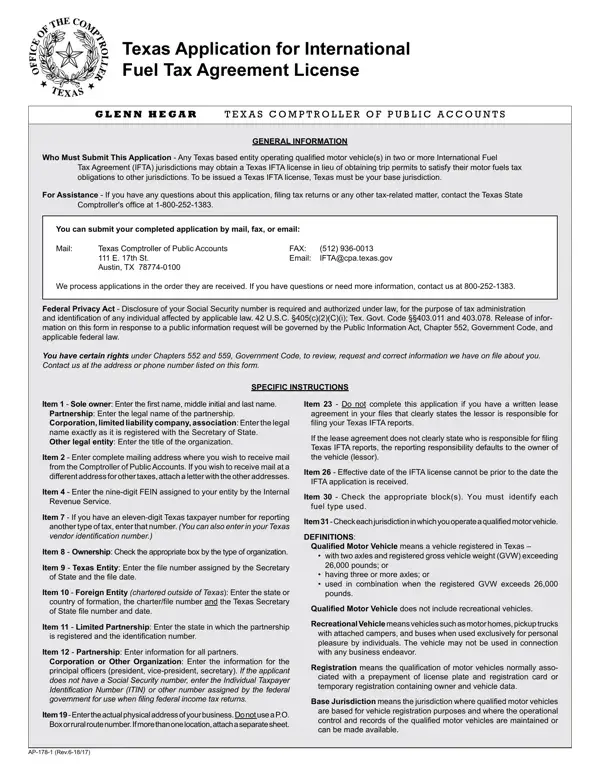
Item 23: do not complete this application if you have a written lease agreement in your files that clearly states the lessor is responsible for filing your Texas IFTA reports.
Submit: you can submit your completed application by mail, fax, or email.
Item 4: enter the nine-digit FEIN assigned to your entity by the Internal Revenue Service.
Base jurisdiction: to be issued a Texas IFTA license, Texas must be your base jurisdiction.
Item 26: the effective date of the IFTA license cannot be prior to the date the IFTA application is received.
Recreational vehicles: a qualified motor vehicle does not include recreational vehicles.
| Question | Answer |
|---|---|
| Form Name | AP-178 |
| Issuing Agency | Texas Comptroller of Public Accounts |
| Form Length | 4 pages |
| Fillable? | Yes |
| Fillable fields | 258 |
| Avg. time to fill out | 43 min |
| Where to send | By mail, fax, or email to the Texas Comptroller of Public Accounts |
| Matches the agency's file | Yes, checked October 3, 2026 |
| Other names | AP-178, AP178, AP 178, Texas IFTA application, Texas Application for International Fuel Tax Agreement License |
| Official source | AP-178 (Rev.7-26/19), Texas Comptroller of Public Accounts |
Ap 178 Form isn’t the one you’re looking for?