
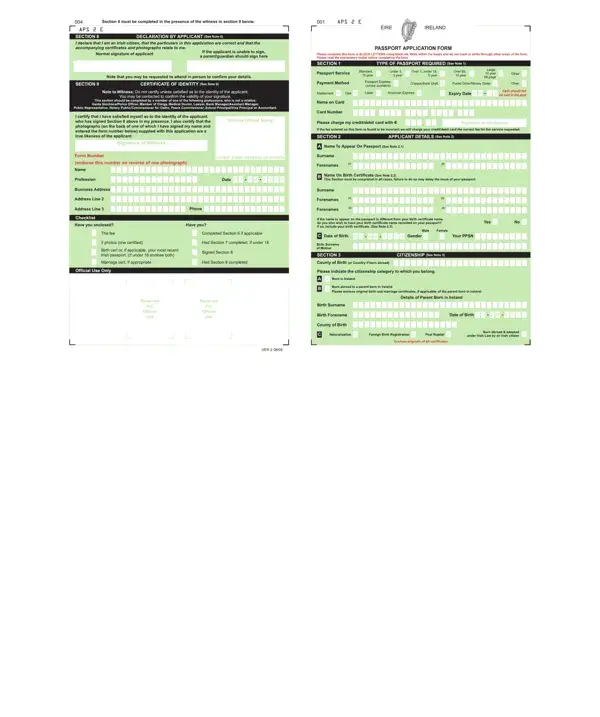
Aps 2 Online Form PDF Details

The APS 2 form is a document used in applications that require photograph endorsement for identity verification. Identified as version VER 2 dated 08/05, this form links a reference number to the reverse side of one submitted photograph, ensuring accurate matching throughout the review process. Completing it correctly on the first attempt avoids delays in your application.

What Is the APS 2 Form Used For?

The APS 2 form is required when an application calls for verified photographic identification. The endorsement step confirms that the submitted photograph belongs to the applicant and connects it to the accompanying paperwork. Applicants write the assigned reference number on the back of one photograph to satisfy this requirement. Those working with the APS-E-3 form will find a similar photograph endorsement step in that process.

How to Complete the APS 2 Form Correctly

Work through each section of the APS 2 form in order. The form contains fields for personal information alongside the photograph endorsement section. Write the reference number clearly on the reverse side of one photograph before attaching it to the application. Review every field against your supporting documents before submitting. Using the FormsPal online editor lets you enter information at your own pace and download a clean, completed copy right away.

APS 2 Form and Related Application Forms

The APS 2 form is one of several forms used in passport and identification processes. The adult simplified passport renewal form handles passport renewal applications, while the APS-E-3 form covers a different stage of the application lifecycle. Check your application instructions to confirm which form version applies to your situation. Additional APS series forms are available on FormsPal if you need them.

QuestionAnswer
Form NameAps 2 Online Form
Form Length2 pages
Fillable?No
Fillable fields0
Avg. time to fill out30 sec
Other namesaps2 pdf, passport aps printable, aps2 form application, aps2 form

How to Edit Aps 2 Online Form Online for Free

Once you open the online PDF editor by FormsPal, you are able to fill out or change passport aps right here and now. To keep our tool on the cutting edge of efficiency, we work to adopt user-oriented capabilities and enhancements regularly. We are routinely looking for feedback - join us in revamping how we work with PDF files. Here is what you would want to do to get started:

Step 1: Click the "Get Form" button above. It is going to open up our tool so that you could begin filling out your form.

Step 2: The editor allows you to customize almost all PDF files in a variety of ways. Improve it with customized text, correct what is originally in the document, and place in a signature - all within the reach of a couple of clicks!

When it comes to blanks of this particular document, this is what you should do:

1. First of all, once filling out the passport aps, start with the form section that includes the following blank fields:

The best ways to fill in form aps 2 portion 1

2. Once your current task is complete, take the next step and fill out all of these fields with their corresponding information. Make sure to double check that everything has been entered correctly before continuing.

Step no. 2 of submitting form aps 2

It is easy to make errors while filling out this field, so make sure that you look again before you decide to submit it.

3. Your next part will be easy - complete all the empty fields in VER 2 to complete this process.

Tips on how to complete form aps 2 part 3

4. This section includes the next few form blanks to consider filling in carefully.

this field, next field, and other fields in form aps 2

5. This document has to be wrapped up by filling in this section. You will see the remaining blank fields that require appropriate information to complete your document submission.

Stage no. 5 for filling out form aps 2

Step 3: Before moving on, double-check that blank fields were filled out the correct way. As soon as you establish that it is good, click on "Done." Join us right now and instantly get access to passport aps, set for download. All alterations you make are saved, enabling you to change the form later when required. If you use FormsPal, it is simple to fill out forms without needing to worry about information breaches or entries getting shared. Our secure platform makes sure that your personal data is kept safe.

Tips for Completing the APS 2 Form Accurately

Before saving your completed APS 2 form, verify that all personal details match your identification documents exactly. Pay special attention to the photograph endorsement section, where the reference number must appear clearly on the reverse of the submitted photograph. Any discrepancy between the form and your supporting documents can delay processing.

Frequently Asked Questions About the APS 2 Form

What do I need before filling out the APS 2 form?

Gather your personal identification information and the reference number assigned to your application. You will need to write this number on the reverse side of one photograph. Having these items ready before you open the form speeds up the process significantly.

How long does it take to complete the APS 2 form?

Most applicants complete the form in under 30 minutes using the FormsPal online editor. The two-page format covers all required fields in a clear sequence. Once finished, you can download the filled form right away.

Is the APS 2 form the same as the APS-E-3?

No. The APS-E-3 form covers a different stage in the application process. The APS 2 is specifically version VER 2, dated 08/05. Check your application instructions to confirm which version you need. For passport renewal applications, the adult passport renewal form may be the right choice instead.

Can I save the APS 2 form and return to it later?

Yes. After making changes in the FormsPal editor, you can download the form to your device and return to edit it again at any time. Your progress is saved with each download. For other related passport forms, the NAPS Form 1188 is also available on FormsPal if you need it.