Please rate Az Ged Transcript Request Form

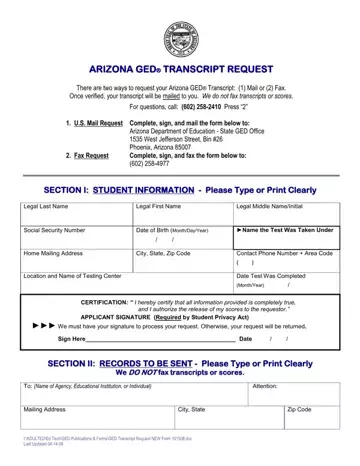
Obtaining a copy of your Arizona GED® Transcript is a key step for individuals who want to advance their career or continue their education. The Arizona Department of Education provides two ways to submit your transcript request: by mail to the State GED Office or by fax. Both options require your full legal name, date of birth, Social Security number, and the delivery address for the transcript.
The form also serves as a legal certification. By signing it, applicants confirm the accuracy of the information provided and authorize the release of GED scores to the named recipients, which can include employers, colleges, or other institutions. The form instructions specify that completed transcripts should not be faxed. Mail or fax the request form itself to the State GED Office address printed on the form.
Processing takes several business days after the office receives your submission. Incomplete or inaccurate forms may cause delays. If you need similar forms for other states, you can also review the CT GED Transcripts form or the Michigan GED Transcript Request.
| Question | Answer |
|---|---|
| Form Name | Az Ged Transcript Request Form |
| Form Length | 1 pages |
| Fillable? | No |
| Fillable fields | 0 |
| Avg. time to fill out | 15 sec |
| Other names | az transcript request form, arizona department of education ged, ged verification in arizona, copy of az ged |
Az Ged Transcript Request Form isn’t the one you’re looking for?
Please rate Az Ged Transcript Request Form
