
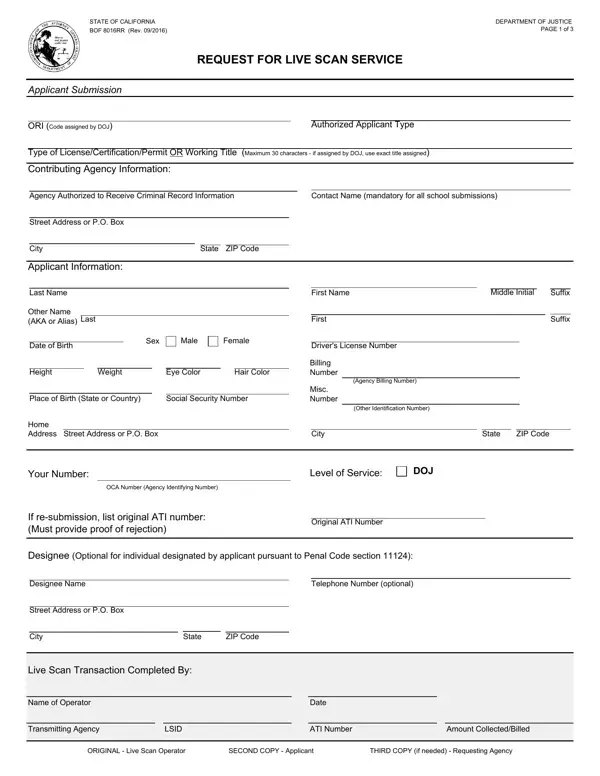
The BOF 8016RR is a California Department of Justice form for requesting Live Scan fingerprint service. Revised in September 2016, it is required whenever a background check is needed for a state license, certification, or permit.
Who needs this form? You need the BOF 8016RR if you are applying for a position or license that requires a DOJ background check in California. This includes teachers, security guards, healthcare workers, childcare providers, foster parents, and firearms dealers. Your authorized Live Scan operator fills in the transaction details, captures your fingerprints electronically, and submits them directly to the DOJ.
The form collects your name, date of birth, Social Security Number, home address, eye color, height, and weight. It also identifies the agency authorized to receive your confidential records and outlines your rights under California law. Processing typically costs $25 for the DOJ fee, with additional fees charged by the Live Scan operator.
For related California DOJ forms, see the BCIA 8016RR Request form, the BOF 110 form, and the California BOF 4012 form. You can also browse our background check consent forms.
| Question | Answer |
|---|---|
| Form Name | California BOF 8016RR - Live Scan Request |
| Form Length | 3 pages |
| Fillable? | No |
| Fillable fields | 0 |
| Avg. time to fill out | 45 sec |
| Other names | bof 8016rr, bcia 8016rr, california bof 8016rr, bof 8016rr live scan, firearms eligibility live scan form |
8016Rr Form isn’t the one you’re looking for?