
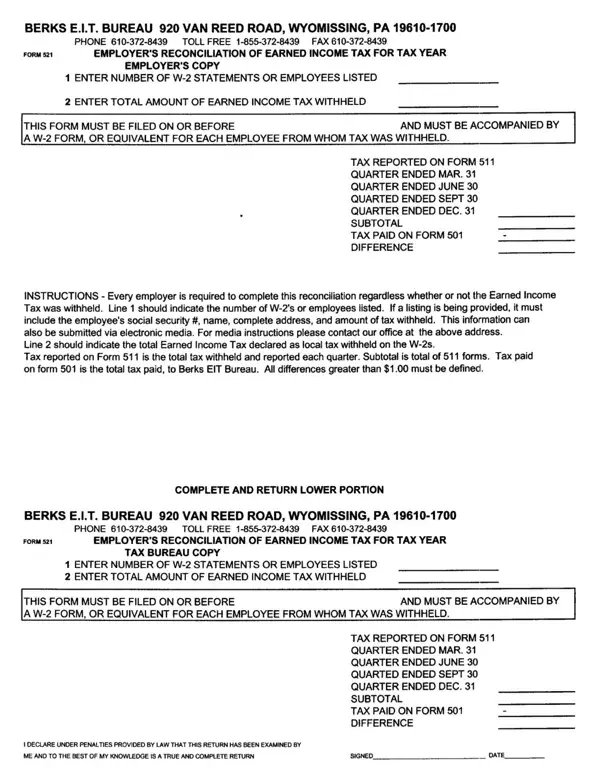
County residents who earn wages, salaries, tips, or net profits from self-employment must file an annual Earned Income Tax (EIT) return with the EIT Bureau. The Bureau serves as the central collection agency for local earned income tax on behalf of municipalities and school districts throughout Berks County. Filing requirements apply to all county residents and to non-residents who earn income from work within the county taxing jurisdiction.
The EIT rate varies by municipality, with most districts levying a combined rate of between 1% and 3% on all taxable earned income. Before beginning the tax filing process, individuals should gather their W-2 forms, 1099 statements, and records of net profits for the relevant tax year. Employers are required to withhold earned income tax from wages each pay period and remit quarterly filing information and payments to the Bureau. Contact the Bureau's district office for instructions on employer filing obligations.
The annual return is due by April 15th, consistent with the federal income tax filing schedule. Individuals who need additional time may request an extension by contacting the EIT Bureau office directly. The Bureau also offers online filing options and provides contact information and instructions for each taxing district. Individual filers can visit the EIT Bureau's official site for district-specific rate information, office hours, and online filing guidance.
For related income tax return filing information, see the Lancaster County local income tax form or browse annual income tax return forms on FormsPal.
| Question | Answer |
|---|---|
| Form Name | Berks Tax Form |
| Form Length | 1 pages |
| Fillable? | No |
| Fillable fields | 0 |
| Avg. time to fill out | 15 sec |
| Other names | berks county local tax form, eit, berks eit form 511, berk eit bureau |
Berks Tax Form isn’t the one you’re looking for?