
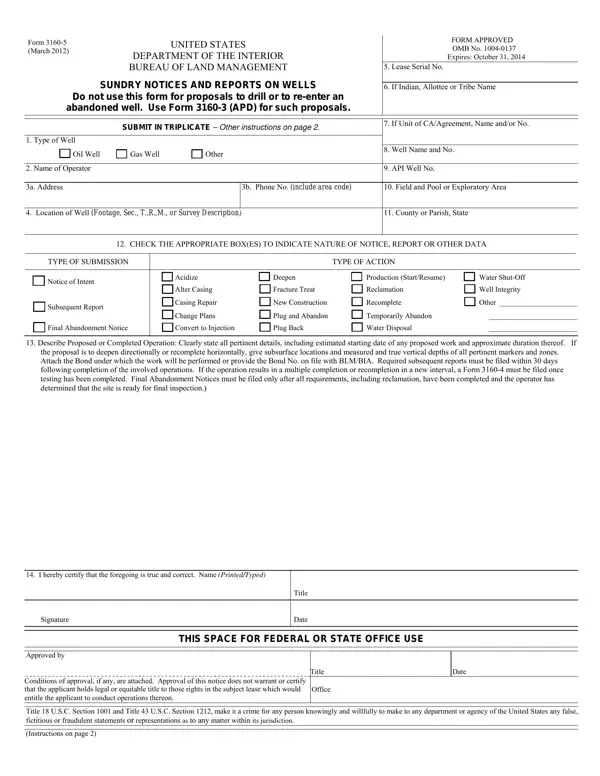
Submit in triplicate. Other instructions are on page 2.
Subsequent reports: required subsequent reports must be filed within 30 days following completion of the involved operations.
Multiple completion: if the operation results in a multiple completion or recompletion in a new interval, a Form 3160-4 must be filed once testing has been completed.
Operation: clearly state all pertinent details, including estimated starting date of any proposed work and approximate duration thereof.
Hydraulic fracturing: if the proposal will involve hydraulic fracturing operations, you must comply with 43 CFR 3162.3-3.
| Question | Answer |
|---|---|
| Form Name | Form 3160-5 |
| Form Length | 2 pages |
| Fillable? | Yes |
| Fillable fields | 51 |
| Avg. time to fill out | 9 min |
| Edition | October 2024 |
| Issuing agency | Bureau of Land Management |
| Copies | Submit in triplicate |
| Filing deadline | Required subsequent reports within 30 days following completion of the involved operations |
| Matches the agency's file | Yes, checked October 2, 2026 |
| Other names | Form 3160-5, 3160-5, 3160/5, BLM Form 3160-5, BLM sundry notice, Sundry Notices and Reports on Wells |
| Official source | Form 3160-5 (October 2024), Bureau of Land Management |
Blm Sundry Notice Form isn’t the one you’re looking for?