
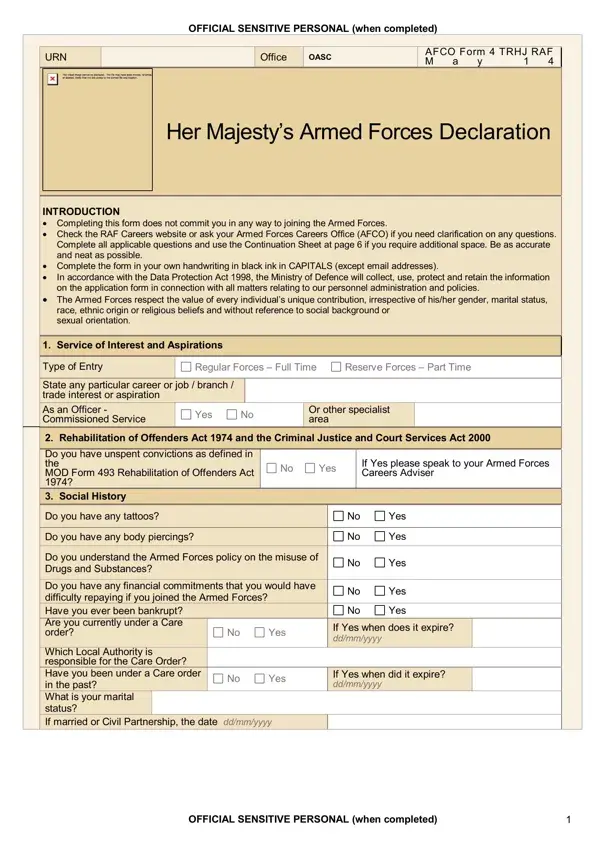
The British Army Application Form captures comprehensive personal information from candidates who want to enlist in Her Majesty's Armed Forces. It covers basic identification details, service interests, aspirations, and a full history of your education and qualifications. Completing the form does not obligate you to join the Armed Forces. It is simply the first step in starting a conversation with your local Armed Forces Careers Office (AFCO).
Applicants must complete the form in their own handwriting using black ink and capital letters. This standard helps recruiters read and process each application efficiently. If you need extra space for any section, use the Continuation Sheet provided with the form. Accuracy and neatness matter because they reflect the attention to detail expected of military personnel.
Key sections of the form ask about your social history, driving license, current employment or educational status, and any previous military service or applications. The form also includes questions on tattoos and piercings (in line with Army appearance standards), a declaration relating to the Armed Forces drug misuse policy, and a section on unspent convictions under the Rehabilitation of Offenders Act 1974. Each application is assessed on its individual merits.
All personal information is handled under the Data Protection Act 1998. The British Army operates a comprehensive equal opportunities policy: applications are considered without regard to gender, marital status, race, ethnic origin, religious beliefs, social background, or sexual orientation.
Before your AFCO appointment, prepare valid photo identification, your National Insurance number, educational certificates, and any employment or service records. Having these documents ready speeds up verification. For a related recruitment document, see the PO1 Recruitment Application Form.
| Question | Answer |
|---|---|
| Form Name | British Army Application Form |
| Form Length | 8 pages |
| Fillable? | No |
| Fillable fields | 0 |
| Avg. time to fill out | 2 min |
| Other names | british army application form for foreigners, british army application form 2021, british army recruitment application form 2021, apply for uk army |
British Army Application Form isn’t the one you’re looking for?