
Ca Mail Forwarding Form PDF Details

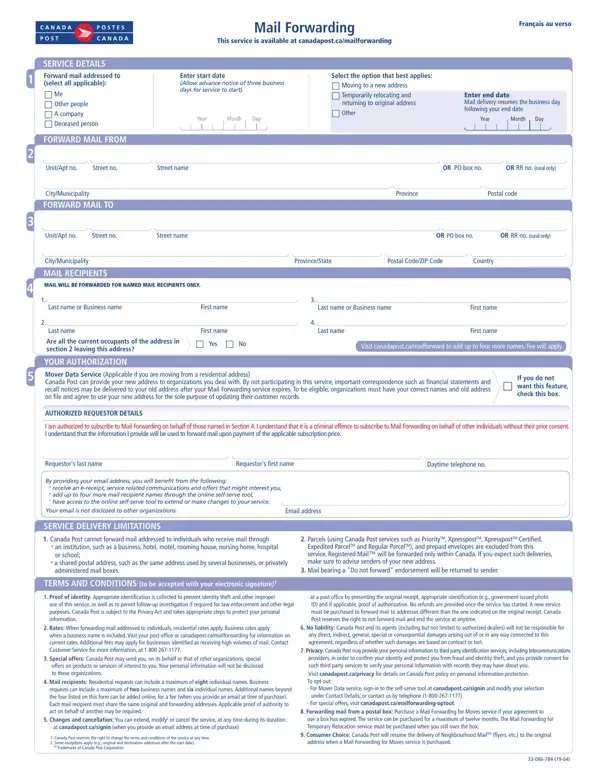
The Canada Mail Forwarding form is a comprehensive document designed to assist in the redirection of mail for individuals, businesses, or deceased persons to a new address. This service, accessible through the Canada Post website, requires users to specify the type of mail forwarding needed—be it due to a permanent move, a temporary relocation, or other circumstances—along with a designated start and end date for the service. The form outlines the necessity of providing detailed information from the origin address to the destination address, ensuring that mail is accurately redirected. It emphasizes that only named mail recipients listed in the form will have their mail forwarded, highlighting the importance of specifying all current occupants. Furthermore, the form introduces the Mover Data Service, an optional feature that allows Canada Post to share the new address with certain organizations to update their records, with the aim of preventing important mail from being missed after the service expires. The form also addresses the legalities and responsibilities of the requestor, including the need for authorization to act on behalf of the named individuals and the potential criminal offense of doing so without consent. Service delivery limitations and terms, including identification requirements, service rates, the ability to modify or cancel the service, and liability disclaimers, are also clearly stated to ensure users are fully informed about the service parameters and their rights. This systematized approach guarantees that the mail forwarding process is transparent, secure, and tailored to fit the varying needs of different users.

QuestionAnswer
Form NameCa Mail Forwarding Form
Form Length1 pages
Fillable?No
Fillable fields0
Avg. time to fill out15 sec
Other namesmail forwarding form canada post, canada post extend mail forwarding, canada post forward mail, canada post change of address form

How to Edit Ca Mail Forwarding Form Online for Free

In case you wish to fill out canadapost ca mailforwarding, you won't need to install any programs - just try our PDF editor. To maintain our editor on the forefront of convenience, we strive to put into action user-driven capabilities and improvements on a regular basis. We're routinely thankful for any feedback - play a vital part in remolding PDF editing. By taking a couple of easy steps, you are able to begin your PDF journey:

Step 1: Press the "Get Form" button above. It'll open up our tool so that you can begin filling in your form.

Step 2: The tool lets you change nearly all PDF forms in a range of ways. Transform it by writing customized text, adjust existing content, and add a signature - all within the reach of several clicks!

As for the fields of this specific PDF, here is what you should know:

1. It is important to complete the canadapost ca mailforwarding properly, thus be mindful while filling out the areas containing all these blanks:

Filling out segment 1 in forward ca canadapost

2. Just after this section is done, proceed to enter the suitable information in all these: I am authorized to subscribe to, Requestors last name, Requestors first name, Daytime telephone no, By providing your email address, Email address, SERVICE DELIVERY LIMITATIONS, Canada Post cannot forward mail, an institution such as a business, Parcels using Canada Post, Expedited ParcelTM and Regular, Mail bearing a Do not forward, TERMS AND CONDITIONS to be, Proof of identity Appropriate, and at a post office by presenting.

Stage # 2 in filling in forward ca canadapost

People generally make mistakes while filling out at a post office by presenting in this part. Be sure you go over whatever you type in here.

Step 3: Once you have reread the details in the file's blanks, click "Done" to complete your form at FormsPal. Try a 7-day free trial plan with us and acquire instant access to canadapost ca mailforwarding - download or modify in your FormsPal cabinet. FormsPal guarantees your information privacy via a secure method that in no way saves or shares any sort of private data provided. You can relax knowing your files are kept safe every time you use our editor!