
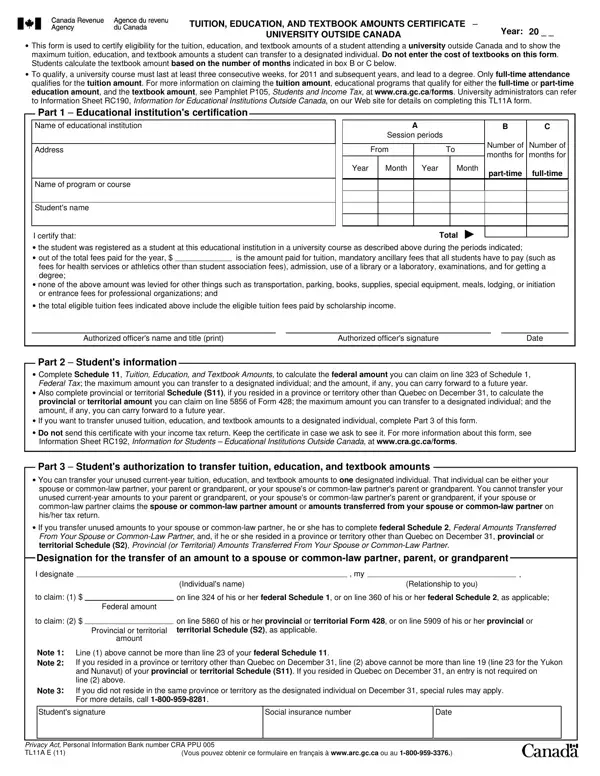
The Canada TL11A E form, a pivotal document for students pursuing education outside of Canada, serves a dual purpose. It validates their eligibility for claiming tuition, education, and textbook amounts while also delineating the maximum amounts that can be transferred to a designated individual. Notably, the form underlines that only full-time attendance at a university course lasting at least three consecutive weeks can qualify for the tuition amount, setting clear boundaries for eligibility from the year 2011 onward. Furthermore, it specifies that the cost of textbooks should not be entered on this form, instead directing students to calculate the textbook amount based on the duration of their courses as signified in designated boxes. Importantly, for the amounts to be transferrable, a series of stipulations concerning residency and the relationship between the student and the recipient must be satisfied. This form also encapsulates information vital for both students and university administrators, detailing the certification process by educational institutions and the subsequent steps students must take to leverage these amounts on their tax returns. The form culminates with provisions for transferring unused tuition, education, and textbook amounts to eligible individuals, offering a comprehensive approach to managing educational financial support. The TL11A E form thus emerges not only as a tool for financial relief but as a catalyst in fostering educational pursuits for Canadians studying abroad.
| Question | Answer |
|---|---|
| Form Name | Canada Form Tl11A E |
| Form Length | 1 page |
| Fillable? | Yes |
| Fillable fields | 55 |
| Avg. time to fill out | 15 sec |
| Other names | gc, form tl11a, RC192, PPU |
Canada Form Tl11A E isn’t the one you’re looking for?