
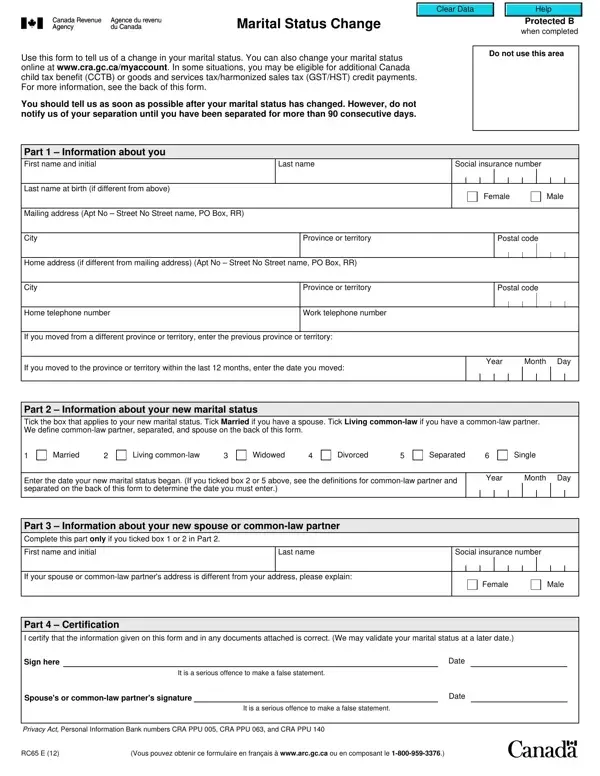
When individuals go through major life events such as marriage, separation, or divorce, it's important that they report these changes to the appropriate authorities to ensure that any benefits or legal standings are updated. In Canada, the RC65 E form serves as a critical tool for reporting changes in marital status to the Canada Revenue Agency (CRA). This form is essential for individuals who wish to update the CRA about their marital status, which can significantly affect their eligibility for various tax benefits such as the Canada child tax benefit (CCTB) and the goods and services tax/harmonized sales tax (GST/HST) credit. However, the form specifically instructs not to notify about a separation until after 90 consecutive days have passed. Moreover, it provides a straightforward method for individuals to update their information, either through an online platform or by submitting this document. The form gathers personal details, outlines the different statuses one can report, and includes a section for information regarding a new spouse or common-law partner if applicable. It concludes with a certification part that underscores the seriousness of providing accurate information. Detailing its intent, the form channels through the intricacies of navigating through life's pivotal moments and ensuring that individuals' fiscal responsibilities and advantages align with their current life situations.
| Question | Answer |
|---|---|
| Form Name | Form Rc65 E Canada |
| Form Length | 3 pages |
| Fillable? | Yes |
| Fillable fields | 66 |
| Avg. time to fill out | 30 sec |
| Other names | rc65 form, rc65 marital status change, rc 65, marital status change form |
Form Rc65 E Canada isn’t the one you’re looking for?