
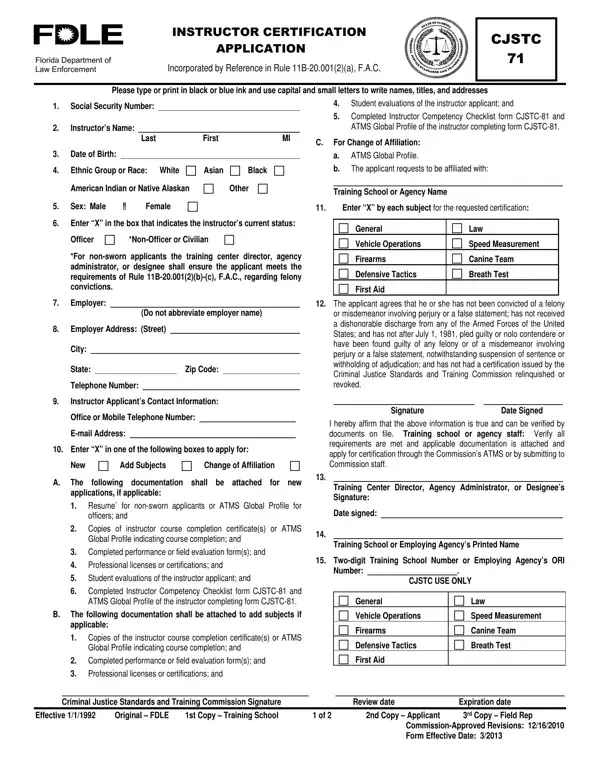
Page 2 holds the Instructions for Completing Form CJSTC-71.
Submit: instructor applicants shall complete items 1 - 12 and submit to a Commission-certified criminal justice training school or employing agency.
Attachments: documentation shall be attached for new applications, if applicable, and to add subjects, if applicable.
Signature: instructor applications are not valid unless signed by the applicant.
Director: the training center director, agency administrator, or designee shall sign this form after verifying the applicant's credentials and abilities.
Social Security Number: enter the last four digits of the instructor's nine-digit social security number.
| Question | Answer |
|---|---|
| Form Name | Form CJSTC 71 |
| Form Length | 2 pages |
| Fillable? | No |
| Fillable fields | 0 |
| Avg. time to fill out | 6 min |
| Edition | Form Effective Date 6/2022 |
| Issuing agency | Florida Department of Law Enforcement |
| Where to send | A Commission-certified criminal justice training school or the instructor applicant's employing agency |
| Other names | CJSTC 71, CJSTC-71, FDLE form 71, Form CJSTC 71, CJSTC 71 Instructor Certification Application, Instructor Certification Application |
| Official source | CJSTC 71 Form Effective Date 6/2022, Florida Department of Law Enforcement |
Cjstc Form 71 isn’t the one you’re looking for?