
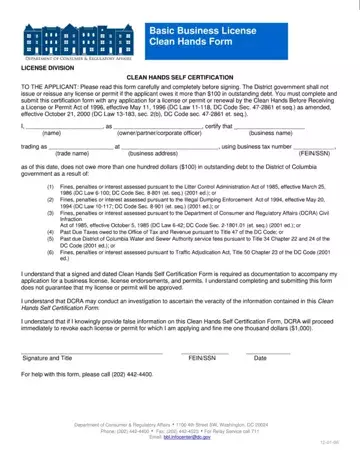
The DC Clean Hands Certification is also called the Certificate of Clean Hands (CCH). It confirms that you or your business owes no outstanding tax debt to the District of Columbia. The DC Office of Tax and Revenue (OTR) issues this document. A valid CCH is required for any DC government license, permit, or contract.
Many individuals and businesses must obtain this certification:
DC law requires this certification before you can apply for a DC license, permit, or registration. The debt threshold is $100. If you owe $100 or more to DC, pay the balance at OTR before requesting the certificate. Applications for business licenses and government contracts cannot move forward without a valid CCH.
Request your certificate at MyTax.DC.gov. Log in to your DC tax account and go to the Certificate of Clean Hands section. OTR checks your account right away. If no debt is found, the certificate is issued in minutes. Certificates are typically valid for 90 days from the issue date.
FormsPal also offers a business license application form and a certificate of compliance form for other DC regulatory needs.
| Question | Answer |
|---|---|
| Form Name | DC Clean Hands Certification |
| Issued By | DC Office of Tax and Revenue (OTR) |
| Form Length | 1 pages |
| Fillable? | No |
| Fillable fields | 0 |
| Avg. time to fill out | 15 sec |
| Certificate Valid For | Typically 90 days from issue date |
| Debt Threshold | $100 outstanding to DC government |
| Other names | dc clean hands, clean hands certificate dc, dc clean hands certificate, certificate of clean hands dc, dc clean hands form certification |
