Please rate Client Tax Organizer

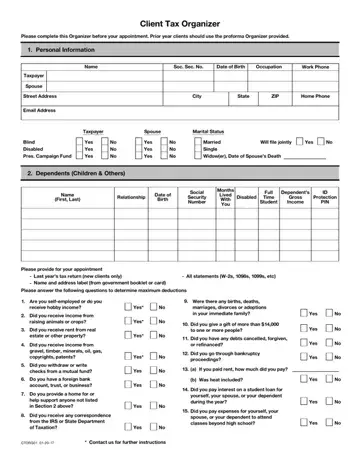
The Client Tax Organizer is a six-page document that helps individuals gather all necessary financial information before meeting with a CPA or tax preparer. It covers personal details, dependent information, income from various sources, and a wide range of deductible expenses. Using this form before your appointment gives your preparer a clear picture of your financial year. Your preparer can then identify every deduction and credit you qualify for.
The tax organizer form addresses key areas of your financial picture, including:
Before your tax appointment, gather the following documents to complete your tax organizer accurately:
The form also works as a checklist for the documents you need at your appointment. If you made estimated tax payments, refer to the IRS Form 1040-ES for those figures. Freelancers and contractors will also need their 1099 forms ready. Filing your completed tax organizer alongside related documents like the IRS 1040 gives your preparer a full view of your finances. This way, every eligible tax benefit is captured.
| Question | Answer |
|---|---|
| Form Name | Client Tax Organizer |
| Form Length | 6 pages |
| Fillable? | No |
| Fillable fields | 0 |
| Avg. time to fill out | 1 min 30 sec |
| Other names | tax organizer worksheet, and tax organizer, tax organizer 2020 pdf, tax organizer organize |
Client Tax Organizer isn’t the one you’re looking for?
Please rate Client Tax Organizer
