
CSA Damage Form PDF Details

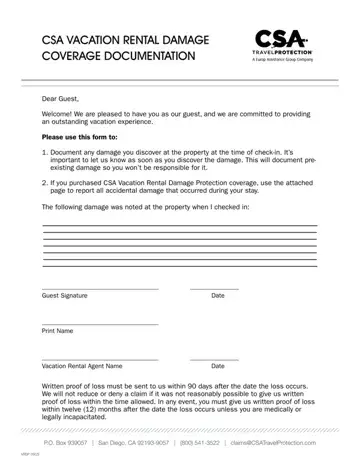
The CSA Damage Form is a 3-page document from Generali Global Assistance, formerly known as CSA Travel Protection. It serves two purposes in vacation rental stays.

Pre-Existing Damage Documentation

At check-in, guests can use this form to record any damage already present at the rental property. This protects guests from being billed for damage that was there before their arrival. The form asks for the location of each damaged item, a description of the damage, and the estimated severity. Complete this section carefully. Thorough documentation prevents disputes at checkout.

Accidental Damage Claims

If you purchased CSA Vacation Rental Damage Protection coverage, this form lets you report accidental damage that happened during your stay. You must submit the completed form before checking out. The claim requires a description of how the damage occurred, the item affected, and an estimated repair or replacement cost.

Information You Will Need

Gather the following details before you begin:

Related Damage Forms

You may also need other documents when handling rental damage. The damage assessment form helps evaluate overall property condition. The incident damage report form records specific damage incidents in detail. If you need to track deposit charges, the security deposit deductions form is a useful companion document.

QuestionAnswer
Form NameCsa Damage
Form Length3 pages
Fillable?No
Fillable fields0
Avg. time to fill out45 sec
Other namesdamage protection from csa, csa property damage, csa damage protection insurance, vacation documentation

How to Edit Csa Damage Online for Free

We built this PDF editor to make the process as simple as possible. Follow the steps below to fill out the CSA Damage Form quickly and accurately.

Step 1: Open the Form

Click the orange "Get Form Now" button at the top of this page. The form opens directly in the editor. No downloads are required.

Step 2: Enter Your Personal and Property Details

Fill in your name, home phone, cell phone, business phone, policy number, and mailing address. Add your email, city, state, and zip code. Include a description of the loss and enter any assignment of benefits details. Sign and print your name in the guest signature area.

entering details in vacation documentation part 1

Complete each field in the guest section. Use your coverage documents if you need help locating your policy number.

vacation documentation personal details section

Step 3: Document the Property Damage

Enter the company mailing address and property mailing address. Describe the details of the loss clearly. Include the city, state, and zip code for the property. Note the date of the report and who was notified. Describe the incident that caused the damage. State whether the loss is theft-related and whether the damage can be repaired.

Filling in vacation documentation step 3

Step 4: Review Disclosures and Sign

Read the fraud warnings and disclosures section. Check the acknowledgment box. Both the guest and the vacation rental agent must sign and print their names. Add the date of each signature. If the claim involves theft, attach a copy of the police report. You may submit the completed form by email or mail to CSA.

Finishing vacation documentation stage 4

When you click the Done button, your form is ready to download or send. Keep two or three copies for your records.

For other damage-related documents, see the vehicle accident or damage report and the statement of damages form.

Please rate Csa Damage

1 Votes
If you believe this page is infringing on your copyright, please familiarize yourself with and follow our DMCA notice and takedown process - click here to proceed .
