
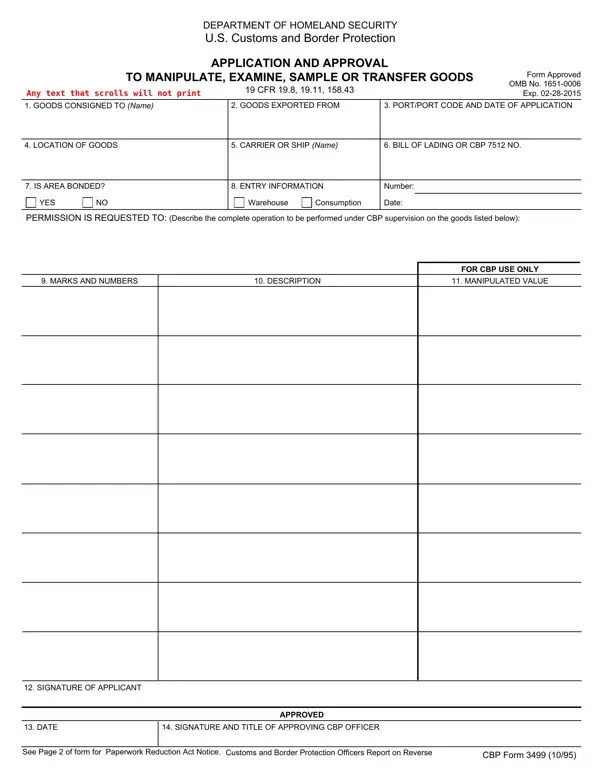

CBP Form 3499 at a glance
What it is: CBP Form 3499 is the Application and Approval to Manipulate, Examine, Sample or Transfer Goods of U.S. Customs and Border Protection, under 19 CFR 19.8, 19.11, 158.43.
Who signs: The form has a SIGNATURE OF APPLICANT line.
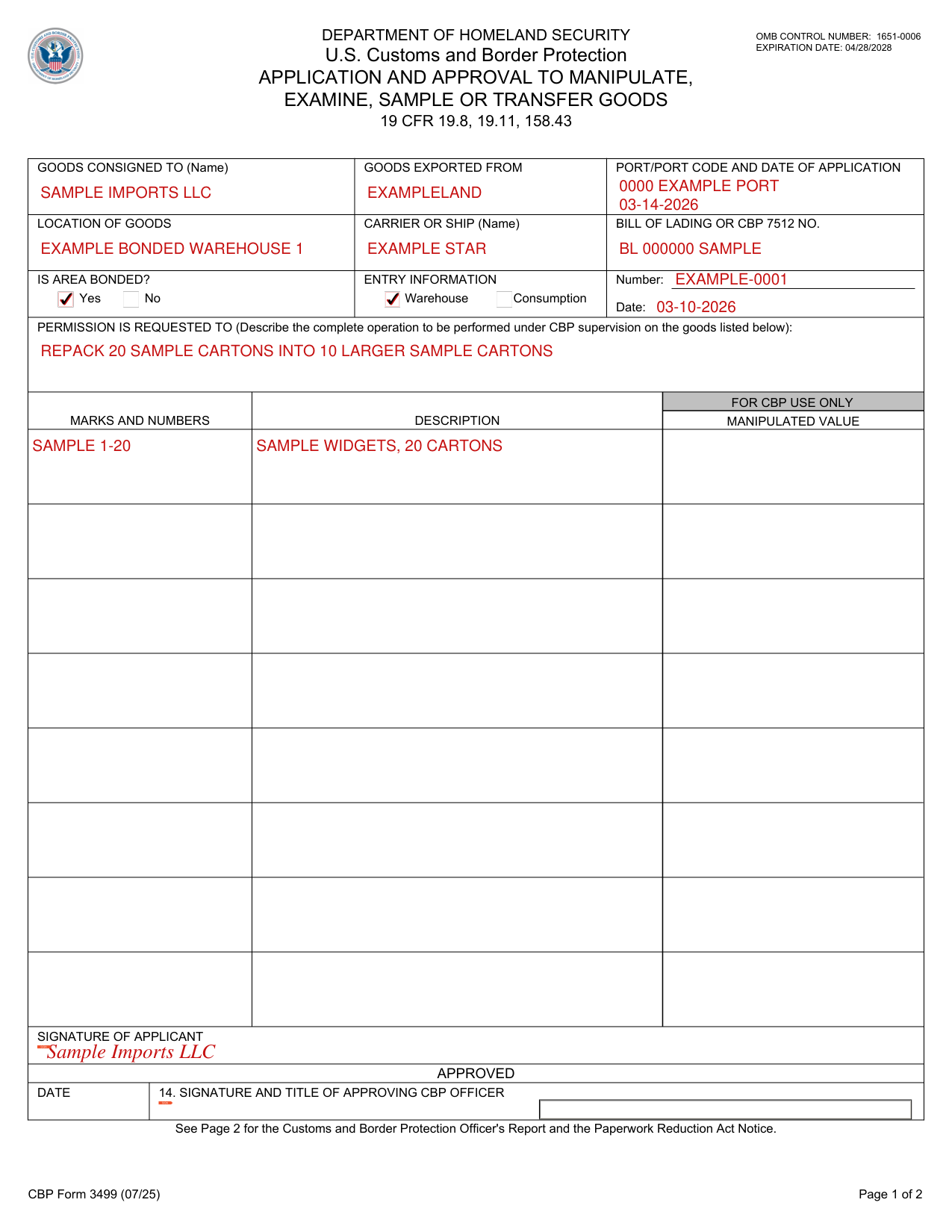
A filled-in CBP Form 3499 example: a company asks to repack goods in a warehouse
How to fill out CBP Form 3499, box by box
Goods consigned to, exported from and port

Enter the GOODS CONSIGNED TO (Name), the GOODS EXPORTED FROM and the PORT/PORT CODE AND DATE OF APPLICATION.
Location of goods, carrier or ship and bill of lading

Enter the LOCATION OF GOODS, the CARRIER OR SHIP (Name) and the BILL OF LADING OR CBP 7512 NO.
Is area bonded and entry information

Mark Yes or No under IS AREA BONDED?; under ENTRY INFORMATION, enter the Number and the Date, and mark Warehouse or Consumption.
Permission is requested to

Under PERMISSION IS REQUESTED TO, describe the complete operation to be performed under CBP supervision on the goods.
Marks and numbers and description
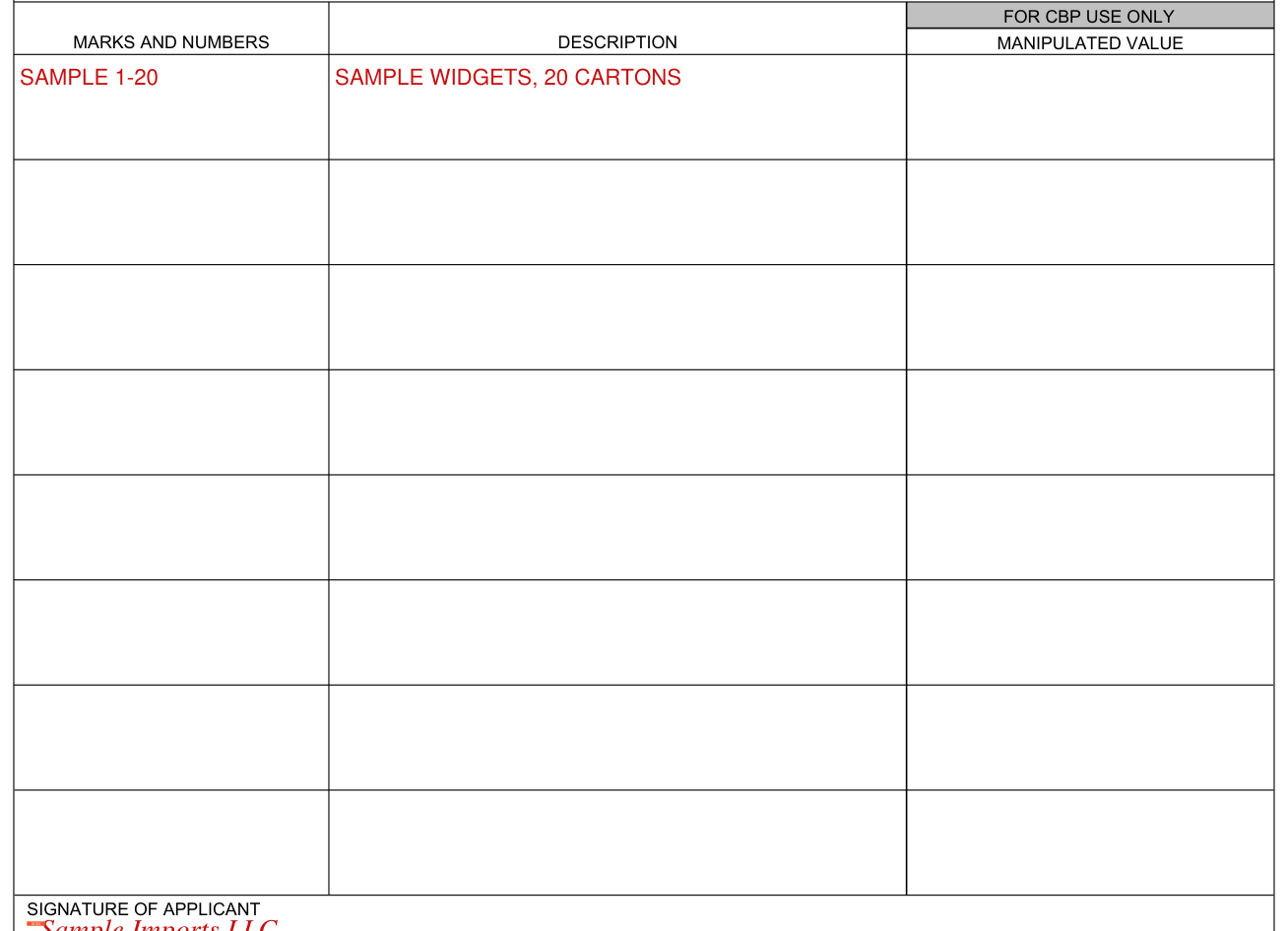
List the MARKS AND NUMBERS and the DESCRIPTION; the MANIPULATED VALUE is marked FOR CBP USE ONLY.
Signature of applicant

Sign next to SIGN on the SIGNATURE OF APPLICANT line.
Approved

The approving CBP officer enters the DATE and the SIGNATURE AND TITLE OF APPROVING CBP OFFICER under APPROVED.
More rules for CBP Form 3499
See Page 2 for the Customs and Border Protection Officer's Report and the Paperwork Reduction Act Notice.
Obligation to respond is required to obtain benefits.
The estimated average time to complete this application is 6 minutes.
Common questions about CBP Form 3499
What is CBP Form 3499 used for?
CBP Form 3499 is the Application and Approval to Manipulate, Examine, Sample or Transfer Goods of U.S. Customs and Border Protection, under 19 CFR 19.8, 19.11, 158.43. When goods are repacked, the CBP (warehouse) officer reports on the form the marks and numbers of packages repacked and the marks and numbers of packages and the weights or gauge of same after repacking.
Sources
[1] CBP Form 3499 (07/25), Application and Approval to Manipulate, Examine, Sample or Transfer Goods, U.S. Customs and Border Protection (the Official source link on this page).