
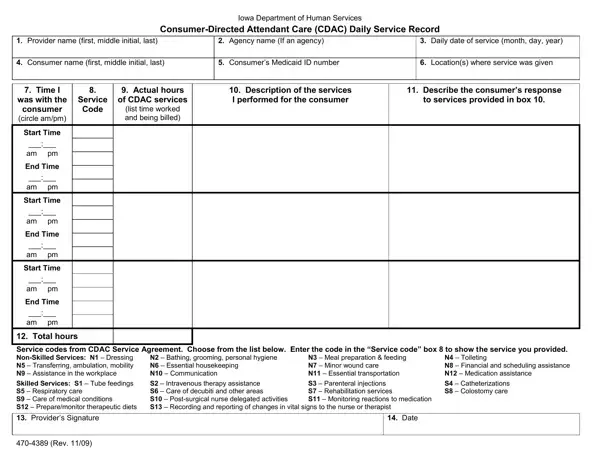

Form 470-4389 at a glance
What it is: Form 470-4389 (Rev. 12/25), the Attendant Care (AC) Daily Service Record: this form is to record the services you provide.
Who signs: Provider's signature: The actual provider of service.
It is required that you fill out one of these forms every day that you provide services.
A filled-in Form 470-4389 example: one shift of attendant care
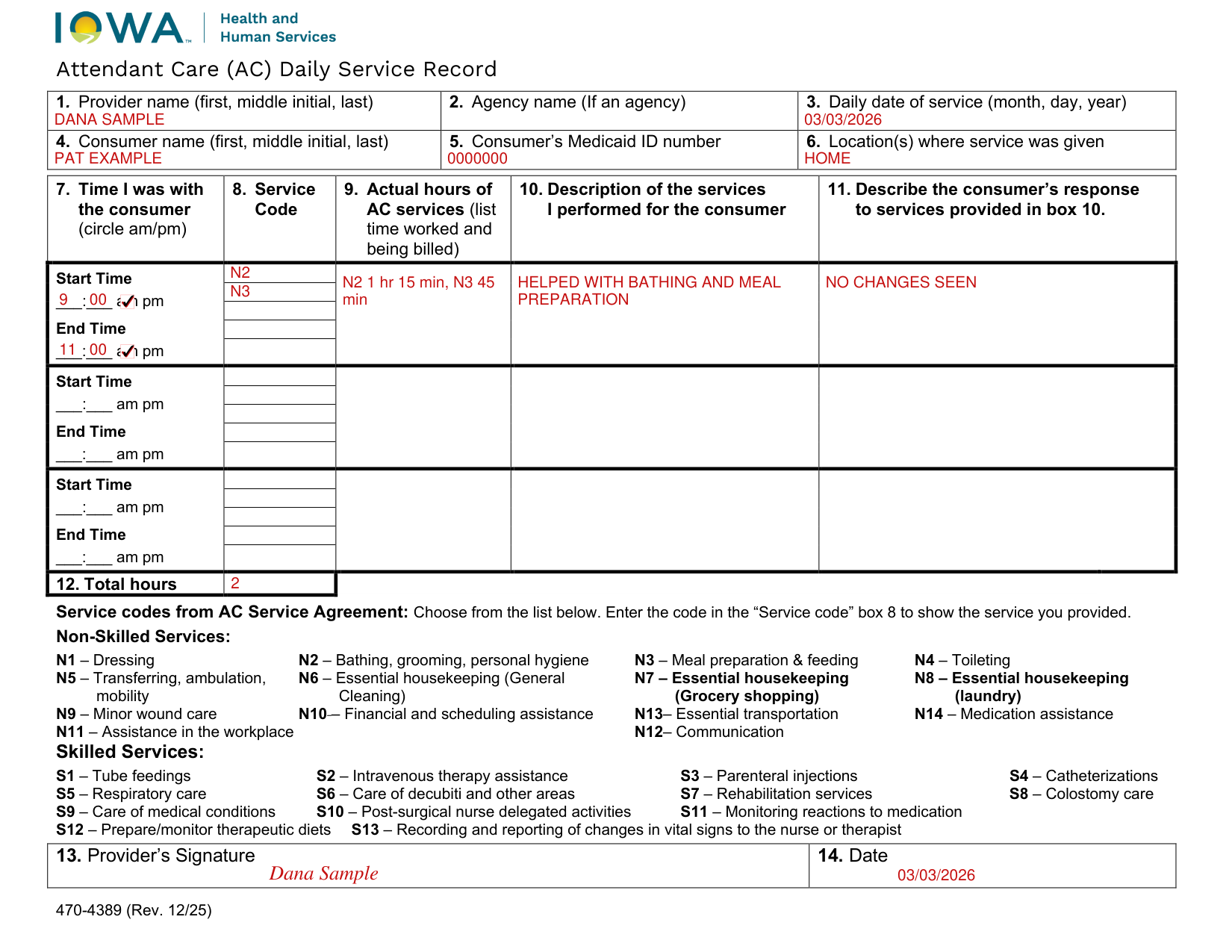
How to fill out Form 470-4389, box by box
Provider name, agency name and daily date of service

Enter your name: first, middle initial, and last name.
If you are an agency waiver provider, enter the agency name.
Daily date of service: Enter the month, day, and year on which the service took place.
Consumer name, Medicaid ID number and location

Consumer name: Enter the name of the person you are providing services for: first name, middle initial, and last name.
Consumer's Medicaid ID number: Enter the Medicaid ID number of the person you are providing services for.
Location(s) where service was given: Enter the places where you performed the service. For example: home, work, school, etc.
Time I was with the consumer
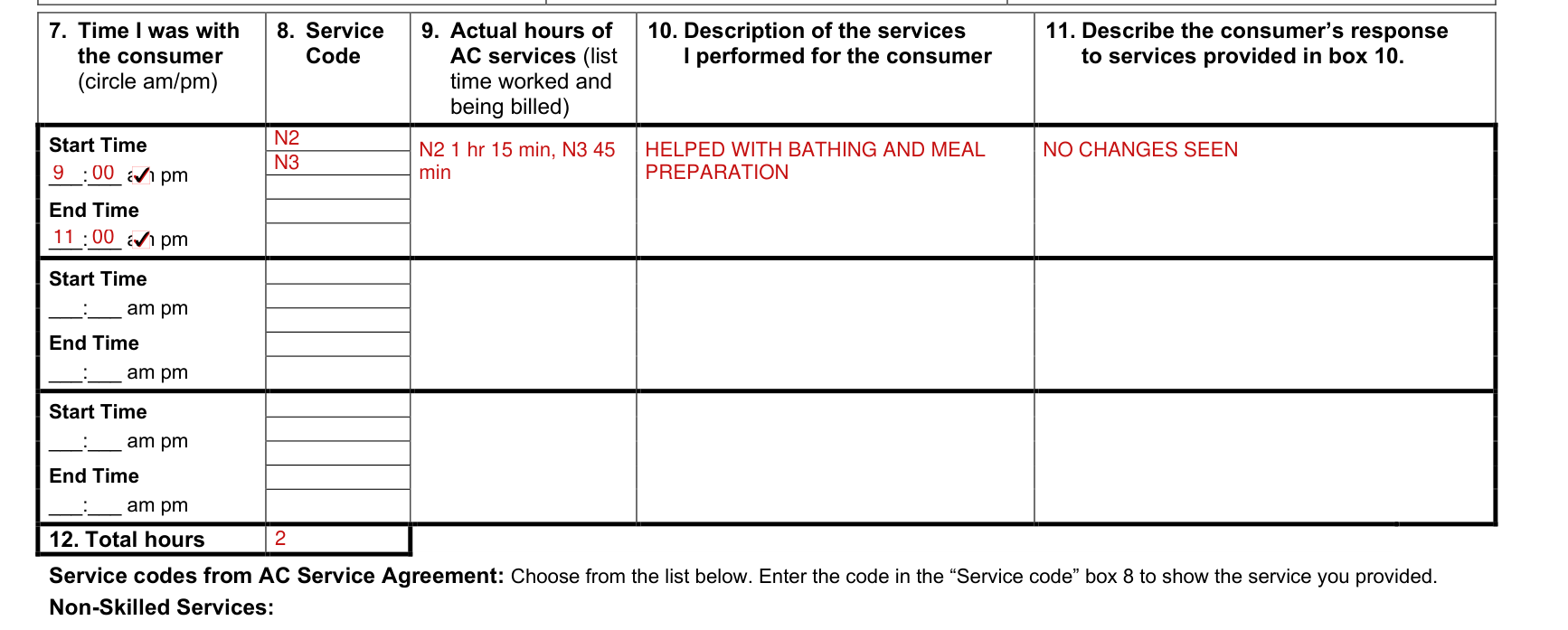
Enter the time you began and ended each shift. Make sure to use am/pm.
You will enter one start time and one end time to make a record of your shift.
You do not need to enter start and end times every time you perform a service (toileting, meal preparation, etc.).
Service code
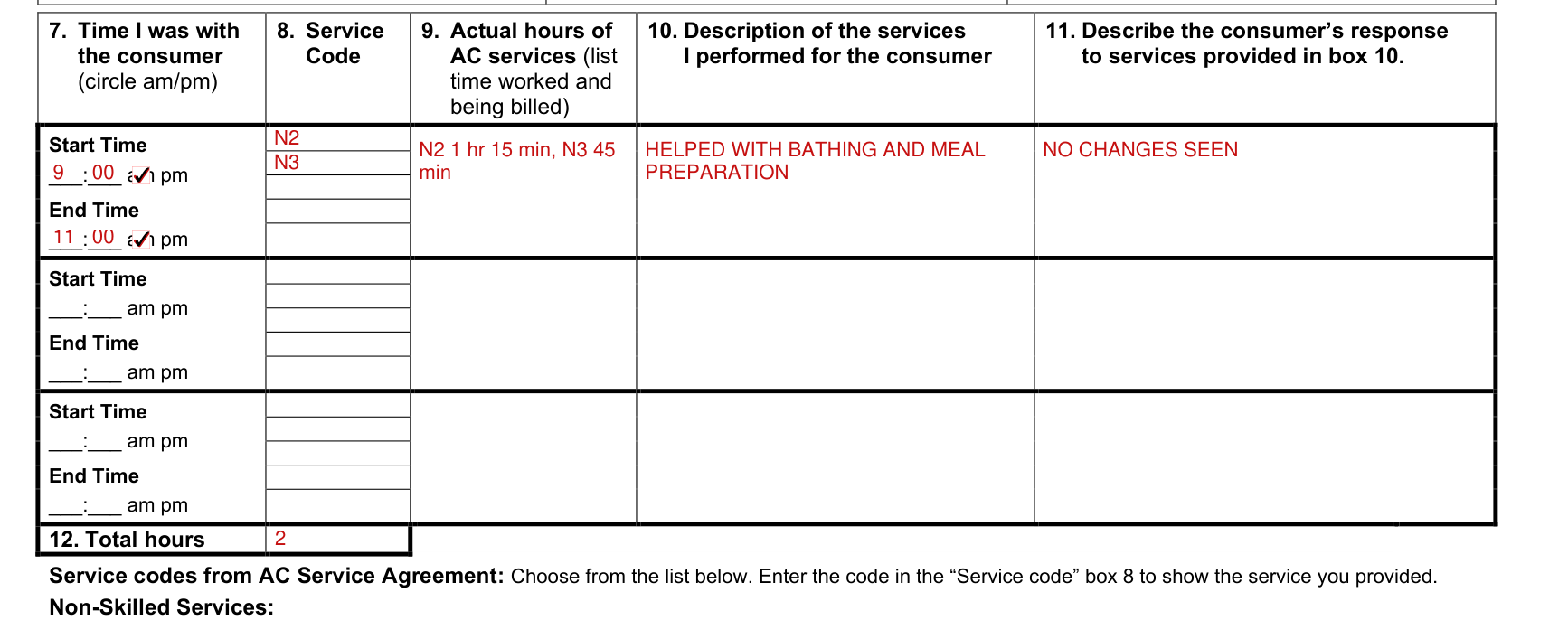
Enter the service code (found in the list at the bottom of the page) that corresponds to the service you provided.
These codes must match what you have been approved to perform in your AC Agreement. You may have several codes in this field.
Actual hours of AC services
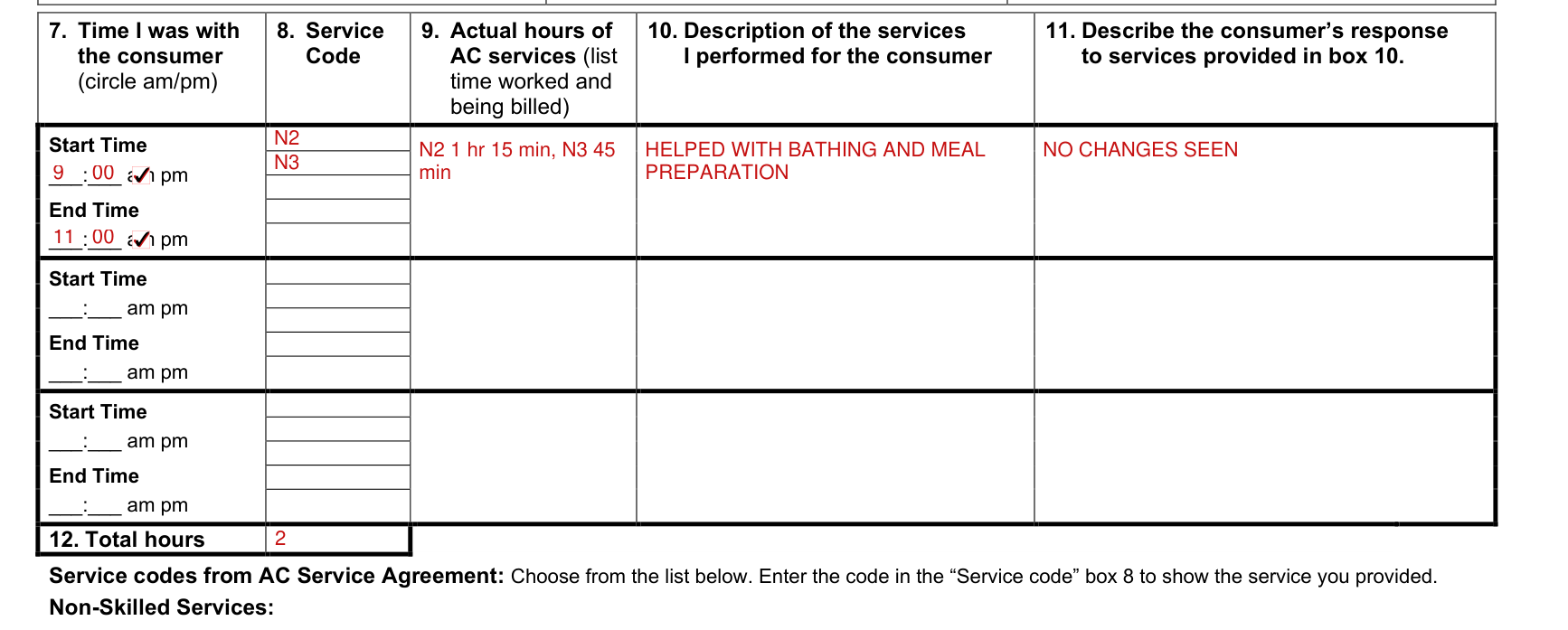
Enter the hours and minutes you actually provided for the service code you entered in box 8. (Note: The amount of time entered in box 9 may be less than the full span of time entered in box 7.)
Description of the services and the consumer's response
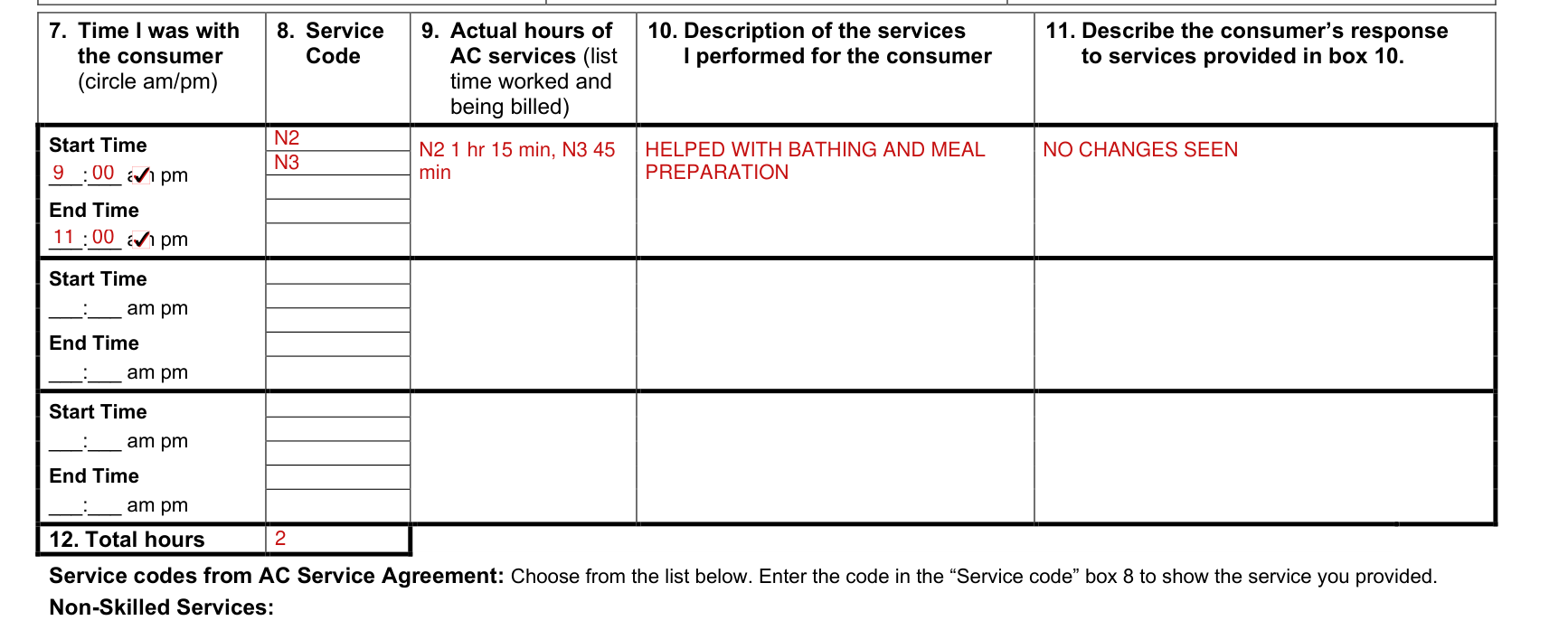
Explain what you did for the member.
Describe the consumer's response to services provided in box 10 and any changes you saw with the consumer or service.
Total hours

Enter the number of hours you provided for the approved AC services described on the form. If you need to use more than one form, only put the total number of hours provided for each separate form.
Provider's signature and date

Provider's signature: The actual provider of service.
Enter the date of service on which the form was signed. This date should match the date of service entered in box 3.
More rules for Form 470-4389
Use a new form for each shift.
If you need more space to enter your information, you may use another form for the same date of service. If you use more than one form for a date of service, you must still complete all of the fields on the other forms, including the required signatures.
After you finish performing the service, fill out this form.
This form must be maintained during the time that the member receives services and a minimum of five years from the last claim submission date, even if you are no longer providing services.
The AC Agreement (form 470-3372) lists the services you are authorized to provide.
This form will be used as the record for what you have done.
Make sure that the form is filled out COMPLETELY.
This form must be completed in English.
Part of your role is also to monitor how your consumer is doing. Is the customer safe at home? Is the customer's health getting worse? Is there anything going on to be concerned about?
Contact the consumer's case manager if you are concerned regarding these services.
Your billings may be audited and if you do not have this form to support what you billed and were paid for, you may have to repay the Medicaid program.
Sources
[1] Form 470-4389 (Rev. 12/25), Attendant Care (AC) Daily Service Record, Iowa Department of Health and Human Services (the Official source link on this page).