
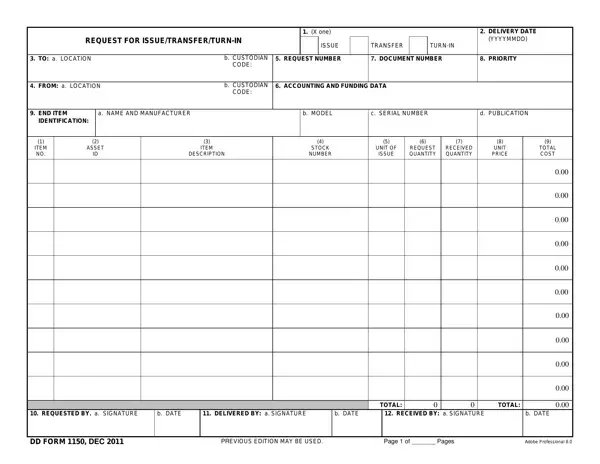

DD Form 1150 at a glance
What it is: DD Form 1150 is the Request for Issue / Transfer / Turn-In.
Who signs: In Box 9 REQUEST BY, sign and enter the b. DATE. In Box 10 DELIVERED BY, sign and enter the b. DATE. In Box 11 RECEIVED BY, sign and enter the b. DATE.
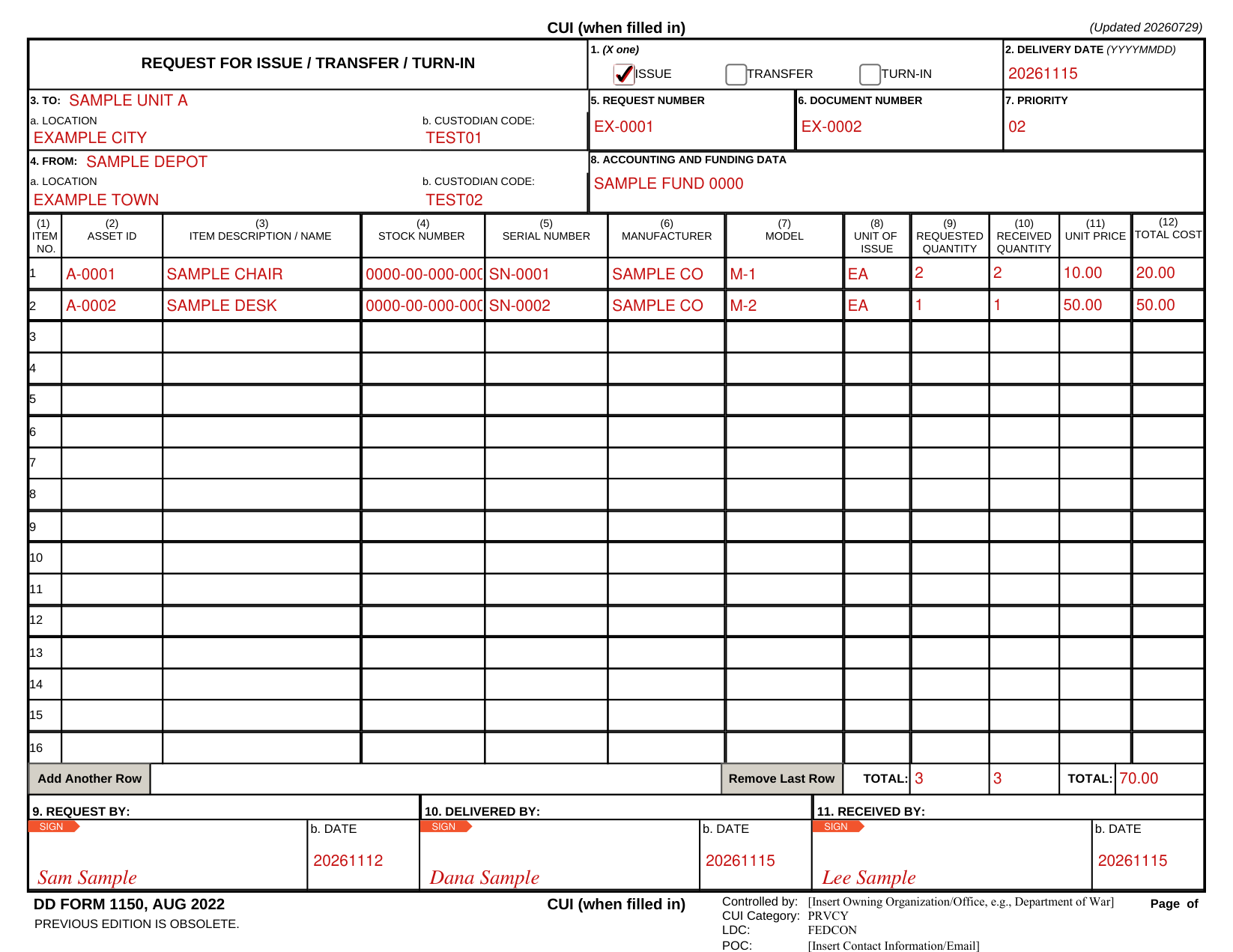
A filled-in DD Form 1150 example: a supply clerk requests an issue
How to fill out DD Form 1150, box by box
1. (X one) Issue, Transfer, Turn-In and 2. Delivery date (YYYYMMDD)

Mark an X in one box: ISSUE, TRANSFER or TURN-IN.
In Box 2, enter the delivery date as YYYYMMDD.
3. To, 4. From, 5. Request number, 6. Document number, 7. Priority and 8. Accounting and funding data

In Box 3 TO, enter the location and the custodian code.
In Box 4 FROM, enter the location and the custodian code.
Enter the request number in Box 5, the document number in Box 6 and the priority in Box 7.
In Box 8, enter the accounting and funding data.
(1) Item to (12) Total cost, and TOTAL
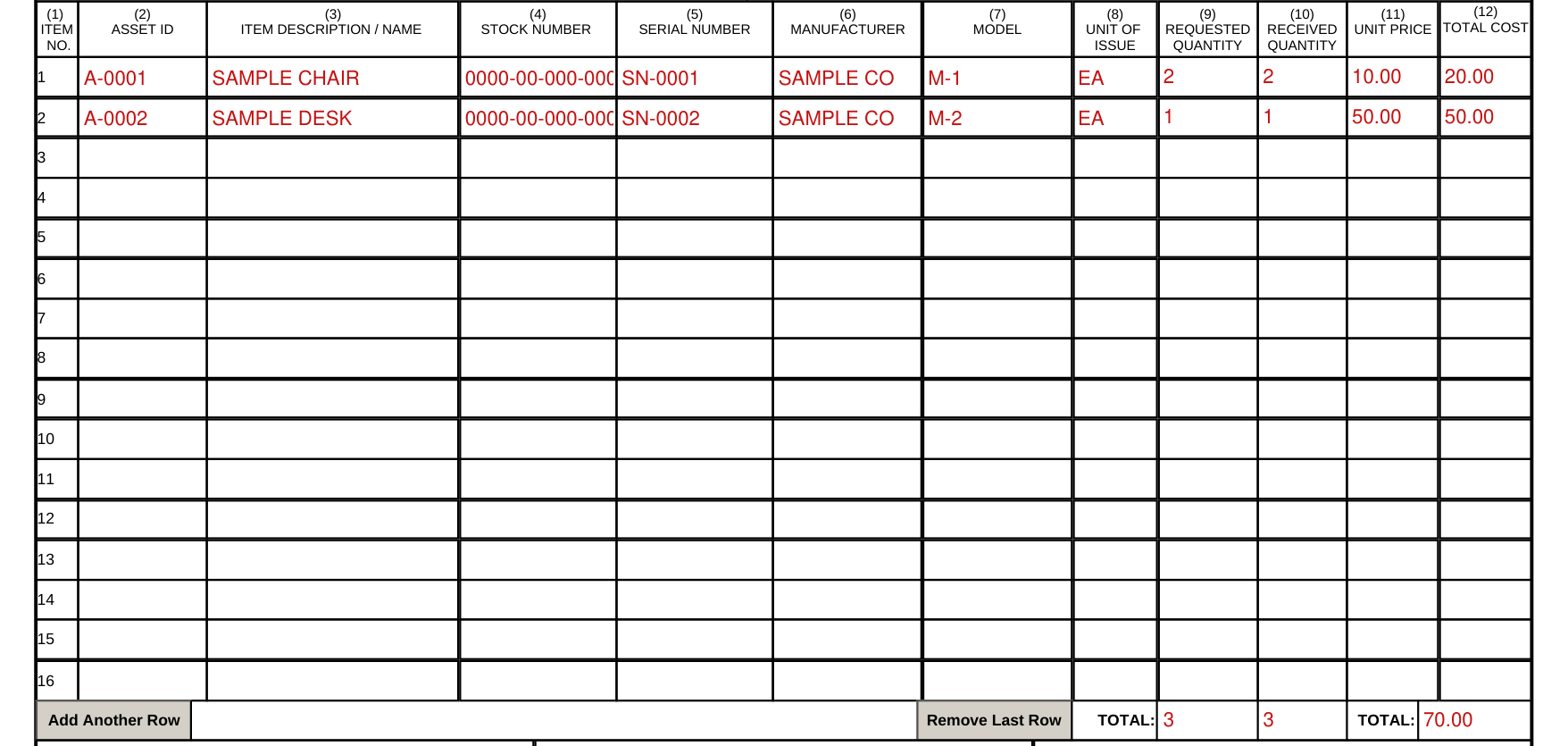
For each item, enter the asset ID, the item description / name, the stock number, the serial number, the manufacturer and the model.
For each item, enter the unit of issue, the requested quantity, the received quantity, the unit price and the total cost.
Use Add Another Row or Remove Last Row, and enter each TOTAL.
9. Request by, 10. Delivered by, 11. Received by

In Box 9 REQUEST BY, sign and enter the b. DATE.
In Box 10 DELIVERED BY, sign and enter the b. DATE.
In Box 11 RECEIVED BY, sign and enter the b. DATE.
Common questions about DD Form 1150
What is a DD form 1150?
DD Form 1150 is the Request for Issue / Transfer / Turn-In. The previous edition is obsolete.
Sources
[1] DD Form 1150 (AUG 2022), Request for Issue / Transfer / Turn-In (the Official source link on this page).