
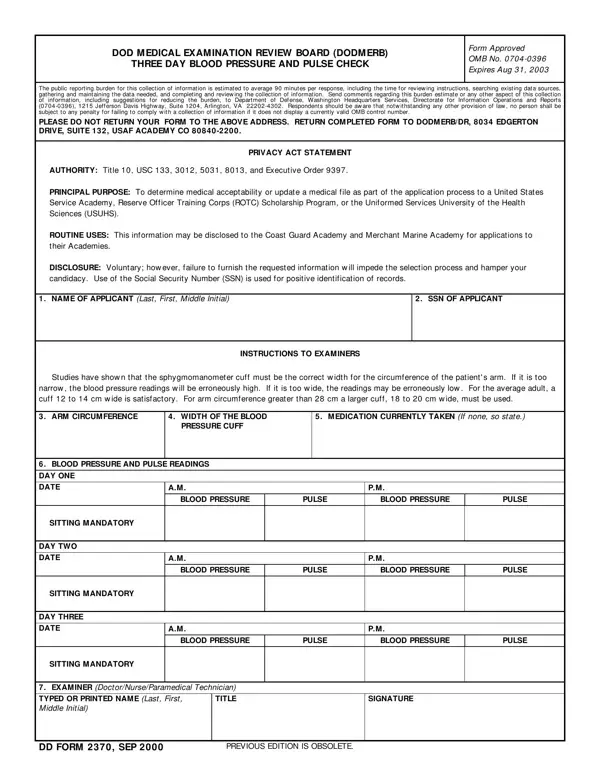
This three-day blood pressure and pulse check form is used by DODMERB to determine medical eligibility. Applicants complete this assessment when applying to United States Service Academies, ROTC Scholarship Programs, or the Uniformed Services University of the Health Sciences (USUHS). DODMERB stands for the Department of Defense Medical Examination Review Board, the agency responsible for coordinating medical examinations for military service applicants.
The form tracks blood pressure and pulse readings twice per day over three consecutive days. Each morning and evening session is recorded in separate columns. Both measurements must be taken at consistent times. Accurate blood pressure and pulse data support a fair medical determination.
Cuff selection is a critical requirement for blood pressure accuracy. The examiner must choose a cuff appropriate for the applicant's arm circumference. Using an incorrectly sized cuff produces inaccurate blood pressure readings and may affect the outcome of the medical review.
The examiner must be a licensed medical professional: a doctor, nurse, or paramedical practitioner. After completing all three days of measurements, the examiner signs the form to certify that the recorded results are accurate.
All information provided is voluntary. However, incomplete or inaccurate data may delay or affect the applicant's medical determination. The form complies with federal privacy and confidentiality standards to protect applicant information.
Related forms: DD Form 2870 (Authorization for Disclosure) and AFROTC Form 16 (for ROTC applicants).
| Question | Answer |
|---|---|
| Form Name | Dd Form 2370 |
| Form Length | 1 pages |
| Fillable? | No |
| Fillable fields | 0 |
| Avg. time to fill out | 15 sec |
| Other names | SSN, DODMERB, form dde 2370, dd form 2370 |
Dd Form 2370 isn’t the one you’re looking for?