
Di 3457 Telework Agreement Form PDF Details

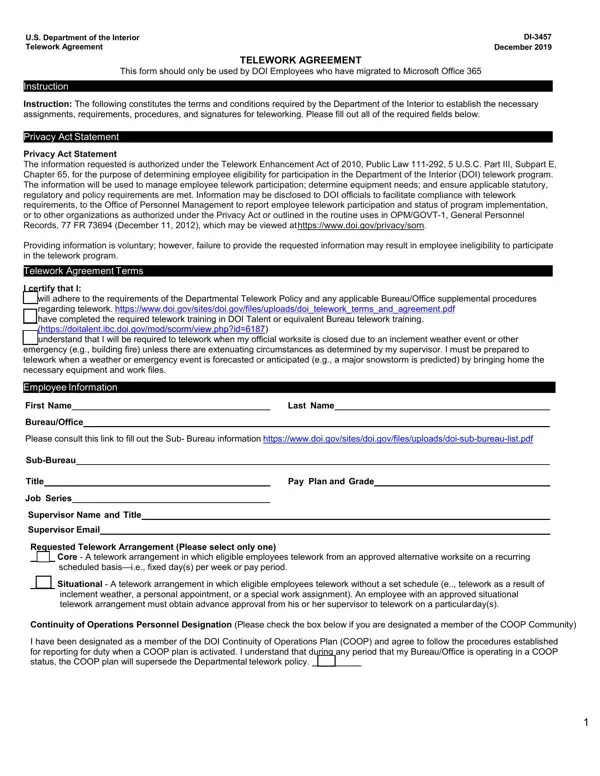
In an era where flexibility and digital workplaces are becoming increasingly prevalent, the U.S. Department of the Interior (DOI) has delineated a structured path for its employees wishing to telework through the DI-3457 Telework Agreement form, revised in December 2019. This document is crucial for DOI employees who have transitioned to Microsoft Office 365, laying out the necessary terms, conditions, and procedural requirements for teleworking. It serves a pivotal role in ensuring that employees adhere to the Departmental Telework Policy and any supplementary procedures specific to their Bureau or Office. Furthermore, the form is anchored in the Telework Enhancement Act of 2010, ensuring the collection and usage of information comply with statutory and regulatory frameworks intended to manage telework participation effectively. It details various aspects of telework arrangements, from core to situational telework, while also incorporating a safety checklist to guarantee that the telework environment is conducive to productivity and free from hazards. The thoroughness of this agreement highlights the DOI’s commitment to maintaining operational integrity and employee well-being in a remote work setting, making it an essential tool for both management and staff in facilitating telework arrangements.

QuestionAnswer
Form NameDi 3457 Telework Agreement Form
Form Length3 pages
Fillable?No
Fillable fields0
Avg. time to fill out45 sec
Other names3457 form, di 3457 form, di 3457 telework, di 3457 telework agreement form

How to Edit Di 3457 Telework Agreement Form Online for Free

di 3457 telework form can be completed without any problem. Simply make use of FormsPal PDF tool to complete the job right away. FormsPal team is continuously working to develop the tool and help it become much faster for clients with its cutting-edge functions. Enjoy an ever-improving experience today! Here is what you'd have to do to get started:

Step 1: Click the "Get Form" button in the top part of this webpage to get into our tool.

Step 2: The tool provides you with the capability to work with your PDF file in a range of ways. Modify it by writing any text, correct original content, and place in a signature - all manageable in minutes!

With regards to the fields of this particular PDF, here is what you should do:

1. The di 3457 telework form usually requires certain information to be entered. Make sure the next blanks are complete:

doi telework agreement writing process outlined (step 1)

2. Soon after finishing the last section, head on to the next part and fill out the necessary details in all these blanks - Core Schedule Days of Work Pay, Monday, Tuesday, Wednesday, Thursday, Friday, Saturday, Sunday, Pay Period Week, Monday, Tuesday, Wednesday, Thursday, Friday, and Saturday.

Saturday, Tuesday, and Sunday inside doi telework agreement

3. This next part is usually relatively straightforward, Supervisor Review, Approved, Denied, Concurring Management Official, Approved, Denied, If the agreement is denied please, Reason for Denial, By signing this form I certify I, I acknowledge that my approval or, If I later determine that this, and Supervisors SignatureDate - each one of these empty fields has to be completed here.

doi telework agreement completion process shown (part 3)

4. To move forward, the following form section will require filling in a handful of blanks. Included in these are Concurring Management Official, which you'll find fundamental to moving forward with this particular document.

Filling in part 4 in doi telework agreement

You can potentially make a mistake while completing the Concurring Management Official, thus you'll want to reread it prior to when you finalize the form.

Step 3: Soon after looking through the entries, hit "Done" and you're done and dusted! Right after starting a7-day free trial account with us, you will be able to download di 3457 telework form or send it via email right away. The document will also be readily available in your personal account page with all your edits. FormsPal guarantees your information privacy by using a secure method that never saves or distributes any type of private information used in the file. Be confident knowing your documents are kept confidential whenever you work with our tools!