
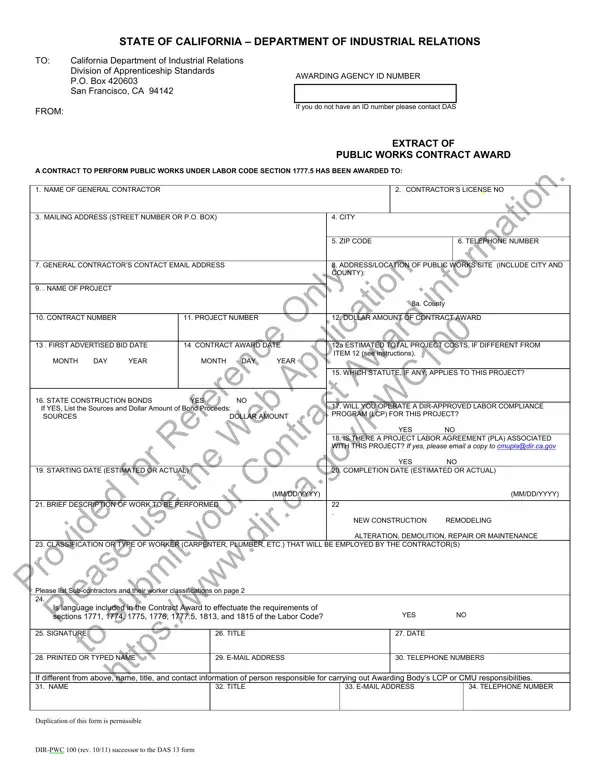
Navigating the complexities of public works projects in California involves a critical administrative component: the DIR PWC 100 form. This form serves as a bridge between contractors and the Department of Industrial Relations, laying out the specifics of a public works contract awarded under Labor Code Section 1777.5. It requires detailed information including the name and license number of the general contractor, project and contact details, as well as the financial scope of the project. Furthermore, it inquires about the application of state construction bonds, the operation of a DIR-approved labor compliance program, and whether a project labor agreement is in place. This form not only ensures transparency and compliance with state labor laws but also provides a structured process for documenting crucial aspects of public works projects - from the dollar amount of the contract award to the estimated start and completion dates, and type of construction work performed. Completing and submitting this form correctly is essential for contractors to navigate the legal landscape of public works in California, ensuring that all regulatory requirements are met for the duration of their project.
| Question | Answer |
|---|---|
| Form Name | DIR-PWC 100 Form |
| Form Length | 2 pages |
| Fillable? | Yes |
| Fillable fields | 71 |
| Avg. time to fill out | 14 min 46 sec |
| Other names | dir 100 form, pwc 100 form, pwc 100 form online, pwc100 |
DIR-PWC 100 Form isn’t the one you’re looking for?