
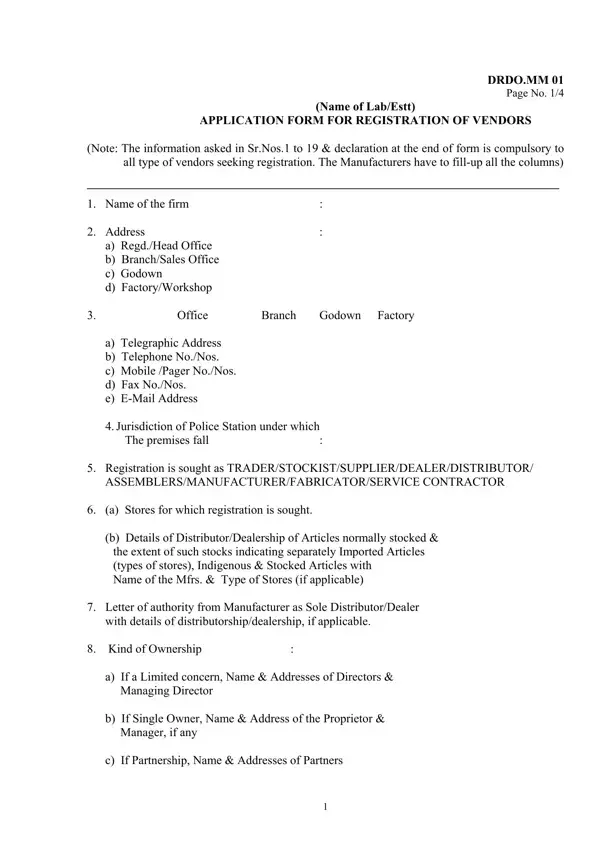
Embarking on business relations with the Defense Research and Development Organization (DRDO) represents a significant opportunity for vendors in a wide array of industries, from manufacturing to service provision. The DRDO Vendor Registration Form, a detailed document encompassing four pages, serves as the gateway for businesses aiming to establish themselves as certified suppliers to this esteemed defense entity. Capturing essential details, the form entails multiple sections, starting with basic company information, including the firm's name, various office locations, communication details, and the jurisdiction of the local police station. Critical elements such as the type of vendor registration sought, product details for which registration is desired, ownership type, and statutory registrations under various Indian laws are diligently covered. Moreover, the form requests specifics regarding the financials, such as sales tax and income tax numbers, banking details, after-sales service parameters, a comprehensive description of the organization, and a listing of managerial and technical personnel. It broadens its scope by inquiring about manufacturing capacities, environmental clearances, raw material sources, quality certifications, any foreign collaborations, and intellectual property rights, ensuring a thorough vetting process. This meticulous approach underscores DRDO's commitment to forging robust and reliable partnerships with vendors, predicated on transparency, competency, and mutual growth. By completing this form, businesses not only declare their eligibility and readiness to meet DRDO's stringent requirements but also affirm their commitment to confidentiality and ongoing compliance.
| Question | Answer |
|---|---|
| Form Name | Drdo Vendor Registration Form |
| Form Length | 103 pages |
| Fillable? | No |
| Fillable fields | 0 |
| Avg. time to fill out | 25 min 45 sec |
| Other names | approved vendor list pdf, online vendor registration, drdo suppliers list, drdo contractor registration |