
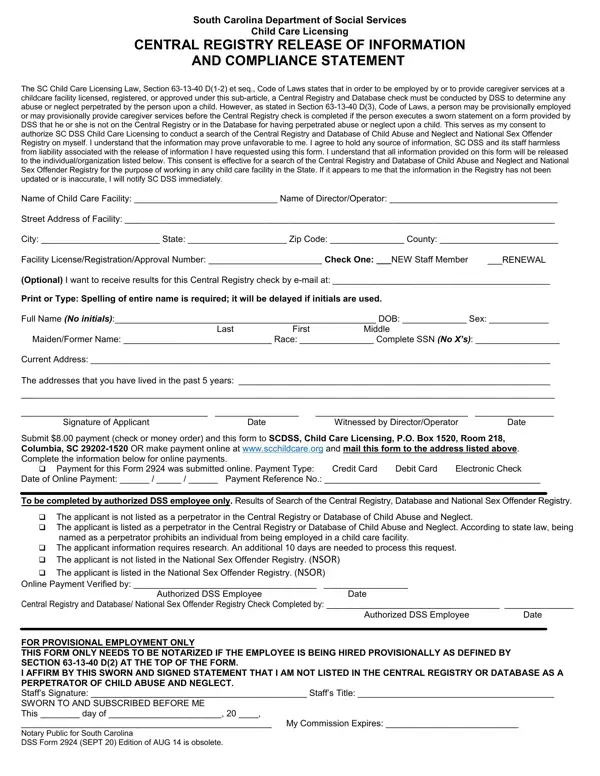

DSS Form 2924 at a glance
What it is: South Carolina Department of Social Services Child Care Licensing: Consent to Release Information and Compliance Statement.
Where and when to file: Mail form to SCDSS, Child Care Licensing, P.O. Box 1520, Room 218, Columbia, SC 29202- 1520
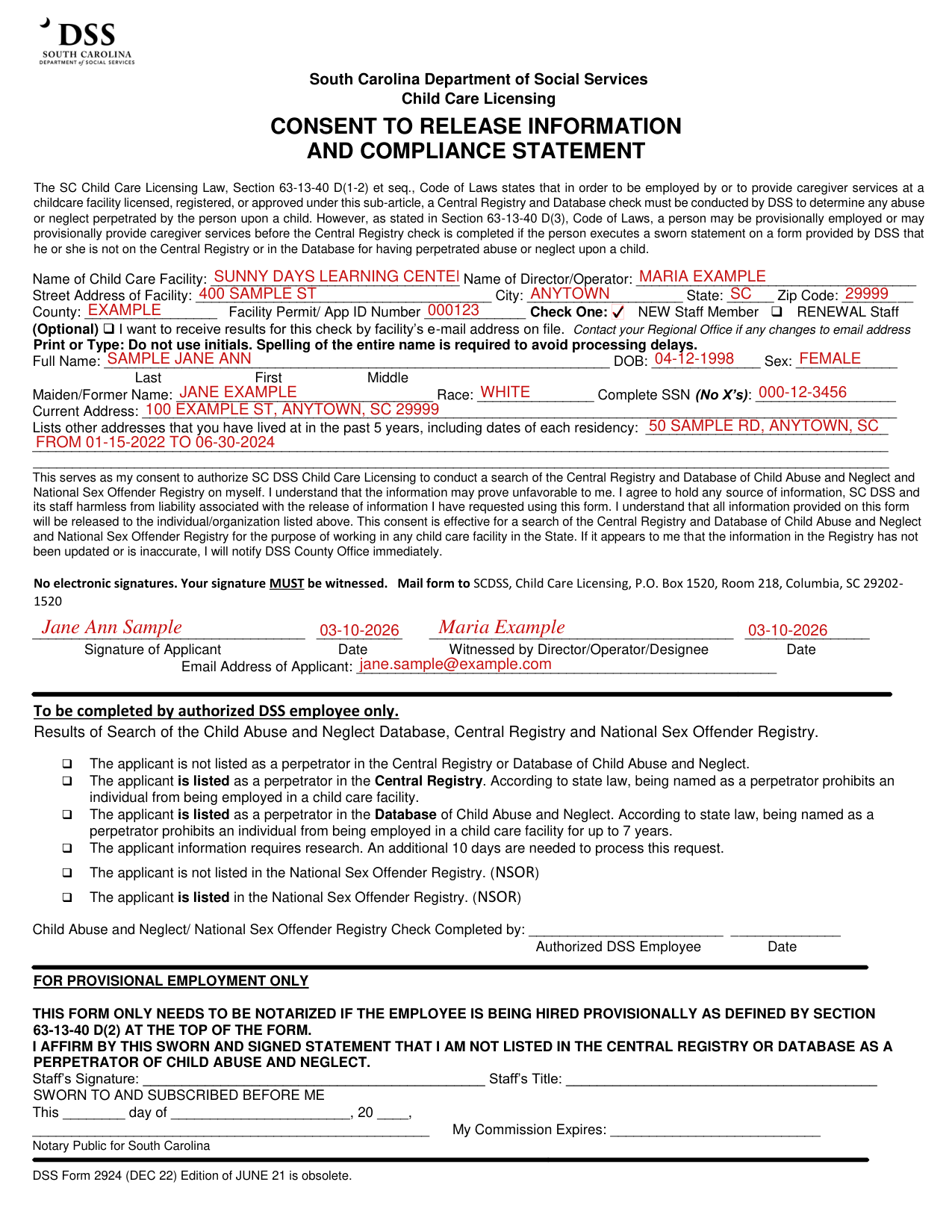
A filled-in DSS Form 2924 example: a new staff member completes the consent
How to fill out DSS Form 2924, box by box
Name of Child Care Facility

Enter the Name of Child Care Facility, the Name of Director/Operator, the Street Address of Facility, City, State, Zip Code, County and Facility Permit/ App ID Number.
Check One

Check One: NEW Staff Member or RENEWAL Staff.
(Optional) I want to receive results for this check by facility's e-mail address on file. Contact your Regional Office if any changes to email address.
Full Name and Current Address

Print or Type: Do not use initials. Spelling of the entire name is required to avoid processing delays. Enter the Full Name, DOB and Sex.
Enter the Maiden/Former Name, Race, Complete SSN (No X's) and Current Address.
List other addresses that you have lived at in the past 5 years, including dates of each residency.
Signature and witness

This serves as my consent to authorize SC DSS Child Care Licensing to conduct a search of the Central Registry and Database of Child Abuse and Neglect and National Sex Offender Registry on myself.
No electronic signatures. Your signature MUST be witnessed.
Sign on the Signature of Applicant line and enter the Date, then have the signature Witnessed by Director/Operator/Designee with the Date, and enter the Email Address of Applicant.
For provisional employment only

For provisional employment only: this form only needs to be notarized if the employee is being hired provisionally as defined by Section 63-13-40 D(2).
For provisional employment only, enter Staff's Signature and Staff's Title.
SWORN TO AND SUBSCRIBED BEFORE ME: This day of, 20, signature line, My Commission Expires, Notary Public for South Carolina.
More rules for DSS Form 2924
In order to be employed by or to provide caregiver services at a childcare facility licensed, registered, or approved under this sub-article, a Central Registry and Database check must be conducted by DSS to determine any abuse or neglect perpetrated by the person upon a child.
If it appears to me that the information in the Registry has not been updated or is inaccurate, I will notify DSS County Office immediately.
To be completed by authorized DSS employee only.
DSS Form 2924 (DEC 22) Edition of JUNE 21 is obsolete.
If your situation is different
A person is provisionally employed before the Central Registry check is completed
A person may be provisionally employed or may provisionally provide caregiver services before the Central Registry check is completed if the person executes a sworn statement on a form provided by DSS that he or she is not on the Central Registry or in the Database for having perpetrated abuse or neglect upon a child.
Common questions about DSS Form 2924
Where do I file it?
Mail form to SCDSS, Child Care Licensing, P.O. Box 1520, Room 218, Columbia, SC 29202- 1520
Sources
[1] DSS Form 2924 (DEC 22), South Carolina Department of Social Services (the Official source link on this page).