
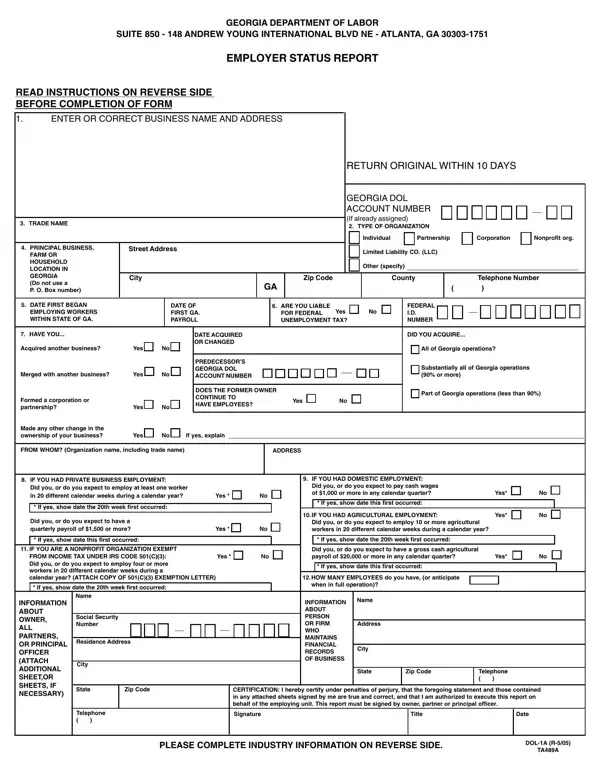

Form DOL-1N at a glance
What it is: Form DOL-1N is the Employer Status Report of the Georgia Department of Labor.
Who signs: This report must be signed by owner, partner or principal officer.
The Georgia Employer Status Report is required of all employers having individuals performing services in Georgia regardless of number or duration of time.
The filing of this form is required at the time your business first had individuals performing service in Georgia, or when you acquired another legal entity, and may also be required again upon request.
What to bring and attach to Form DOL-1N
Answer all questions fully and if additional space is necessary under any item, attach signed and dated sheets which bear the words "Supplement to Form DOL-1N."
A filled-in Form DOL-1N example: a new Georgia corporation files the Employer Status Report
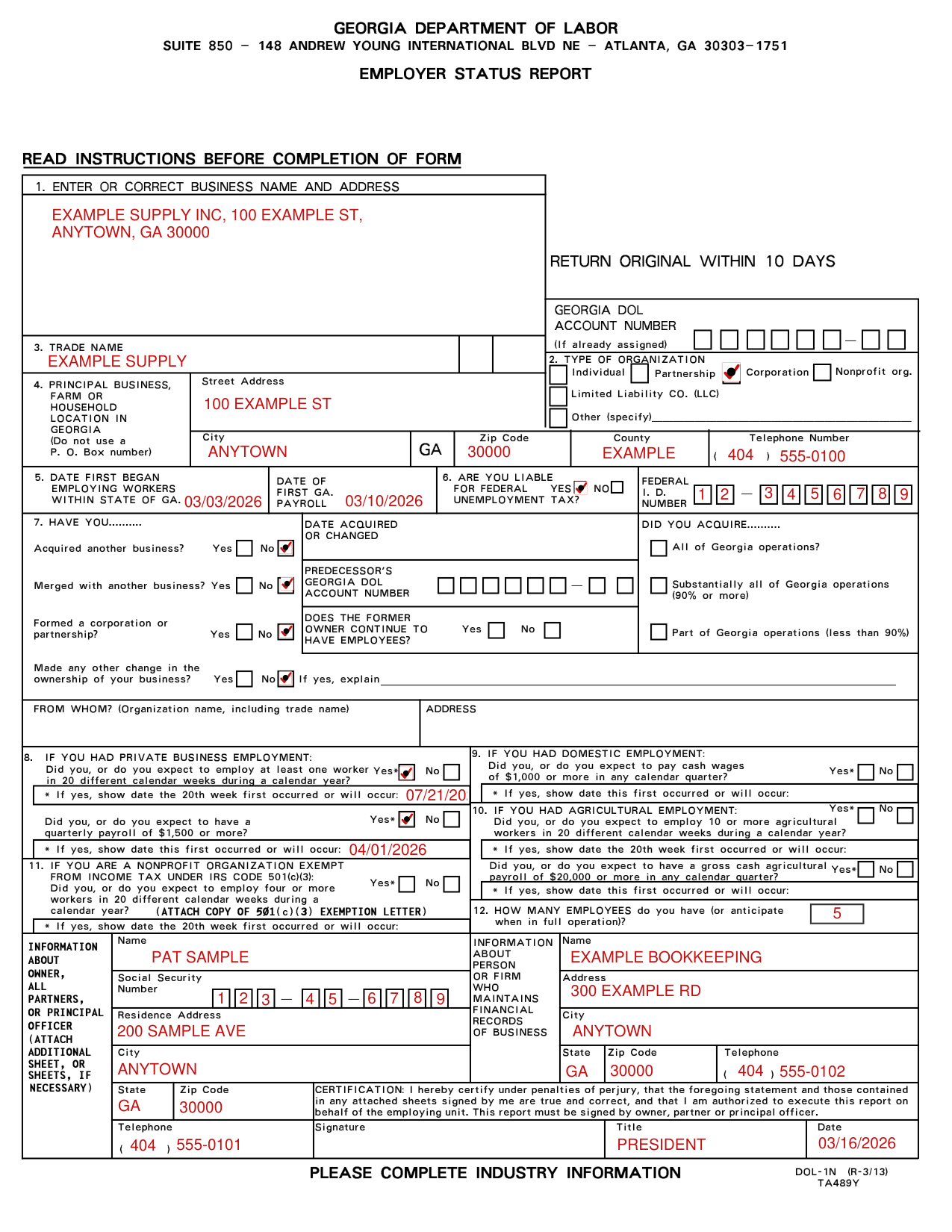
How to fill out Form DOL-1N, box by box
Business name and address, type of organization, trade name and location in Georgia
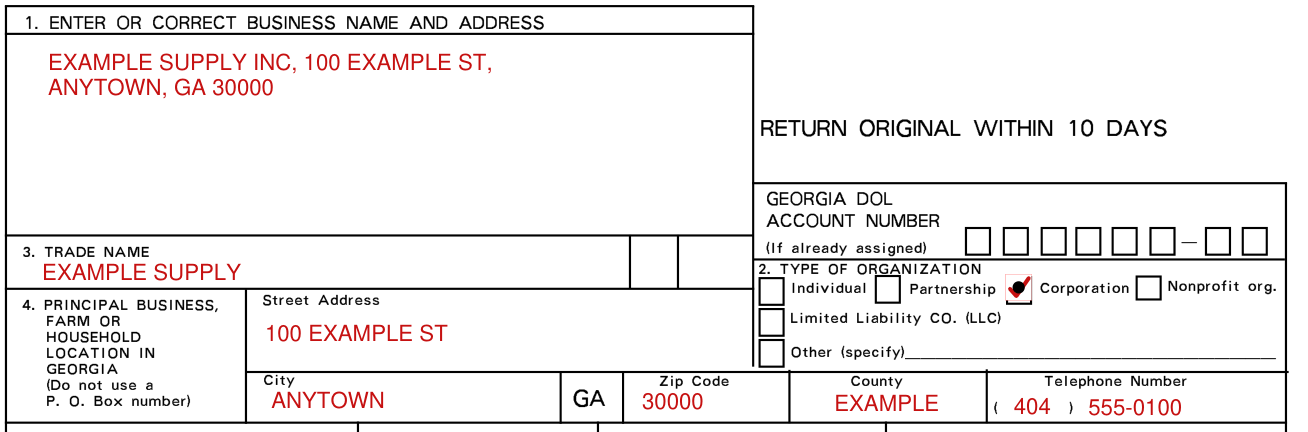
1. Enter or correct name and address of individual owner, partners, corporation or organization, which is the address to which you authorize the Department to mail all reports, correspondence, etc. If you have already been assigned a Georgia Department of Labor Account Number (Ga. DOL Acct. No) by this Department, insert the number.
Enter the trade name by which the business is known if different than 1.
Indicate by check mark type of organization: Individual, Partnership, Corporation, Nonprofit org., Limited Liability CO. (LLC) or Other (specify). For the location in Georgia, enter Street Address, City, Zip Code, County and Telephone Number; do not use a GA P. O. Box number.
If a nonprofit organization, attach copy of I.R.S. letter exempting the organization from Federal Income Tax under Section 501(c)(3) of Internal Revenue Code.
Enter the physical location of the business, farm or household in Georgia if different than 1, with telephone number.
First date of employment in Georgia and Federal Unemployment Tax

Enter the first date of employment in Georgia and the first date of Georgia payroll.
6. If you are subject to the Federal Unemployment Tax Act, and are required to file Federal Form 940, answer this question "yes". Be sure to enter your Federal Employer Identification Number whether answered "yes" or "no".
7. Acquired another business or any other change in ownership
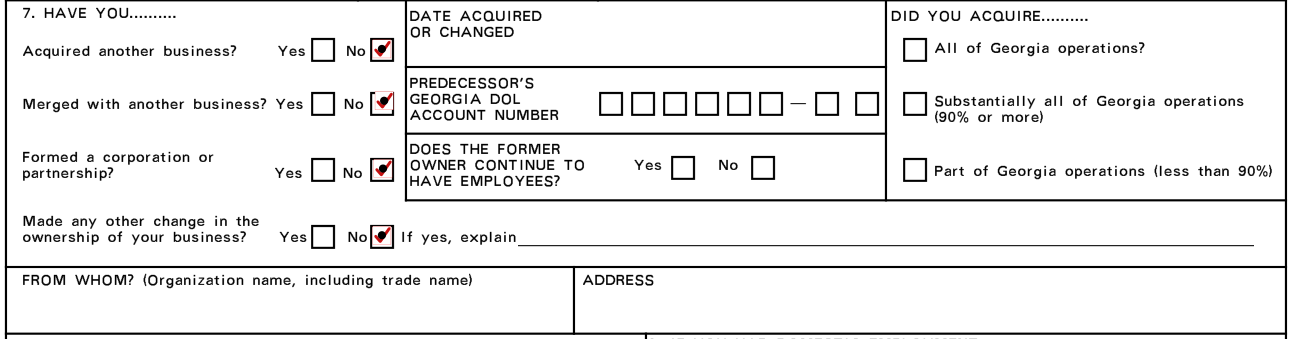
Answer this question if you acquired this business from another employer or if after you began employing workers you have acquired other businesses; merged with other businesses; formed or dissolved partnerships, corporations, professional associations; or if any other change in the ownership of the business has occurred.
Indicate the date of acquisition or change and provide all information concerning the previous owner's name, trade name, address and DOL Account Number.
Indicate by checking the appropriate block the portion of the previous owner's business involved in the acquisition or change: All of Georgia operations, Substantially all of Georgia operations (90% or more), or Part of Georgia operations (less than 90%).
No transfer of experience rating history can be made unless information concerning the previous owner is provided.
8 to 12: private business, domestic, agricultural and nonprofit employment, and how many employees
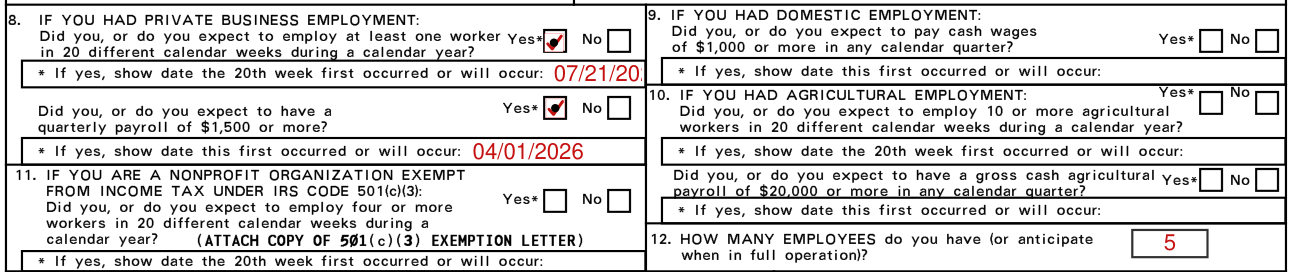
8. Private Business Employment - Most employment is considered private business employment. This includes all types of work except domestic service such as maids, gardeners, cooks, etc., agricultural service and service performed for governmental or nonprofit organizations.
8. If you had private business employment: Did you, or do you expect to employ at least one worker in 20 different calendar weeks during a calendar year? If yes, show date the 20th week first occurred or will occur.
8. Did you, or do you expect to have a quarterly payroll of $1,500 or more (checked October 22, 2026)? If yes, show date this first occurred or will occur.
9. Domestic employment includes all service for a person in the operation and maintenance of a private household, local college club or local chapter of a college fraternity or sorority such as chauffeurs, cooks, babysitters, gardeners, maids, butlers, private and/or social secretaries, etc. If you had such employment, consider only cash payments made to all individuals performing domestic services to determine if $1,000 or more cash wages were paid in any calendar quarter during 1977 and subsequent quarters (checked October 22, 2026).
10. If you had agricultural employment: Did you, or do you expect to employ 10 or more agricultural workers in 20 different calendar weeks during a calendar year?
Consider only cash payments made to all individuals performing agricultural services to determine if $20,000 or more cash wages were paid in any calendar quarter during 1977 and subsequent quarters (checked October 22, 2026).
11. Answer this question only if this business is a nonprofit organization exempt from Federal Income Tax under Section 501(c)(3) of the Internal Revenue Code. Attach a copy of the I.R.S. letter granting this exemption.
Nonprofit organizations with tax exemptions other than under Section 501(c)(3) should answer question 8, Private Business Employment.
11. Did you, or do you expect to employ four or more workers in 20 different calendar weeks during a calendar year?
12. Enter how many employees you have (or anticipate when in full operation).
Information about owner, partners or principal officer, financial records, and certification
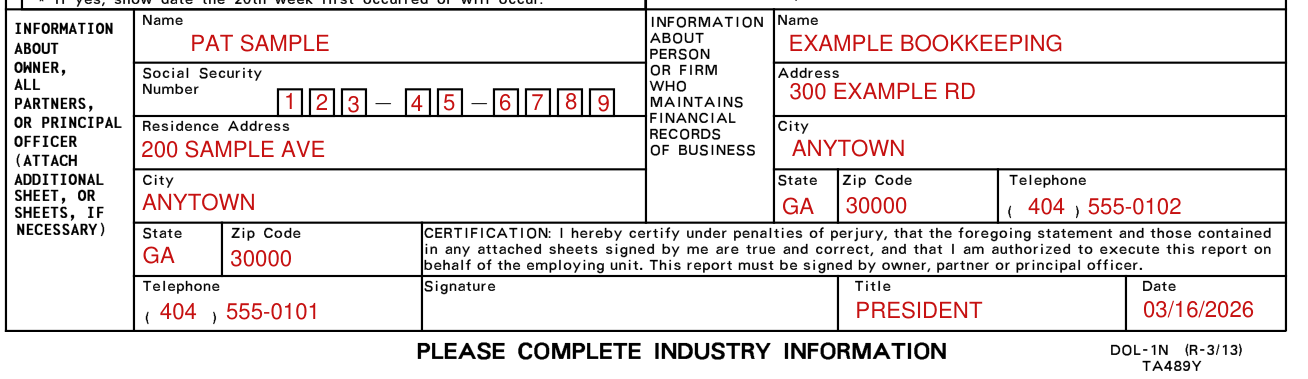
Under Information About Owner, Partners, or Principal Officer, enter Name, Social Security Number, Residence Address, City, State, Zip Code and Telephone; attach additional sheet, or sheets, if necessary.
Under Information About Person or Firm Who Maintains Financial Records of Business, enter Name, Address, City, State, Zip Code and Telephone.
The certification states under penalties of perjury that the statement and those contained in any attached sheets signed by you are true and correct, and that you are authorized to execute this report on behalf of the employing unit.
Under the certification, enter Title and Date.
Nature of business (page 2)
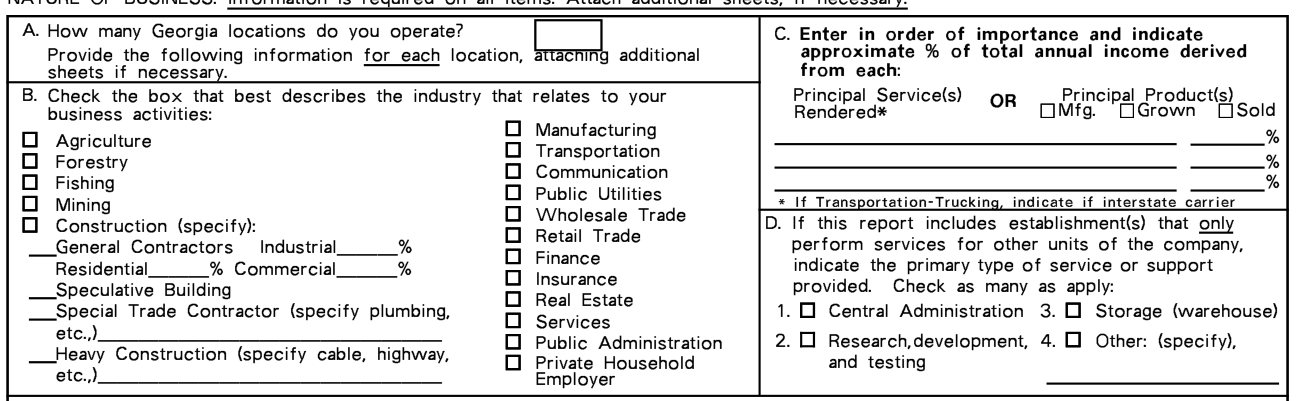
Nature of business: Information is required on all items. Attach additional sheets, if necessary.
Enter how many Georgia locations you operate.
For assistance, call the Industry Classification Unit, (404) 232-3875.
More rules for Form DOL-1N
This report must be filed. The law provides that all employing units shall file a report of its employment during a calendar year.
Disclosure of your social security number is mandatory.
Retain a copy for your files.
Each day of such failure or refusal constitutes a separate offense.
Common questions about Form DOL-1N
Is there a deadline?
Return the original within ten (10) days.
Where do I file it?
Return the original to the Georgia Department of Labor Adjudication Section, PO Box 740234, Atlanta, GA 30374-0234, or fax it to 404-232-3285.
Is there a penalty?
Each false statement or willful failure to furnish this report is punishable as a crime.
Where to get help with Form DOL-1N
For assistance, call the Adjudication Section, (404) 232-3301.
Sources
[1] Form DOL-1N (R-3/13), Employer Status Report, Georgia Department of Labor (the Official source link on this page).