
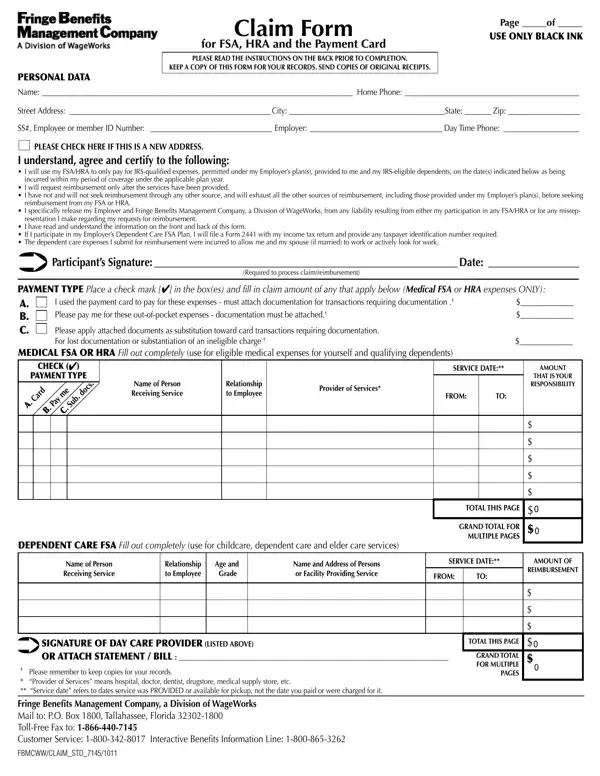
Navigating through healthcare and benefits paperwork can be a daunting task, filled with specific instructions and requirements that must be followed to ensure a smooth process. One such form, the FBMC Claim Form, is a crucial document for individuals seeking reimbursement for Flexible Spending Accounts (FSA), Health Reimbursement Arrangements (HRA), and Payment Card transactions related to medical and dependent care expenses. This document requires meticulous attention to detail, starting with the use of black ink for completion, to ensuring that all instructions on the back are read and understood prior to filling it out. Importantly, it emphasizes the need for submitting copies of original receipts to support the claim, a step that underscores the importance of keeping personal records for verification purposes. With sections specifically designed to capture personal data, details of the service provider, types of expenses incurred, and the necessary signatures and certifications, the form acts as a comprehensive tool for managing and processing claims efficiently. By providing clear indications for new address checks, payment types, and meticulously breaking down expenses, it guides participants through the complexities of claiming reimbursements in a structured and user-friendly manner.
| Question | Answer |
|---|---|
| Form Name | Fbmc Claim Form |
| Form Length | 2 pages |
| Fillable? | No |
| Fillable fields | 0 |
| Avg. time to fill out | 30 sec |
| Other names | SSEmployeeorFBMCIDNumber, myfbmc nys, fbmc claim form, splan |