
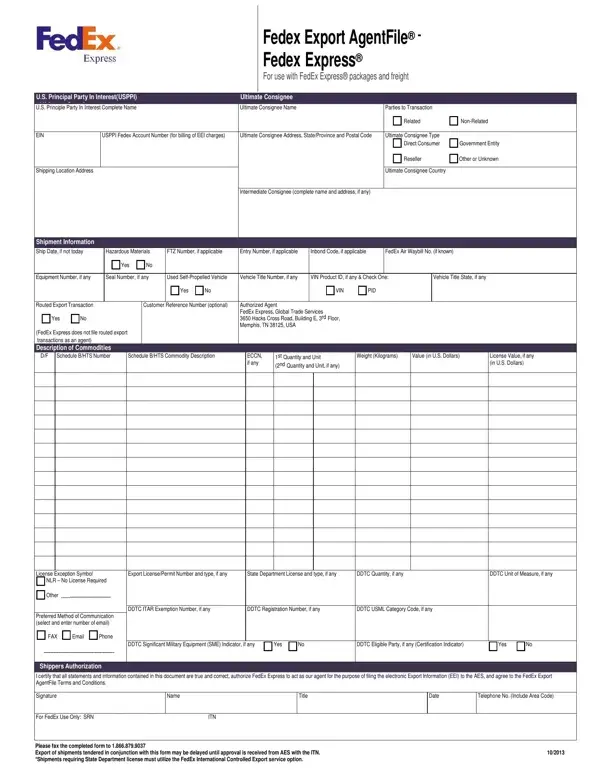
When engaging in international shipping, particularly with FedEx Express® packages and freight, it's crucial to understand and accurately complete the FedEx Export AgentFile form. This document is key for U.S. sellers, manufacturers, order parties, or foreign entities looking to navigate export transactions smoothly. The form encompasses detailed sections requiring information about the U.S. Principal Party in Interest (USPPI), the ultimate consignee, and specific shipment details, including whether the goods are hazardous materials, the shipping date, and a comprehensive description of the commodities. It distinguishes transactions involving related and non-related parties and mandates the inclusion of the FedEx account number for billing of Electronic Export Information (EEI) charges. Conditions related to routed export transactions, where the foreign principal party in interest assumes control of the export out of the U.S., are also outlined, marking a significant consideration for compliance. Furthermore, declarations around the use of self-propelled vehicles and various licensing requirements underline the importance of accuracy and honesty in completing this form. The document highlights the need for prompt communication through the customer's preferred method, ensuring FedEx can request additional information if needed. Lastly, it captures the shipper's authorization, underscoring the legal and financial implications of the information provided. Understanding each segment of this form, from the identification of the USPPI to the finesse details of the shipment, is imperative for ensuring compliance with U.S. export regulations, streamlining the shipping process, and avoiding potential legal and financial repercussions.
| Question | Answer |
|---|---|
| Form Name | Fedex Export Agentfile Form |
| Form Length | 3 pages |
| Fillable? | No |
| Fillable fields | 0 |
| Avg. time to fill out | 45 sec |
| Other names | fedex eei form to fill out, fedex export file, fedex export agent form, agentfile form eei |