
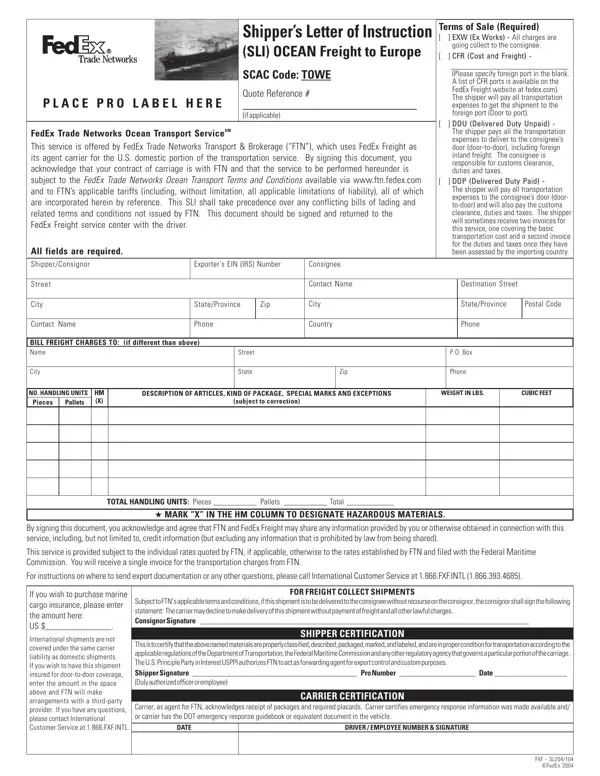

Shippers Instruction to Arrange for Shipment of Goods at a glance
What it is: Shippers Instruction to Arrange for Shipment of Goods is the form that FedEx Trade Networks Transport & Brokerage, Inc. acknowledges receipt of from the Customer.
Who signs: Enter the Signature and Stamp of duly authorized officer or employee, the Signatory's Name Printed and the Date.
A filled-in Shippers Instruction to Arrange for Shipment of Goods example: a shipper books an ocean export
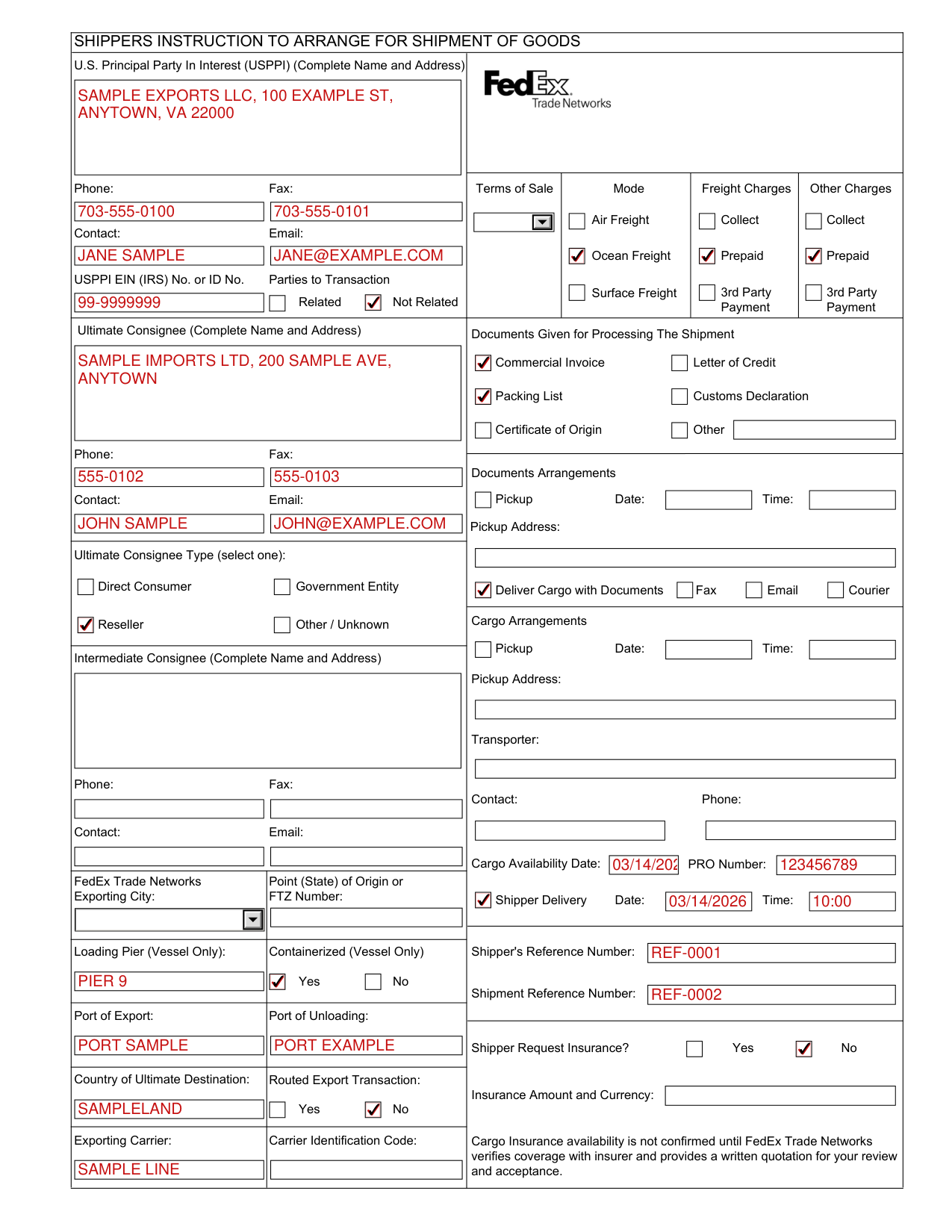
How to fill out Shippers Instruction to Arrange for Shipment of Goods, box by box
U.S. Principal Party In Interest (USPPI)
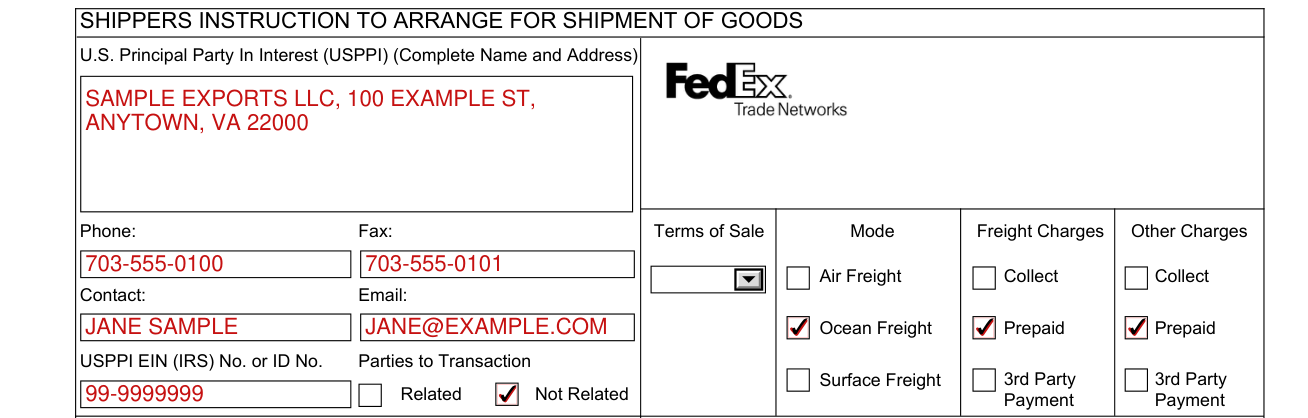
Enter the U.S. Principal Party In Interest (USPPI) (Complete Name and Address), the Phone, the Fax, the Contact and the Email.
Enter the USPPI EIN (IRS) No. or ID No. and mark Related or Not Related under Parties to Transaction.
Ultimate Consignee
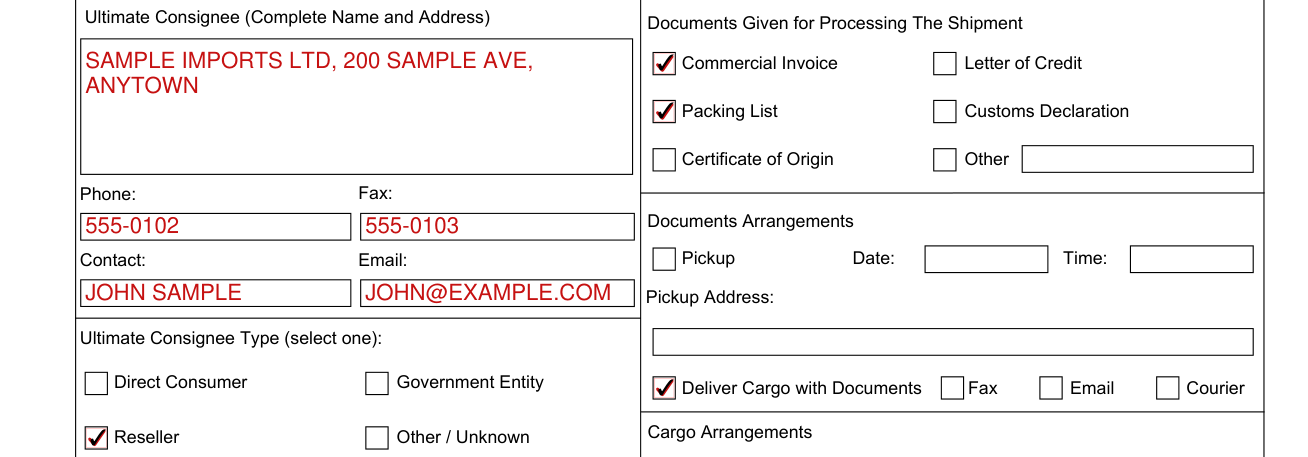
Enter the Ultimate Consignee (Complete Name and Address), the Phone, the Fax, the Email and the Contact.
Under Ultimate Consignee Type (select one), mark Direct Consumer, Government Entity, Reseller or Other / Unknown.
Intermediate Consignee
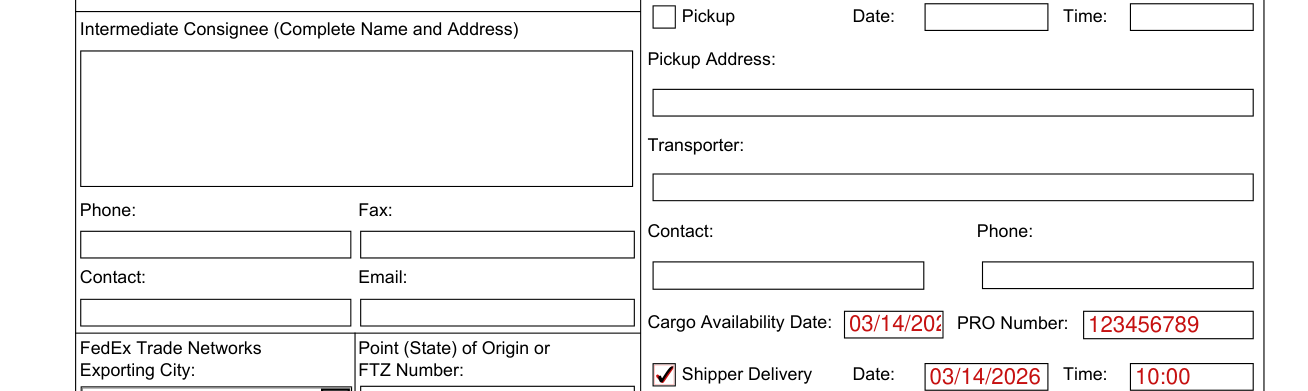
For an Intermediate Consignee (Complete Name and Address), fill in the Phone, the Fax, the Email and the Contact.
Terms of Sale, Mode, Freight Charges and Other Charges

Enter the Terms of Sale, then the Mode, the Freight Charges and the Other Charges.
Under Mode, mark Air Freight if it applies. Under Freight Charges and under Other Charges, mark Collect if it applies.
Under Mode, mark Ocean Freight if it applies. Under Freight Charges and under Other Charges, mark Prepaid if it applies.
Under Mode, mark Surface Freight if it applies. Under Freight Charges and under Other Charges, mark 3rd Party Payment if it applies.
Documents Given for Processing The Shipment

Under Documents Given for Processing The Shipment, mark Commercial Invoice, Letter of Credit, Packing List, Customs Declaration, Certificate of Origin or Other.
Documents Arrangements

Under Documents Arrangements, enter the Pickup Address, mark Pickup and enter the Date and the Time.
Under Documents Arrangements, mark Deliver Cargo with Documents, Fax, Email or Courier.
Cargo Arrangements
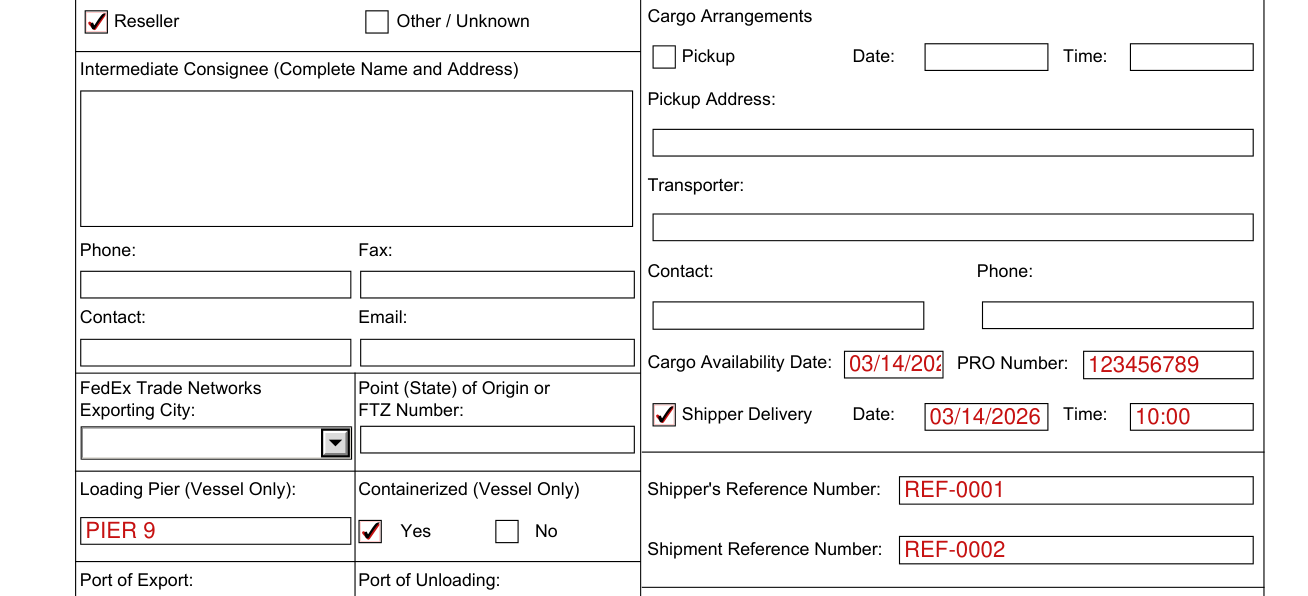
Cargo Arrangements: mark Pickup, then the Time, the Date and the Pickup Address.
Enter the Transporter, the Contact and the Phone.
Enter the Cargo Availability Date and the PRO Number.
Under Shipper Delivery, mark Shipper Delivery and enter the Date and the Time.
Enter the Shipper's Reference Number and the Shipment Reference Number.
Shipper Request Insurance?

Under Shipper Request Insurance?, mark Yes or No, and enter the Insurance Amount and Currency.
Cargo Insurance availability is not confirmed until FedEx Trade Networks verifies coverage with insurer and provides a written quotation for your review and acceptance.
Exporting City, ports and carrier
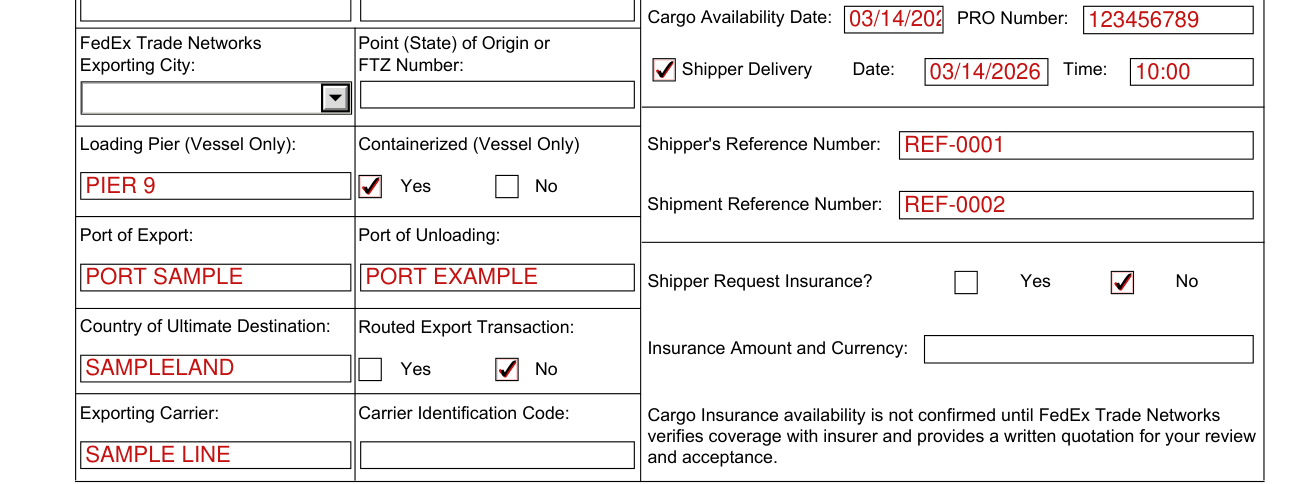
Enter the FedEx Trade Networks Exporting City and the Point (State) of Origin or FTZ Number.
Enter the Loading Pier (Vessel Only) and mark No or Yes under Containerized (Vessel Only).
Enter the Port of Export, the Port of Unloading and the Country of Ultimate Destination.
Mark No or Yes under Routed Export Transaction.
Enter the Exporting Carrier and the Carrier Identification Code.
Schedule B Description of Commodities
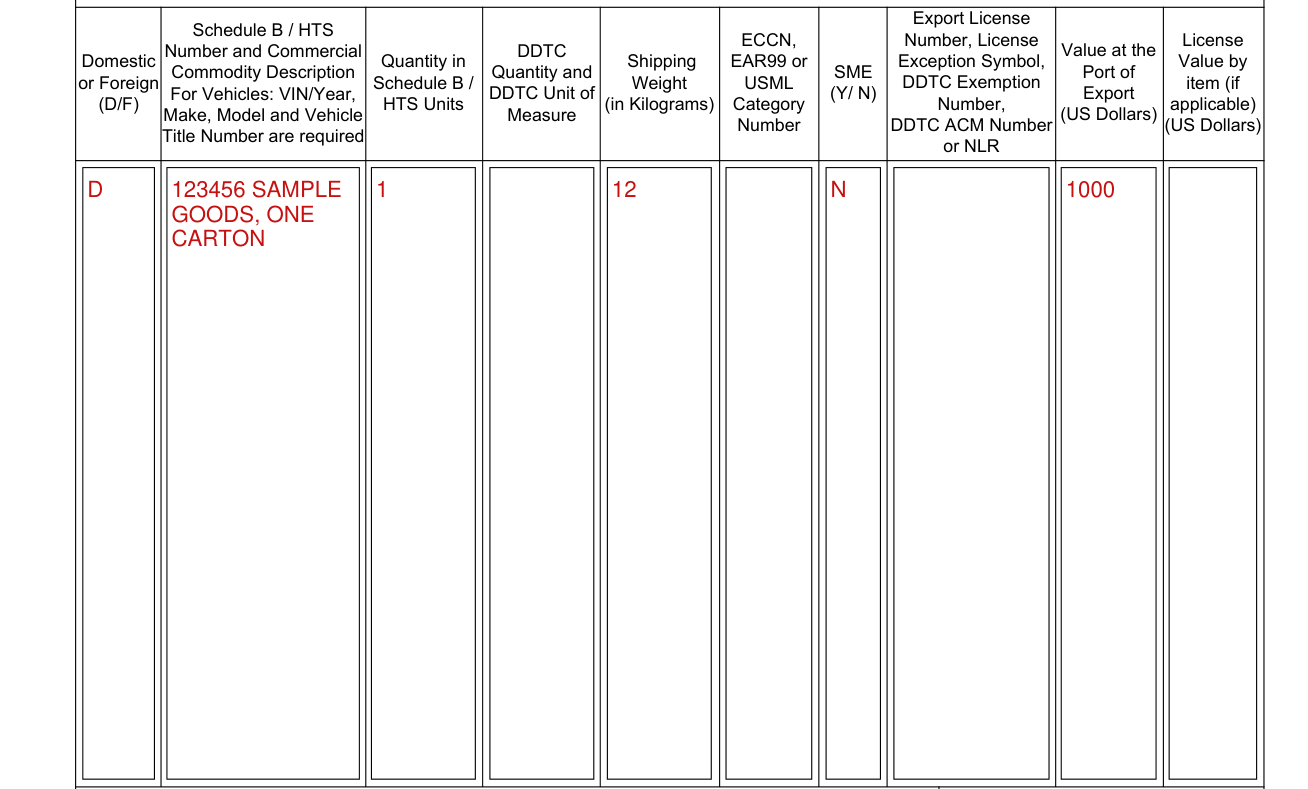
Under Schedule B Description of Commodities, enter the Schedule B / HTS Number and Commercial Commodity Description. For Vehicles: VIN/Year, Make, Model and Vehicle Title Number are required.
Enter Domestic or Foreign (D/F), the Quantity in Schedule B / HTS Units and the Shipping Weight (in Kilograms).
Enter the Value at the Port of Export and SME (Y/ N).
Enter the Export License Number, License Exception Symbol, DDTC Exemption Number, DDTC ACM Number or NLR, the ECCN, EAR99 or USML Category Number, the License Value by item (if applicable), and the DDTC Quantity and DDTC Unit of Measure.
Cargo Declaration

Enter the Cargo Declaration Special Instructions.
Mark This shipment does not contain wood packaging material only if this shipment does not contain wood packaging material.
Mark Hazardous Materials only if it applies.
More rules for Shippers Instruction to Arrange for Shipment of Goods
This acknowledgement does not constitute an acceptance of the instructions by FedEx Trade Networks.
The Shipper or his Authorized Agent hereby authorizes FedEx Trade Networks, in his name and on his behalf, to prepare any export documents, to sign and accept any documents relating to said shipment and forward this shipment in accordance with the conditions of carriage and the tariffs of the carriers employed.
The Shipper guarantees payment of all collect charges in the event the consignee refuses payment.
The USPPI authorizes FedEx Trade Networks to act as forwarding agent for export control and customs purposes unless this is a routed transaction according to 15 CFR 30.3(e).
Common questions about Shippers Instruction to Arrange for Shipment of Goods
Who signs it?
Enter the Signature and Stamp of duly authorized officer or employee, the Signatory's Name Printed and the Date.
What am I certifying when I sign?
The Customer declares that all descriptions, values and other particulars furnished herein are accurate and complete.
Sources
[1] Shippers Instruction to Arrange for Shipment of Goods, FedEx Trade Networks Transport & Brokerage, Inc. (the Official source link on this page).