
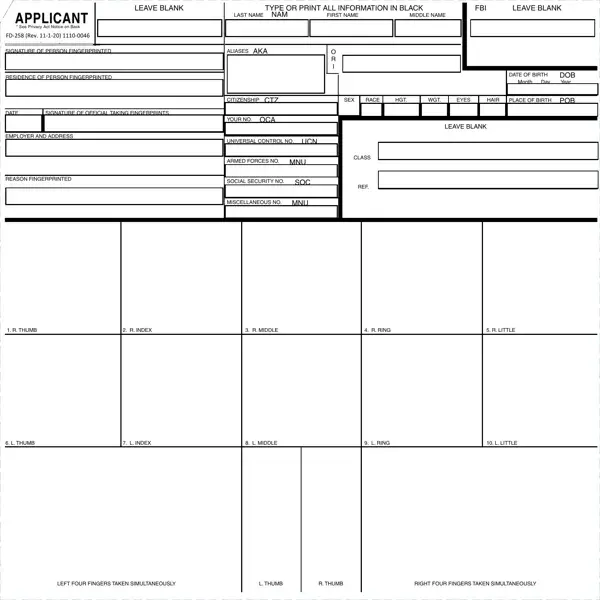

Form FD-258 at a glance
What it is: The FD-258 is the form for hard copy civil fingerprint submissions, which must meet specific criteria for processing by the Federal Bureau of Investigation.
Who signs: There are two signature lines: Signature of Person Fingerprinted and Signature of Official Taking Fingerprints.
For law enforcement agencies in fingerprinting applicants for law enforcement positions (marked *).
For officials of state and local governments for purposes of employment, licensing, and permits, as authorized by state statutes and approved by the Attorney General of the United States (marked *). Local and county ordinances, unless specifically based on applicable state statutes, do not satisfy this requirement.
For U.S. government agencies and other entities required by federal law (marked **).
For officials of federally chartered or insured banking institutions to promote or maintain the security of those institutions.
Marked *: Prints must generally be checked through the appropriate state identification bureau, and only those fingerprints for which no disqualifying record has been found locally should be submitted for FBI search.
A filled-in Form FD-258 example: a police department fingerprints an applicant
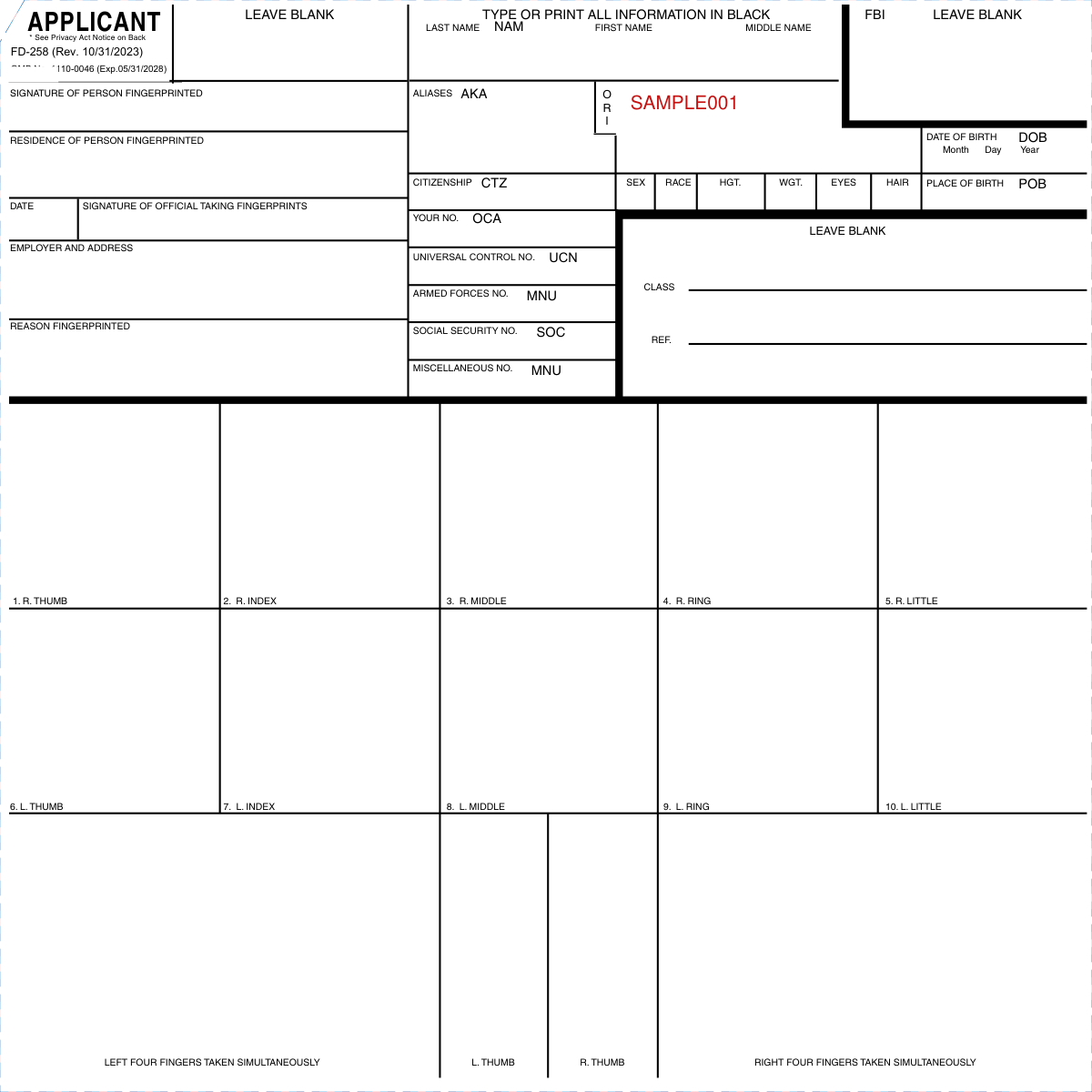
How to fill out Form FD-258, box by box
Required fields

Complete all required fields. If a required field is left blank, the fingerprint card may be immediately rejected without further processing.
The required fields for hard copy civil fingerprint cards are: ORI, Date of Birth, Place of Birth, NAM, Sex, Date fingerprinted, Reason Fingerprinted, and proper completion of fingerprint impression boxes.
Type or print all information
Type or print all information in black.
Ensure all information is typed or legibly printed using blue or black ink.
Enter data within the boundaries of the designated field or block.
Do not use highlighters on fingerprint cards.
Leave blank areas
Do not enter data or labels within 'Leave Blank' areas.
Fingerprint impressions
Ensure fingerprint impressions are rolled completely from nail to nail.
Ensure fingerprint impressions are in the correct sequence.
The boxes are 1. R. Thumb, 2. R. Index, 3. R. Middle, 4. R. Ring, 5. R. Little, 6. L. Thumb, 7. L. Index, 8. L. Middle, 9. L. Ring and 10. L. Little.
The other boxes are L. Thumb, R. Thumb, Right four fingers taken simultaneously and Left four fingers taken simultaneously.
Ensure notations are made for any missing fingerprint impression (i.e. amputation).
Do not use more than two retabs per fingerprint impression block.
Ensure no stray marks are within the fingerprint impression blocks.
Employer and address
The identity of private contractors should be shown in the space "Employer and Address".
Universal control no. UCN
Universal Control Number, if known, should always be furnished in the appropriate space.
Miscellaneous no. MNU
Miscellaneous No. - Record: Other Armed Forces No., Passport No. (FP), Alien Registration No. (AR), Port Security Card No. (PS), Selective Service No. (SS), Veterans' Administration Claim No. (VA).
Contributor
The contributor is the name of the agency submitting the fingerprint card to the FBI.
Signature of person fingerprinted and signature of official taking fingerprints
There are two signature lines: Signature of Person Fingerprinted and Signature of Official Taking Fingerprints.
More rules for Form FD-258
Providing your fingerprints and associated information is voluntary; however, failure to do so may affect completion or approval of your application.
The FBI may retain your fingerprints and associated information/biometrics in NGI after the completion of this application and, while retained, your fingerprints may continue to be compared against other fingerprints submitted to or retained by NGI.
The time required to complete this information collected is estimated to be 10 minutes, including time reviewing instructions, gathering, completing, reviewing and submitting the information collection.
Training aids can be ordered online via the Internet by accessing the FBI's website at: fbi.gov, click on 'Fingerprints', then click on 'Ordering Fingerprint Cards & Training Aids'.
Direct questions to the Biometric Services Section's Customer Service Group at (304) 625-5590 or by e-mail at identity@fbi.gov.
Sources
[1] FD-258 (Rev. 10/31/2023), Applicant fingerprint card, Federal Bureau of Investigation, United States Department of Justice (the Official source link on this page).