Please rate Florida Complaint Form

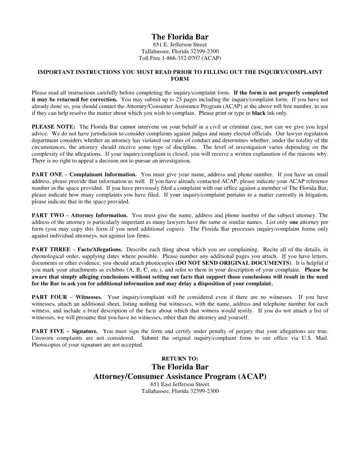
When navigating the complexities of legal complaints in Florida, understanding the nuances of the Florida Complaint Form is crucial. Offered by The Florida Bar, this form represents a structured pathway for consumers to voice their concerns or complaints against attorneys operating within the state. Located at 651 E. Jefferson Street in Tallahassee, Florida, The Florida Bar provides clear instructions on how to correctly complete and submit this form, emphasizing the importance of detailed and factual information. The document outlines several parts, including the complainant’s information, attorney information, specific facts or allegations, any potential witnesses, and requires a signature under penalty of perjury to ensure the credibility of the submitted complaint. It is critically important to print or type in black ink and adhere to the limit of 25 pages, including all exhibits, to prevent any delay in processing. The Florida Bar also specifies that it does not intervene in civil or criminal cases directly, nor does it offer legal advice or consider complaints against judges and many officials. This form is exclusively designed for allegations against individual attorneys, not law firms, to evaluate potential violations of conduct rules and determine if disciplinary action is warranted. With its comprehensive approach, the form aims to facilitate a thorough investigation, while also setting clear expectations for the complainant regarding the submission process and potential outcomes of their complaint.
| Question | Answer |
|---|---|
| Form Name | Florida Complaint Form |
| Form Length | 4 pages |
| Fillable? | No |
| Fillable fields | 0 |
| Avg. time to fill out | 1 min |
| Other names | florida program complaint, florida bar association complaint form, complaint bar florida, florida attorney complaint |
Florida Complaint Form isn’t the one you’re looking for?
Please rate Florida Complaint Form
