
Wisconsin Form 1952 PDF Details

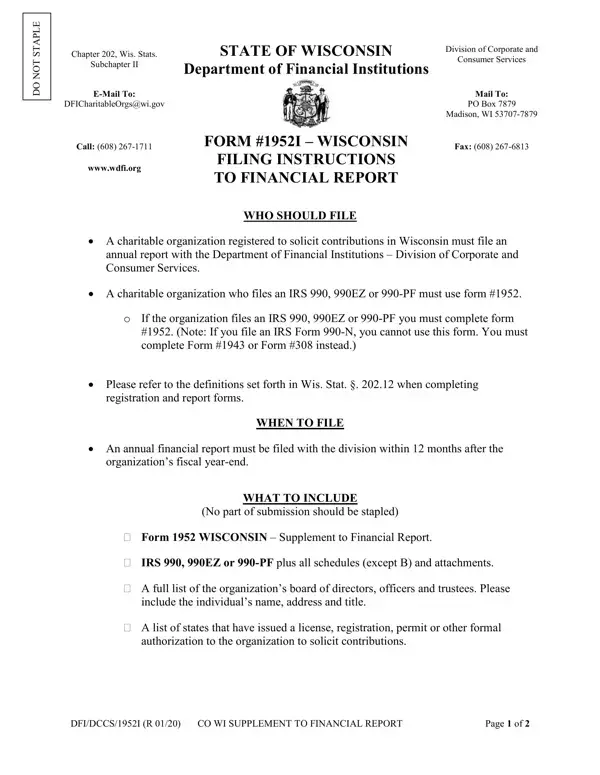
Navigating the intricacies of charitable organization reporting in Wisconsin necessitates a thorough understanding of Form #1952 – a crucial document mandated by the State of Wisconsin, Division of Corporate and Consumer Services within the Department of Financial Institutions. This form serves as an annual report for charitable organizations registered to solicit contributions, ensuring their activities are transparent and accountable. Organizations that have filed IRS forms 990, 990EZ, or 990-PF are required to complete this form, with detailed instructions provided for entities based on their financial activities and the amount of contributions received during the fiscal year. In addition to financial data, the form calls for a comprehensive listing of the organization's board of directors, officers, and trustees, alongside information about any professional fundraisers employed. Moreover, it emphasizes timely submission, within 12 months of the fiscal year-end, and outlines specific filing instructions – including contact details for both electronic and postal submissions. The form intricately combines requirements for financial reporting with operational transparency, revealing a structured approach towards maintaining the integrity of charitable endeavors in Wisconsin.

QuestionAnswer
Form NameWisconsin Form 1952
Form Length5 pages
Fillable?Yes
Fillable fields46
Avg. time to fill out10 min 31 sec
Other namesS_WI_Supp form 1952 wisconsin department of regulation and licensing

How to Edit Wisconsin Form 1952 Online for Free

You can work with Wisconsin Form 1952 easily with the help of our online tool for PDF editing. We are focused on providing you with the ideal experience with our editor by regularly releasing new features and upgrades. With all of these updates, using our tool becomes better than ever! To get the process started, consider these simple steps:

Step 1: Access the PDF doc in our editor by clicking on the "Get Form Button" at the top of this webpage.

Step 2: Using this advanced PDF tool, you can accomplish more than merely fill in blanks. Try all the features and make your documents seem perfect with custom text added in, or tweak the file's original input to perfection - all comes along with the capability to add almost any images and sign the document off.

It is actually an easy task to finish the pdf with this practical tutorial! This is what you have to do:

1. Begin completing the Wisconsin Form 1952 with a number of major blank fields. Gather all of the required information and ensure there is nothing forgotten!

Stage number 1 for filling in Form 1952

2. Once your current task is complete, take the next step – fill out all of these fields - Did your organization use a, counsel during the fiscal year in, Yes, Name, Street Address, FundRaiser FundRaising Counsel, City, State, Zip, Telephone Number, Does this fundraiserfundraising, DFIDCCS R CO WI SUPPLEMENT TO, and Page of with their corresponding information. Make sure to double check that everything has been entered correctly before continuing!

Street Address, City, and Does this fundraiserfundraising in Form 1952

3. In this particular part, check out Has any of the information your, Yes No, the division changed ie name of, If YES attach an explanation and a, FINANCIAL INFORMATION SECTION B, Organizations Fiscal Year End, and year Enter the accounting, yyyy, Contributions, Contribution means a grant or, Income from bingo or raffles, and Government grants Bona fide. All of these are required to be taken care of with greatest focus on detail.

Completing segment 3 in Form 1952

4. The subsequent section requires your details in the subsequent parts: Government grants Bona fide, Other Revenues, Total Revenue line plus line, Expenses, a Expenses Allocated to Program, b Expenses Allocated to Management, c Expenses Allocated to, d Expenses Allocated to Payments, e Total Expenses, Excess or Deficit line minus, Net Assets at Beginning of Year, Other Changes in Net Assets or, and Net Assets at End of Year Total. Make certain you give all requested details to go forward.

Form 1952 completion process described (stage 4)

5. When you come near to the finalization of your document, you will find a few more points to undertake. Mainly, Check the box next to the items, R E Q U I R E D, C H E C K O N E I F A P P L I C A, A List of all officers directors, B A list of states that have, C IRS Form EZ or PF Do not, Note If you file an IRS Form N you, D Audited Financial Statements if, Apply for Waiver of D Audited, and E Reviewed Financial Statements if must be filled in.

C H E C K O N E I F A P P L I C A, Note If you file an IRS Form N you, and Apply for Waiver of D Audited of Form 1952

Regarding C H E C K O N E I F A P P L I C A and Note If you file an IRS Form N you, make sure you review things in this current part. These are the most significant fields in this page.

Step 3: After looking through your form fields, click "Done" and you're all set! Create a free trial option with us and obtain instant access to Wisconsin Form 1952 - download, email, or edit inside your personal account. When you work with FormsPal, you can certainly complete documents without worrying about data breaches or entries getting shared. Our protected system makes sure that your private information is maintained safe.