
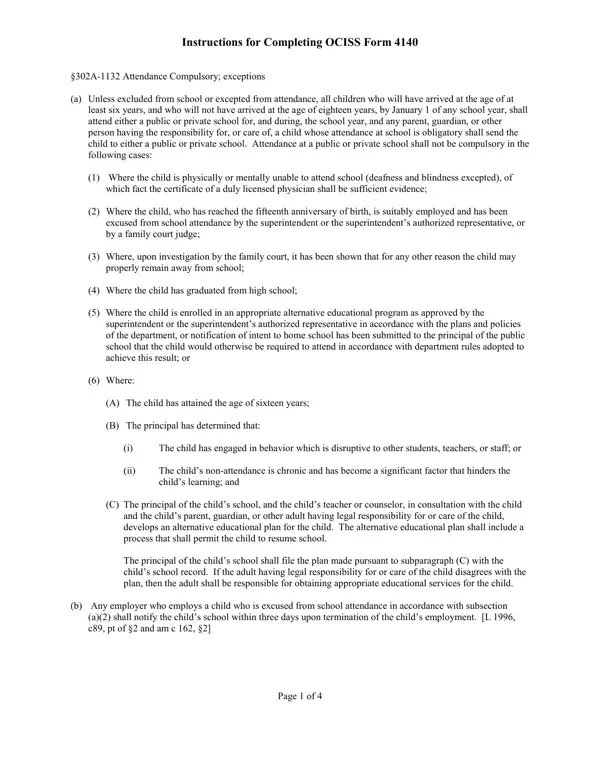
Form 4140 PDF Details

The 4140 form, officially recognized as the Exceptions to Compulsory Education form, facilitates a diverse array of educational paths for children who, for various reasons, are unable or choose not to participate in the standard public or private schooling systems within Hawaii. This document outlines and governs the procedures parents and guardians must follow to legally exempt their child from compulsory attendance, thereby acknowledging the state's commitment to educational flexibility and diversity. Exemptions can be granted for children who are physically or mentally incapable of attending school, children who are employed suitably post their fifteenth birthday, those who have alternative educational plans vetted and approved by educational authorities, and for students who opt for homeschooling or other approved educational alternatives. Additionally, the form serves a critical role for employers and the courts in cases where a child's employment or legal circumstances warrant an exemption from conventional schooling requirements. Each section of Form 4140 is meticulously designed to ensure that, despite the exemptions, the educational needs and welfare of the child remain at the forefront, requiring annual renewals and thorough documentation. Thus, the 4140 form encapsulates a comprehensive framework aimed at accommodating the unique educational needs and circumstances of every child, while also safeguarding their right to education.

QuestionAnswer
Form NameForm 4140
Form Length5 pages
Fillable?No
Fillable fields0
Avg. time to fill out1 min 15 sec
Other nameshomeschool hawaii form 4140, hawaii doe homeschool, hawaii form exception, form 4140 hawaii

How to Edit Form 4140 Online for Free

By using the online tool for PDF editing by FormsPal, it is possible to fill in or modify homeschool hawaii form 4140 right here. To maintain our editor on the leading edge of efficiency, we aim to implement user-oriented capabilities and improvements on a regular basis. We're routinely looking for suggestions - play a pivotal part in remolding how we work with PDF docs. It merely requires a couple of easy steps:

Step 1: Just hit the "Get Form Button" at the top of this webpage to get into our pdf form editor. This way, you will find everything that is required to work with your document.

Step 2: As you start the tool, you'll see the document prepared to be filled in. Other than filling out various blanks, you might also perform other actions with the Document, such as putting on custom words, modifying the original text, inserting graphics, signing the form, and much more.

It really is simple to finish the form adhering to our detailed tutorial! This is what you have to do:

1. You will want to complete the homeschool hawaii form 4140 accurately, thus be mindful when working with the sections containing these specific blanks:

Completing part 1 in hawaii 4140

2. Right after completing the last step, head on to the next step and fill in the essential particulars in all these blanks - PHYSICAL OR MENTAL REASONS Attach, Approval Page of the original, Principal Approval Recommended, Signature, Date, Complex Area Superintendent, Signature, and Date.

Part number 2 for completing hawaii 4140

Many people generally make some mistakes while filling out Date in this section. Be sure you re-examine everything you enter here.

Step 3: Before submitting the form, you should make sure that all form fields are filled out the right way. Once you think it's all fine, click “Done." Acquire the homeschool hawaii form 4140 once you sign up for a 7-day free trial. Immediately gain access to the pdf in your FormsPal account page, along with any modifications and adjustments conveniently synced! FormsPal is committed to the confidentiality of our users; we make sure that all personal information coming through our system stays confidential.