Please rate Clia Application Cms 116 Form

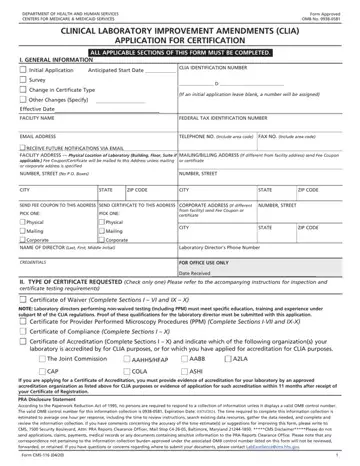
The CLIA Application for Certification (Form CMS-116) is the federal form that laboratories must complete to obtain a CLIA certificate before performing patient testing. The Clinical Laboratory Improvement Amendments (CLIA) program, administered by the Centers for Medicare & Medicaid Services (CMS), establishes quality standards for all laboratory testing to ensure accurate and reliable patient test results.
Laboratories must file Form CMS-116 when applying for one of the following certificate types:
The form is divided into several key sections. Section I collects the laboratory name, address, National Provider Identifier (NPI), and contact information. Section II captures the type of CLIA certificate requested. Section III identifies the laboratory category, covering hospital labs, physician office labs, independent labs, dialysis facilities, nursing facilities, and others. Section IV records the hours of laboratory testing for each day of the week.
Section V covers multi-site information, including whether the laboratory operates mobile units and the number of testing sites under the same CLIA certificate. Applicants must also provide the laboratory director's full name, credentials, and qualifications. The director must meet specific education and experience requirements based on the complexity of testing the lab plans to perform.
Once completed, the form is submitted to the State Agency in the state where the laboratory operates. CMS processes applications and typically issues certificates within 45 to 60 days of receiving a complete submission.
| Question | Answer |
|---|---|
| Form Name | Clia Application Cms 116 Form |
| Form Length | 10 pages |
| Fillable? | No |
| Fillable fields | 0 |
| Avg. time to fill out | 2 min 30 sec |
| Other names | form 116, cms 116 pdf, clia waiver application form, clia app |
Clia Application Cms 116 Form isn’t the one you’re looking for?
Please rate Clia Application Cms 116 Form
