
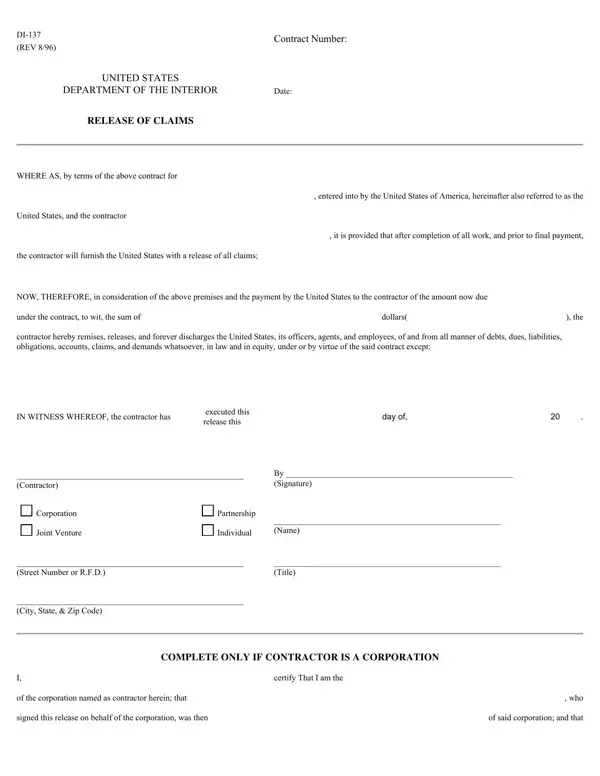
At the heart of ensuring lawful and transparent completion of contractual agreements within the United States Department of the Interior lies the DI-137 form, also known as the "Release of Claims." This critical document serves as a formal declaration by contractors, signifying the completion of all work as stipulated under a specific contract entered into with the United States government. Through this form, contractors affirm that they have fulfilled their obligations and, in turn, relinquish any claims of debt, liability, or demand they might have against the United States, its officers, agents, or employees related to the contract. Key elements of the DI-137 form include the contract number, the details of the agreement, the sum due to the contractor, and the formal release of claims against the United States. It is meticulously designed to protect both parties involved by ensuring that all claims are settled before the final payment is disbursed, thereby averting potential disputes. Additionally, the form includes provisions for the identification of the contractor, whether as an individual, a partnership, a corporation, or a joint venture, along with the necessary corporate certification if applicable, ensuring the release is legitimately authorized. The importance of this document in maintaining the integrity and efficacy of contractual fulfillments within the realm of the Department of the Interior cannot be understated, highlighting a systematic approach to governance and accountability in federal contracts.
| Question | Answer |
|---|---|
| Form Name | Form Di 137 |
| Form Length | 2 pages |
| Fillable? | No |
| Fillable fields | 0 |
| Avg. time to fill out | 30 sec |
| Other names | certify, di 137, di 137 release of claims form, governing |
Form Di 137 isn’t the one you’re looking for?