

Form DOS-1708-f at a glance
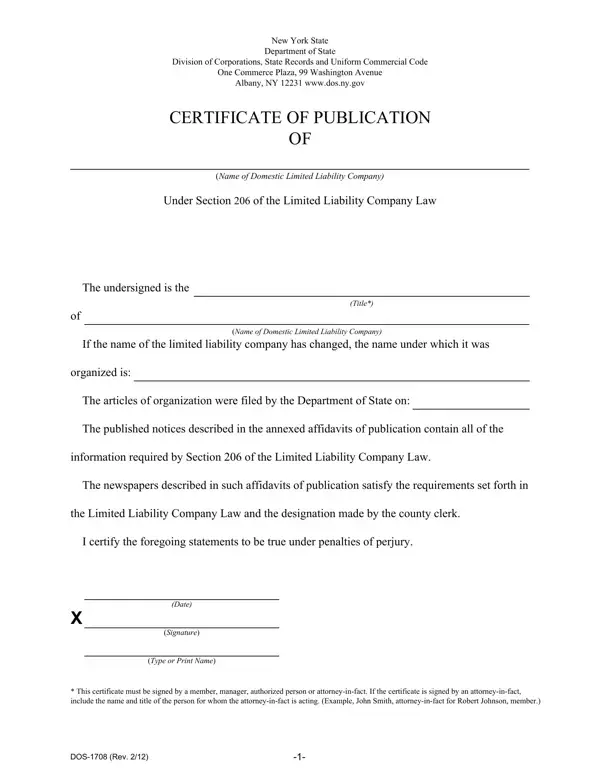
What it is: Certificate of Publication of a domestic limited liability company, under Section 206 of the Limited Liability Company Law.
Who signs: Check the appropriate box for the undersigned: Member, Manager or Authorized Person.
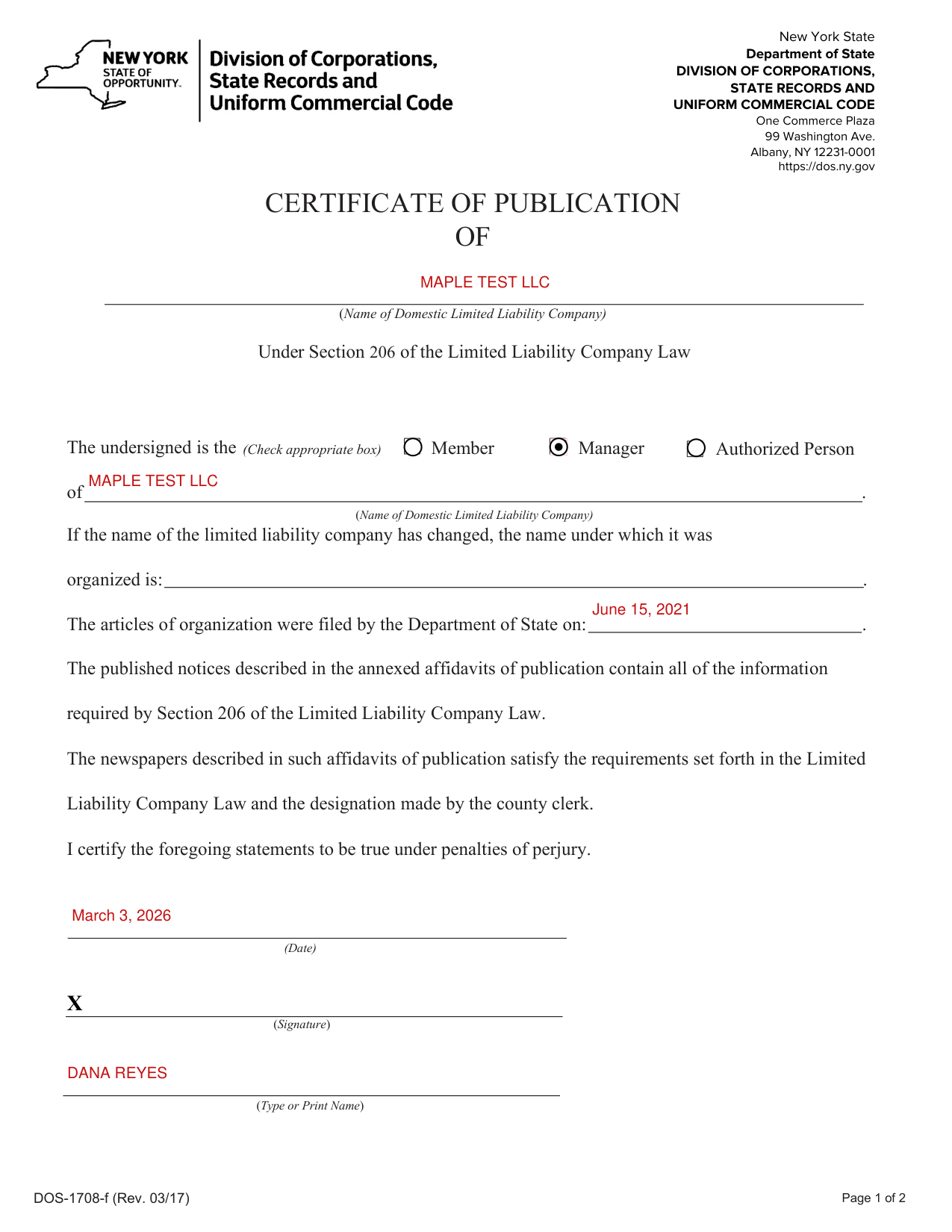
A filled-in Form DOS-1708-f example: a manager certifies the publication
How to fill out Form DOS-1708-f, box by box
The undersigned and the company
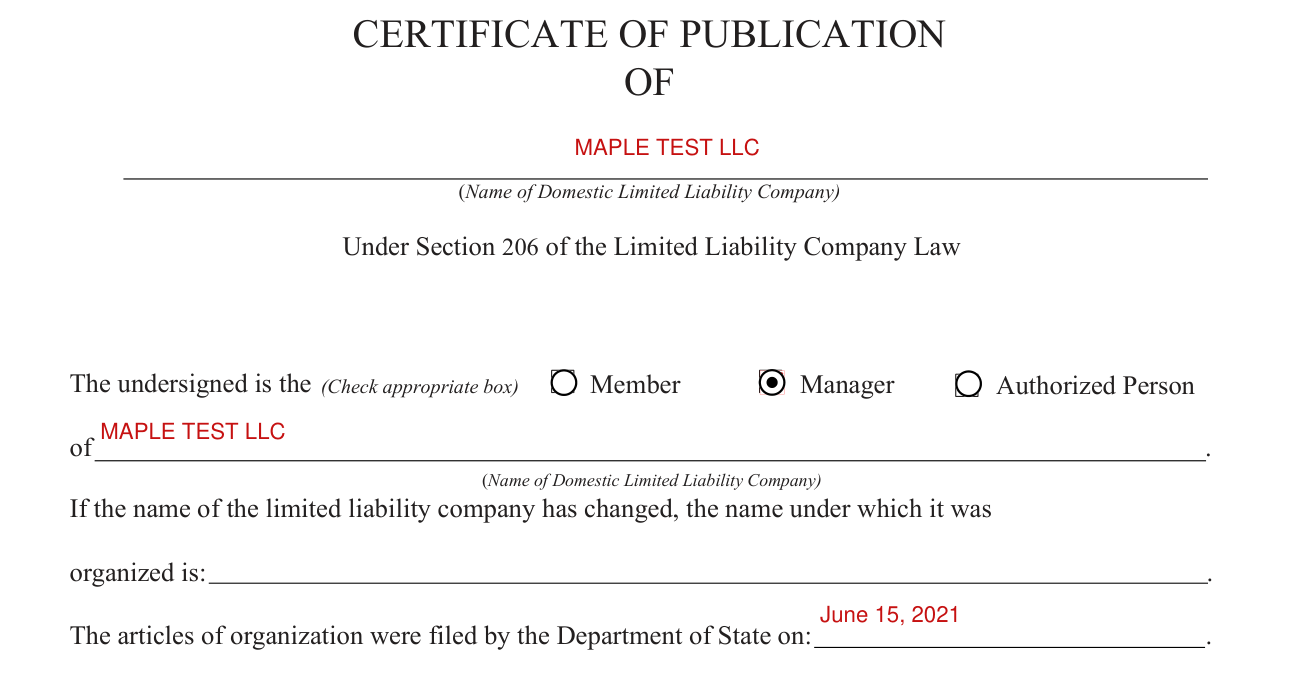
Check the appropriate box for the undersigned: Member, Manager or Authorized Person.
Write the Name of Domestic Limited Liability Company after "of".
If the name of the limited liability company has changed, write the name under which it was organized.
Fill in the line after "The articles of organization were filed by the Department of State on".
The name of the limited liability company and the date of filing of the articles of organization must exactly match the records of the Department of State.
This information should be verified on the Department of State's website at https://dos.ny.gov.
Certifying and signing

Fill in the Date, sign on the Signature line and type or print the name, to certify the statements to be true under penalties of perjury.
More rules for Form DOS-1708-f
The published notices described in the annexed affidavits of publication contain all of the information required by Section 206 of the Limited Liability Company Law.
The newspapers described in such affidavits of publication satisfy the requirements set forth in the Limited Liability Company Law and the designation made by the county clerk.
The New York State Department of State prepared this form for filing a certificate of publication for a domestic limited liability company.
You are not required to use this form. You may draft your own form or use forms available from legal stationery stores.
Under Filer's Name and Mailing Address, enter the Name, Company, if Applicable, Mailing Address, and City, State and Zip Code.
Attach page 2 of 2 after the affidavits of publication.
The Department of State recommends that legal documents be prepared under the guidance of an attorney.
Common questions about Form DOS-1708-f
Are there fees?
This certificate of publication, with the affidavits of publication of the newspapers annexed to it, must be submitted with a $50 filing fee payable to the Department of State (checked October 31, 2026).
Sources
[1] Form DOS-1708-f (Rev. 03/17), Certificate of Publication of a Domestic Limited Liability Company, New York State Department of State (the Official source link on this page).