
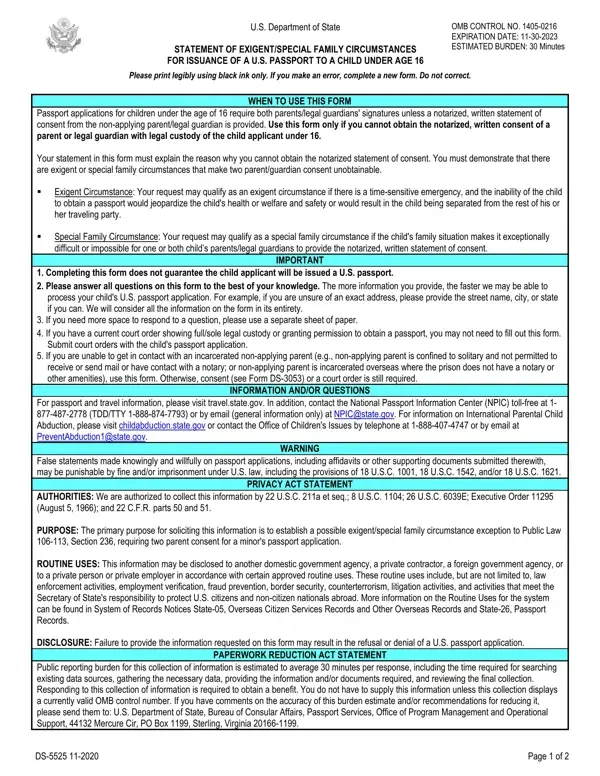
Use this form only if you cannot obtain the notarized, written consent of a parent or legal guardian with legal custody of the child applicant under 16.
Your statement: your statement in this form must explain the reason why you cannot obtain the notarized statement of consent.
Court order: if you have a current court order showing full/sole legal custody or granting permission to obtain a passport, you may not need to fill out this form.
Incarcerated parent: if you are unable to get in contact with an incarcerated non-applying parent, use this form.
Oath: the parent or legal guardian declares under penalty of perjury that all statements made in this supporting document are true and correct.
| Question | Answer |
|---|---|
| Form Name | Form DS-5525 |
| Form Length | 2 pages |
| Fillable? | Yes |
| Fillable fields | 45 |
| Avg. time to fill out | 8 min |
| Edition | 01/2026 |
| Issuing agency | U.S. Department of State |
| Who signs | The parent or legal guardian |
| Matches the agency's file | Yes, checked October 2, 2026 |
| Other names | DS-5525, DS5525, DS 5525, Form DS-5525, Form 5525, 5525 passport form, Statement of Exigent/Special Family Circumstances |
| Official source | Form DS-5525 (Rev 01/2026), U.S. Department of State |
Form Ds 5525 isn’t the one you’re looking for?