
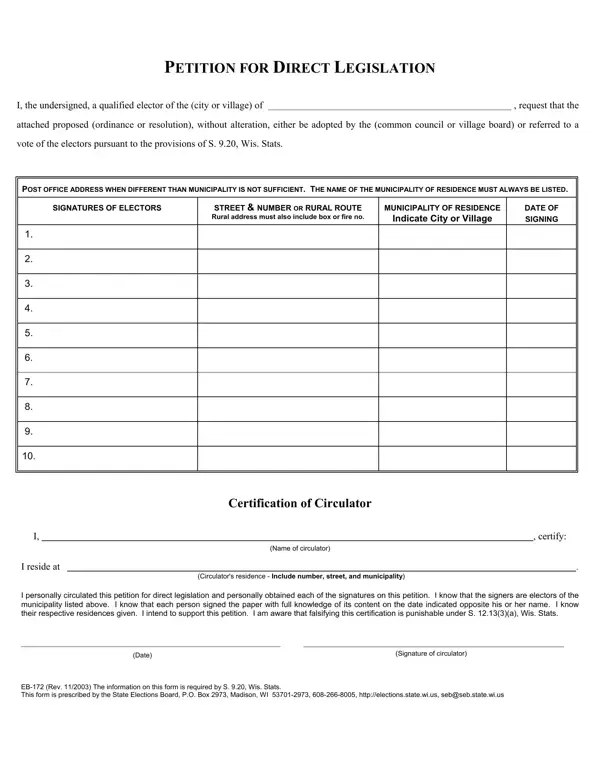
The EB-172 form plays a crucial role in the process of direct legislation within municipalities in Wisconsin, providing a structured way for citizens to propose ordinances or resolutions for consideration by their local governing bodies or directly to a vote by the electors. As outlined in the stipulations of S. 9.20 of the Wisconsin Statutes, this form serves as a petition that must be filled out meticulously, including the full text of the proposed legislation attached to each copy of the petition. The form mandates that signatories must be qualified electors of the municipality in question, emphasizing the requirement for accurate and complete residential addresses—post office boxes alone do not suffice to establish residency. Moreover, the role of the circulator is underscored, requiring personal responsibility for the petition's accuracy and the authenticity of the signatures collected. The circulator's certification is a declaration of the diligence applied in fulfilling these duties, affirming awareness of the legal consequences for any falsification. Given the rigor of the requirements and the strict adherence to deadlines—highlighting that the physical custody of petitions must comply with submission schedules, and that electronic transmission is unacceptable—the EB-172 form is integral to ensuring the democratic engagement of Wisconsin's citizens in their local governance with a framework that upholds the integrity and intention behind each petition for direct legislation.
| Question | Answer |
|---|---|
| Form Name | Form Eb 172 |
| Form Length | 2 pages |
| Fillable? | No |
| Fillable fields | 0 |
| Avg. time to fill out | 30 sec |
| Other names | gab_172_petitio n_for_direct_le gislation_pdf_6 1119 gab direct legislation form |