


FDA 3500A Form PDF Details

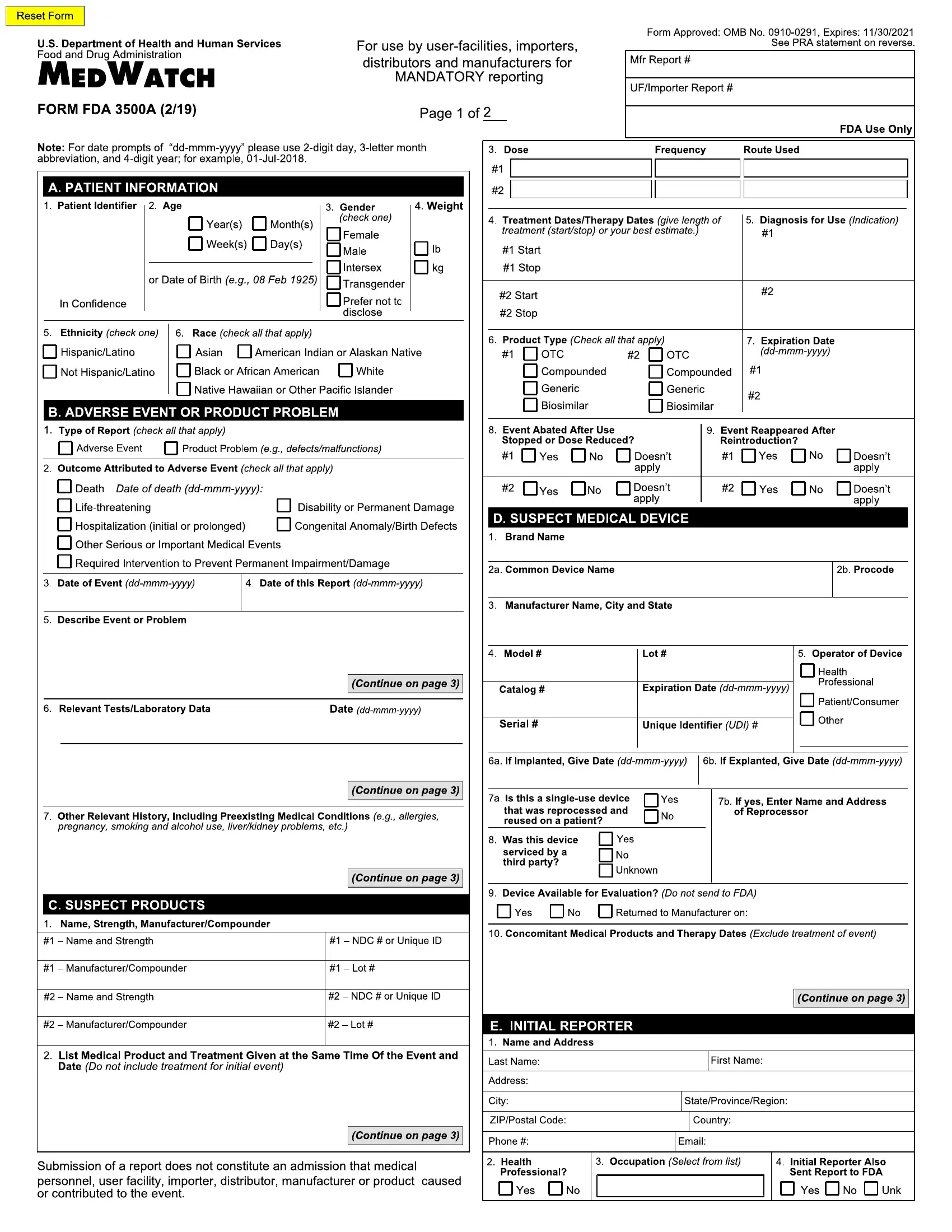
In the complex landscape of healthcare and medical device regulation, the Form FDA 3500A plays a pivotal role, especially for user facilities, manufacturers, importers, and others mandated to report adverse events. This form, a critical component of the MedWatch system, is specifically designed for mandatory reporting of adverse experiences and product problems to the FDA. With its structured sections and detailed instructions, it ensures that all necessary information about adverse events, whether related to drugs, biologics, medical devices, or other FDA-regulated products, is systematically captured and reported. Users are guided to provide comprehensive patient information, including details of the adverse event or product problem, and the suspect product itself. Importantly, the form accommodates reporting on multiple products or devices involved in a single adverse event, streamlining the process for reporting instances involving more than one suspect item. The form is meticulously structured to ensure the collection of relevant data, such as the patient’s initials for confidentiality, specific dates in a prescribed format, and outcomes attributed to the adverse event, which are crucial for the FDA's post-market surveillance activities. Additionally, the guidelines underscore the need for clarity in reporting, whether through typed or printed text, and highlight the importance of English language submissions, even incorporating provisions for follow-up reports and the particular reporting nuances related to vaccines, devices, and instances involving multiple patients or devices. This focus on detailed and structured information collection reflects the FDA's commitment to monitoring product safety and protecting public health, emphasizing the significant role of the FDA 3500A form in the broader regulatory framework.

QuestionAnswer
Form Name FDA 3500A Form
Form Length 16 pages
Fillable? No
Fillable fields 0
Avg. time to fill out 4 min
Other names medwatch 3500a form, medwatch form 3500a, fda 3500 a, fda 3500a

Form Preview Example

GENERAL INSTRUCTIONS – for Form FDA 3500A MedWatch (for Mandatory reporting)

All entries should be typed or printed in a font no smaller than 8 point.

Complete all sections that apply. If information is unknown, not available or does not apply, the section should be left blank.

Dates should be entered as dd-mmm-yyyy (e.g., October 12, 2019 = 12 Oct 2019). If exact dates are unknown, provide the best estimate.

For narrative entries, if the fields do not provide adequate

space, attach an additional page(s). The following specific information is to be incorporated:

Include the word continued at the end of each field of FDA Form 3500A that has additional information continued onto another page

Identify all attached pages as Page ___ of ___

Indicate the appropriate section and block number next to the narrative continuation

Display the User Facility, Importer, or Manufacturer/ Compounder report number in the upper right corner as applicable

Include the firm’s or facility’s name in the upper right corner as well, if the report is from a user facility, importer, or manufacturer

If the case report involves more than two (2) suspect

products attach another copy of Form FDA 3500A, with only section C filled in as appropriate.

For a user facility, if more than one medical device is suspected to have caused or contributed to a patient death or serious injury, the user facility can submit one report for the event. Prepare a complete Form FDA 3500A for the device that is most likely to have caused or contributed to the event and a separate Form FDA 3500A

with only section D (Suspect Medical Device) and Blocks

F9, F10, F13, and F14 filled in for each additional device.

Identify each report as device 1, device 2, etc.

A user facility is required to report a device-related death or a device-related serious injury to the manufacturer and to report a device-related death to FDA.

Manufacturers must prepare and submit a complete Form FDA 3500A for each suspect device. Each Form FDA 3500A will be given a separate Manufacturer Report Number.

If the suspect medical device is a single use device that has been reprocessed for use in humans, then the

reprocessor is the manufacturer. The manufacturer can be either an Original Equipment Manufacturer (OEM), or a Reprocessor of Single- Use Devices, which also can be a User Facility that reprocesses Single-Use Devices. (See the following table.)

Subject Device is:

Manufacturer is:


Single Use Device

Original Equipment Manufacturer


(OEM)


Device designed to be reused

Original Equipment Manufacturer


(OEM)


Single Use Device, reprocessed

Reprocessor

for reuse


Single Use Device, reprocessed by

Hospital or Health Care Facility

Hospital or Health Care Facility


If no suspect medical device is involved in a reported adverse event (i.e., when reporting ONLY a suspect

drug or biologic), ONLY sections A, B, C, E, and G are to be filled out:

Section G (All manufacturers) may be substituted for section D (Suspect medical device) on the front of the form to enable the submission of a one page form

If section G is reproduced on the front of the form it must be an identical reproduction of the original section G

All submissions must be made in English, including foreign literature reports.

Vaccines: adverse events involving vaccines should be reported to the Vaccine Adverse Event Reporting System

(VAERS), http://vaers.hhs.gov/index. For additional information or assistance with filing a VAERS report, call:

1-800-822-7967.

Devices: Federal law provides that user facility reports that are required by law may not be used in private civil litigation actions unless the party who made the report had knowledge the report contained false information. 21 USC 360i(b)(3).

FRONT PAGE

At the top of the front page enter the page number and total number of pages submitted (include attachments in the total) where the words Page ___ of ___ are indicated.

On the top-right corner of the front page, enter the Manufacturer report number, User Facility report number, or Importer report number in the correspondingly labeled box. Enter both report numbers, if applicable, to cross- reference this report with a report from another source on the same event.

Manufacturer report #: This is the unique identifier used by the manufacturer for this report. For a follow- up report, the manufacturer report number must be identical to the number assigned to the initial report. The manufacturer report number is also entered in block G9 on the back of the form.

For device manufacturers: The report number consists of

three components: the manufacturer’s FDA registration number for the manufacturing site of the reported device,

(continued on next page)

GENERAL INSTRUCTIONS (Continued)

the 4-digit calendar year, and a consecutive 5-digit

number for each report filed during the year by the

manufacturer (e.g., 1234567-2016- 00001, 1234567-

2016-00002). If the manufacturing site does not have a

registration number, then FDA will assign a temporary one to be used until the site is officially registered.

For drug and biologics manufacturers: The “mfr report

#” is the number the manufacturer chooses to uniquely identify the report, and should conform to any applicable regulations or guidances.

For human cell, tissue, and cellular and tissue- based product (HCT/P) manufacturers: The report number

should consist of three numbers separated by dashes.

The first number will be the 10-digit FDA Establishment Identifier (FEI) number, which was assigned to you as part of the Human Cells and Tissue Establishment Registration (HCTERS). The second number should be the year that you are submitting the report. The last

number should be a consecutive 5-digit number for each report filed during the year by the manufacturer. Example:

1234567890- 2016-00005.

If submitting a follow-up to a report originally obtained from FDA through a MedWatch to Manufacturer Program, check the other box in block G3 and enter the FDA- assigned report number there.

UF/Importer report #: This is the unique identifier used

by the user facility or the importer for this report. For a follow-up report, the UF/Importer report number must be identical to the number assigned to the initial report. The UF/ Importer report number is also entered in block F2 on the back of the form.

The user facility report number consists of three components: the facility’s 10-digit Centers for Medicare

& Medicaid Services (CMS) number, the 4-digit calendar

year, and a consecutive 4-digit number for each report filed during the year by the facility (e.g., 1234567890-

2016-0001, 1234567890- 2016-0002). If the CMS number

has fewer than 10 digits, enter ONLY these numbers,

leaving the remainder blank (zeros will be automatically filled in by the system). If a facility does not have a CMS number, the first report and any subsequent reports

should be submitted with all zeros in the CMS space (e.g., 0000000000-2016-0001), and FDA will assign a number to be used in future reports. If a facility has more than one CMS number, the facility must select one

of those numbers as the primary number and use it for subsequent submissions.

If a user facility has multiple sites, the primary site can report centrally and use one reporting number for all sites

IF the primary site provides an addendum that identifies

the name, address, and CMS number for the other sites.

The importer report number consists of three components: the FDA-assigned registration or identification number for

the importer of the device, the 4-digit calendar year, and a consecutive 5-digit number for each report filed during the year by the importer (e.g., 1234567-2016-00001,

1234567-2016- 00002). If an importer does not have an assigned identification number, it should use all zeros in

the appropriate space on the initial report, and continue to use zeros on subsequent reports until the FDA- assigned

number is received. The importer would still enter the

4-digit calendar year and 5-digit sequence number.

Note: In cases where a reporting site is registered as

both a manufacturer and an importer, and the registration and/or FDA-assigned identification numbers are identical for both, then the 5-digit sequence number for reports submitted during the year by either one may NOT be

duplicated. For example, for devices manufactured by the firm, the report number would consist of the registration number, calendar year, and a consecutive 5-digit number

(e.g., 1234567-2016-00001, 1234567-2016-00002, and so on). For devices imported by the firm, the registration

number and year would remain the same, but the 5-digit sequence number must be different (e.g., 1234567-2016-

00003, 1234567-2016-00004, and so on).

SECTION A: PATIENT INFORMATION

Complete a separate form for each patient. If you are a user facility reporting an event where multiple patients were

adversely affected at the same time through the use of one device, you do not need to file a separate form FDA 3500A

for each patient as long as you:

Indicate the number of patients in block B5 (describe event or problem).

Prepare a complete form FDA 3500A for one patient and

attach additional 3500As with section A and blocks B2,

B5, B6, B7, D10, F2 and F10 filled in for each additional patient [Be sure to identify all forms with the user facility report number].

Enter the corresponding patient identifier in block A1 for each patient involved in the event.

Mother-infant/fetus report(s) are those cases in which either a mother or a fetus/breast feeding infant, or both, sustain an adverse event that the initial reporter considers possibly associated with a product administered to or a device used

on the mother during pregnancy. Several general principles are used for filing these reports:

If the event did not affect the infant/fetus, report only on the mother.

For those cases describing fetal death, miscarriage or abortion, report the mother as the patient in the report.

FORM FDA 3500A SUPPLEMENT (08/19) – FORM INSTRUCTIONS | Previous edition is obsolete | Page 2 of 14

SECTION A: PATIENT INFORMATION (continued)

When ONLY the infant/fetus has an adverse reaction/ event (other than fetal death, miscarriage or abortion), the information provided in section A applies to the infant/ fetus. However, the information in section C or D would apply to the mother who was the source of exposure to the product or device.

When a newborn baby is found to have a congenital anomaly/birth defect that the initial reporter considers possibly associated with a product administered to or device used on the mother during pregnancy, the patient is the newborn baby.

If both the mother and the infant/fetus sustain adverse

events, two reports should be provided and linked using the narrative field in block B5.

A1: Patient identifier

Provide the patient’s initials or some other identification code number that will allow both the submitter and the initial

reporter (if different) to locate the case if contacted for follow- up. Do not use the patient’s name, medical record number or

social security number.

The patient’s identity is held in strict confidence by FDA and

protected to the fullest extent of the law. The FDA will not

disclose the reporter’s identity in response to a request from the public, pursuant to the Freedom of Information Act.

If no patient was involved, enter ‘none’.

A2: Age or Date of Birth

Enter the patient’s birth date, if known, or the patient’s age at the time of event onset. Provide the most precise information available if the exact age is unknown.

For age, indicate years, months, and/or days.

If the patient is 3 years or older, use years (e.g., 4 years).

If the patient is less than 3 years old, use months (e.g., 34 months).

If the patient is less than 1 month old, use day(s) (e.g., 15 day(s)).

A3: Gender

Enter the patient’s current gender. Choose only one

response. If the adverse event is a congenital anomaly, report the sex of the child.

A4: Weight

Indicate whether the weight is in pounds (lbs.) or kilograms (kgs). Make a best estimate if exact weight is unknown.

A5: Ethnicity

Indicate the ethnicity of the patient. Choose only one response. Please do NOT make a best guess.

A6: Race

Indicate the race of the patient as reported by the patient. You may choose multiple answers for race. Please do NOT make a best guess.

SECTION B: ADVERSE EVENT OR PRODUCT PROBLEM

B1: Type of Report

Choose the appropriate box. Both boxes should be checked if a product problem may have caused or contributed to the adverse event.

Adverse event: Any incident where the use of a product (drug or biologic, including human cell, tissue, or cellular or tissue-based product (HCT/P), at any dose, or a medical device (including in vitro diagnostic products) is suspected to have resulted in an adverse outcome in a patient.

Product problem (e.g., defects/malfunctions): Any report regarding the quality, performance, or safety of any medical

product. This category is selected when reporting device malfunctions that could lead to a death or serious injury if the malfunction were to recur.

B2: Outcomes attributed to adverse event

Indicate ALL that apply to the reported event:

Drugs and Biologics: Only mark a box in this section if the adverse event meets the regulatory definition of serious in

21 CFR 314.80(a) and 600.80(a).

Human Cells, Tissues, and Cellular and Tissue- Based

Products (HCT/Ps): An adverse reaction must be reported to FDA if it involves a communicable disease and according to 21 CFR 1271.350a:

(i)Resulted in death;

(ii)Is life-threatening;

(iii)Resulted in initial or prolonged hospitalization;

(iv)Results in permanent impairment of a body function or permanent damage to body structure; or

(v)Necessitates medical or surgical intervention, including hospitalization.

Page 3 of 14

How to Edit FDA 3500A Form Online for Free

Should you desire to fill out medwatch form 3500, you won't have to install any sort of applications - simply use our online tool. In order to make our editor better and simpler to utilize, we continuously implement new features, with our users' feedback in mind. If you are seeking to get going, this is what it's going to take:

Step 1: Click on the "Get Form" button above. It will open up our tool so that you can start filling in your form.

Step 2: As you launch the tool, you'll see the form all set to be completed. Apart from filling in different fields, it's also possible to do many other actions with the Document, including adding custom words, changing the initial textual content, inserting illustrations or photos, signing the document, and much more.

As for the fields of this particular form, here's what you should know:

1. The medwatch form 3500 will require particular details to be inserted. Make certain the following blanks are filled out:
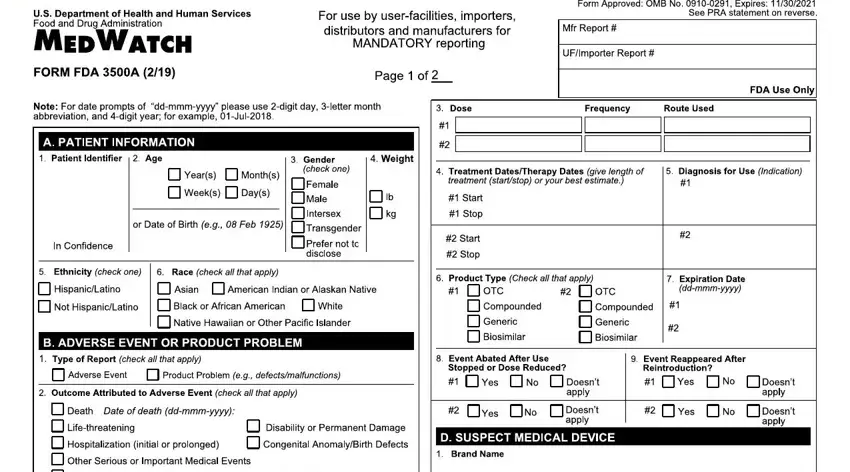
Part number 1 for completing medwatch 3500a form

2. Once your current task is complete, take the next step – fill out all of these fields - eqssqauO s, M qOq, hDR Eg, h I I D DRD SDH, a quiixmmmx, J a qLv pqiixmmmx, N avOtuqqts, r Or seP c, V u vvf tq qPa, a iixmmmx, dr w, e q, p qa iixmmmx, Q E I E, and I ShD with their corresponding information. Make sure to double check that everything has been entered correctly before continuing!
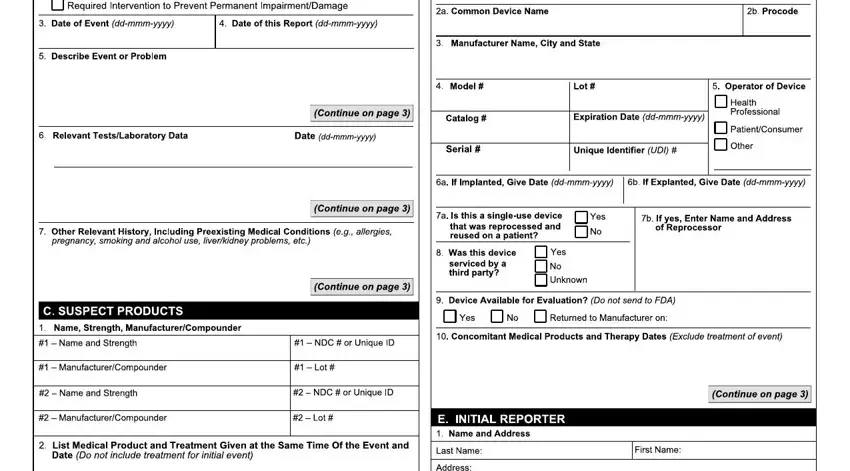
Q E I E, eqssqauO s, and J a qLv pqiixmmmx of medwatch 3500a form

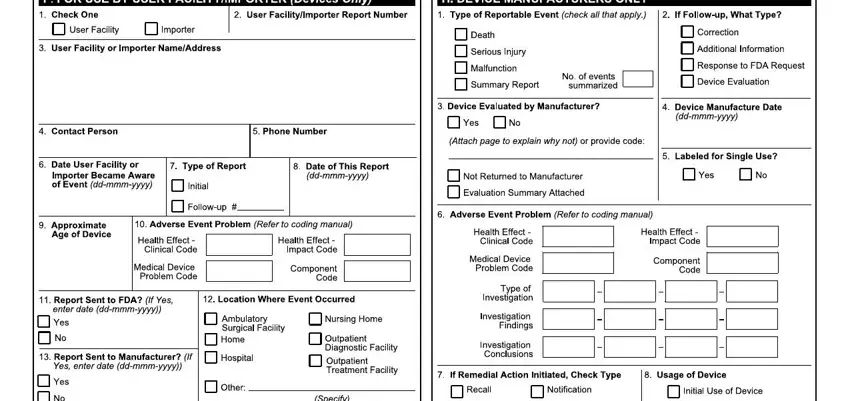
3. The next step should also be relatively straightforward, ISIE, SI S H, gDE, hMD R h DD E R Eh EDR MhDh h, qvvq, OOrp qªXYjAm XokY, and J pqvq c pqqa - each one of these blanks will need to be filled out here.

medwatch 3500a form conclusion process detailed (step 3)

You can potentially make errors when filling in your SI S H, for that reason you'll want to reread it prior to deciding to submit it.

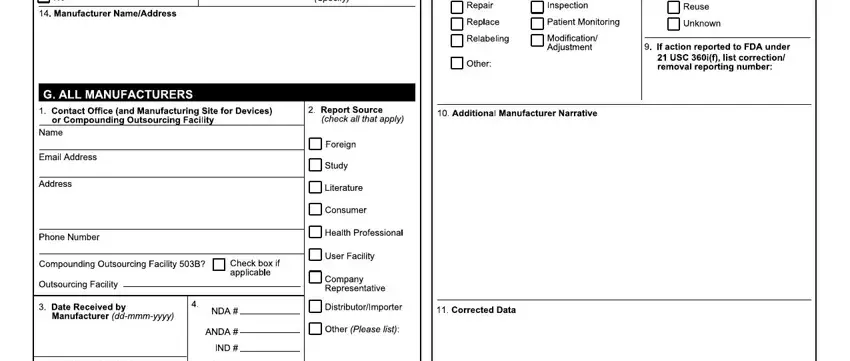
4. All set to complete this fourth segment! In this case you will get these F H I JgbgkmmekekmNO, HGz s, A BB, E F, P H, G HI JKKLMMMLNNNNO, RST U, V F H, JKKLMMMLNNNNO, W X, Y HF I, BI I JabcbdefgfKhijMkilkmO, ZS Q, nop qr, and F sJtcubvw empty form fields to fill in.
Step number 4 for completing medwatch 3500a form

5. To conclude your form, the particular segment features a number of extra blank fields. Typing in C H BB, JbghcNO, qQnQQ, nQ TQ, Qop, QQRQ, W H BF B H I Y, HH BHY HF I, BYY, JgbgkmmekekmNO, BBH I, qQyTr, TQQTTQDA, r r, and TTQ will certainly finalize the process and you can be done in an instant!
Writing section 5 in medwatch 3500a form

Step 3: Look through all the information you've inserted in the blanks and click on the "Done" button. Grab your medwatch form 3500 as soon as you subscribe to a 7-day free trial. Readily view the pdf form in your personal account page, together with any edits and changes being automatically saved! FormsPal guarantees your information confidentiality via a protected method that in no way records or shares any type of private information involved. Be assured knowing your documents are kept protected every time you work with our service!