
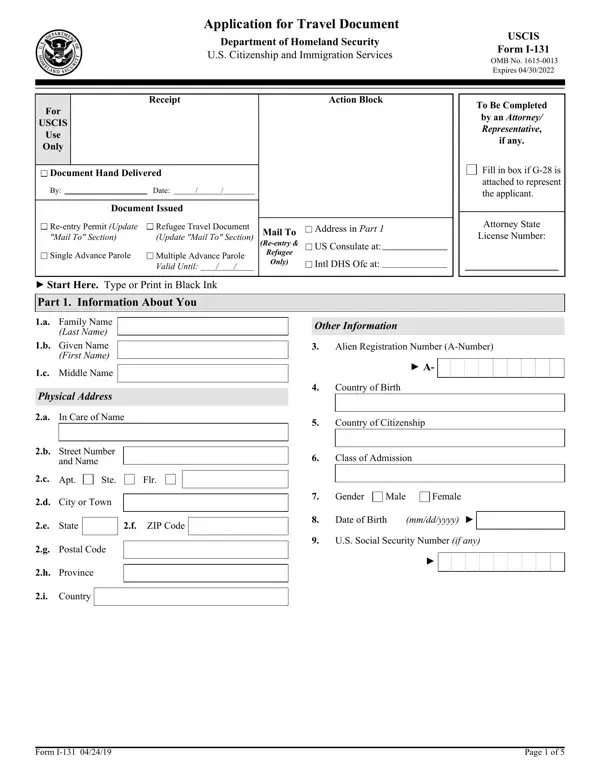

Form I-131 at a glance
What it is: Form I-131, Application for Travel Documents, Parole Documents, and Arrival/Departure Records, is a form of the Department of Homeland Security, U.S. Citizenship and Immigration Services.
Who signs: Sign on 4. Applicant's Signature and enter the Date of Signature (mm/dd/yyyy).
A filled-in Form I-131 example: an applicant with a pending green card application asks for advance parole
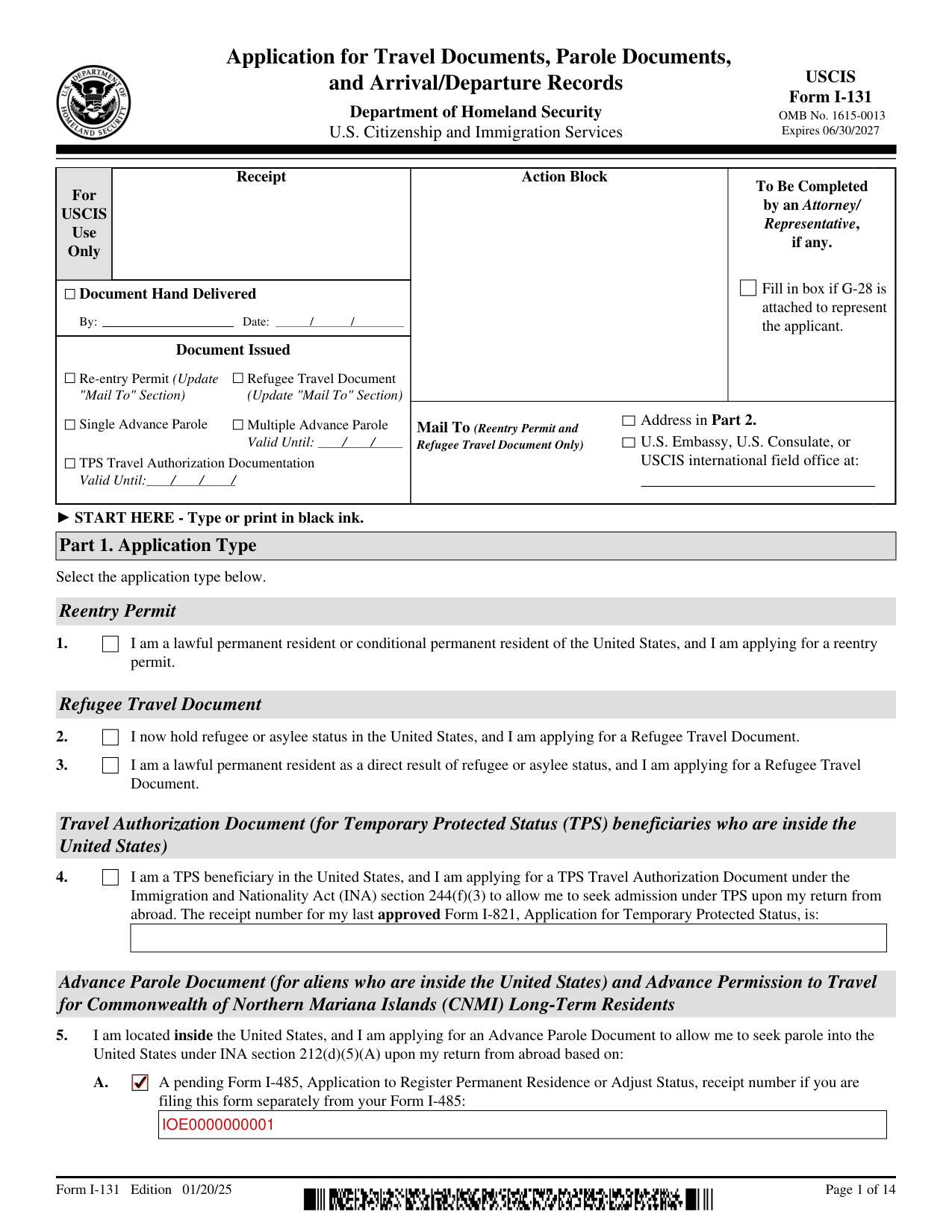
How to fill out Form I-131, box by box
Part 1. Application Type
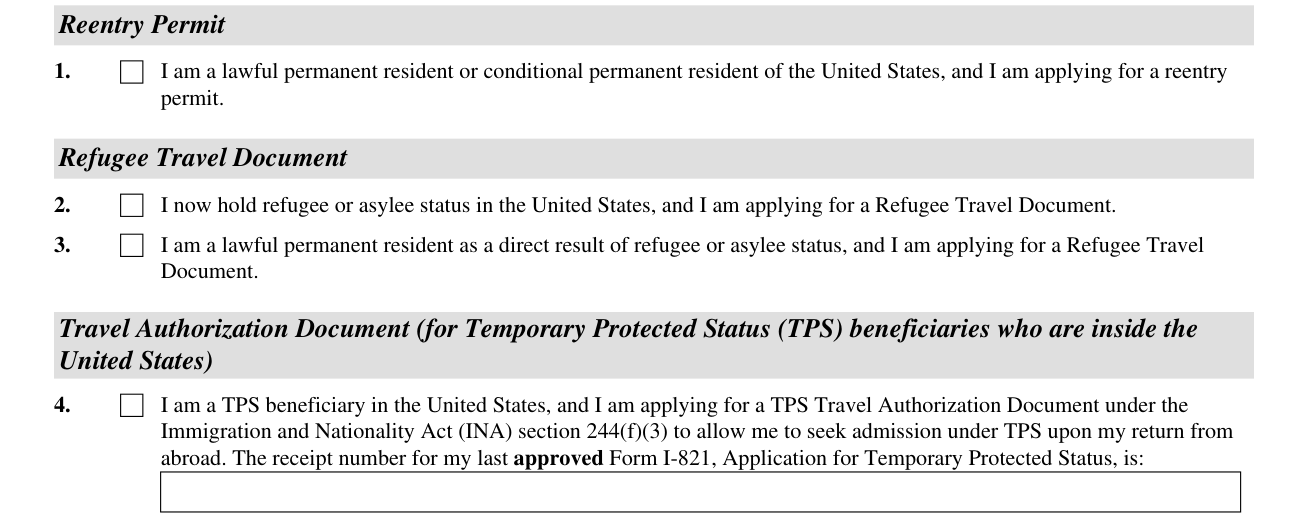
Part 1. Application Type: Select the application type.
1. You are a lawful permanent resident or conditional permanent resident of the United States, and you are applying for a reentry permit.
2. You now hold refugee or asylee status in the United States, and you are applying for a Refugee Travel Document.
3. You are a lawful permanent resident as a direct result of refugee or asylee status, and you are applying for a Refugee Travel Document.
4. You are a TPS beneficiary in the United States, and you are applying for a TPS Travel Authorization Document under the Immigration and Nationality Act (INA) section 244(f)(3) to allow you to seek admission under TPS upon your return from abroad; enter the receipt number for your last approved Form I-821, Application for Temporary Protected Status.
Advance Parole Document
5. You are located inside the United States, and you are applying for an Advance Parole Document to allow you to seek parole into the United States under INA section 212(d)(5)(A) upon your return from abroad based on:
A. A pending Form I-485, Application to Register Permanent Residence or Adjust Status, receipt number if you are filing this form separately from your Form I-485.
B. A pending Form I-589, Application for Asylum and for Withholding of Removal, receipt number.
C. A pending initial Form I-821, Application for Temporary Protected Status, receipt number.
D. Deferred Enforced Departure.
E. Approved Form I-821D, Consideration of Deferred Action for Childhood Arrivals, receipt number.
F. An approved Form I-914, Application for T Nonimmigrant Status, or Form I-914, Supplement A, Application for Family Member of T-1 Recipient, receipt number.
G. An approved Form I-918, Petition for U Nonimmigrant Status, or Form I-918, Supplement A, Petition for Qualifying Family Member of U-1 Recipient, receipt number.
H. Being a current parolee under INA section 212(d)(5), under class of admission.
I. An approved Form I-817, Application for Family Unity Benefits, receipt number.
J. A pending Form I-687, Application for Status as a Temporary Resident Under Section 245A of the Immigration and Nationality Act, receipt number.
K. An approved V Nonimmigrant Status, receipt number.
L. CNMI long-term residence, receipt number.
M. Other (provide explanation).
Part 2. Information About You
1. Your Full Name.
Enter Family Name (Last Name), Given Name (First Name), and Middle Name (if applicable).
2. Enter Other Names Used (if applicable).
3. Enter your Current Mailing Address or Safe Address (if applicable) (USPS ZIP Code Lookup).
4. Enter your Current Physical Address (if different from your Current Mailing Address).
Under Other Information, enter the Alien Registration Number (A-Number) (if any), Country of Birth, Country of Citizenship or Nationality, Sex (Female or Male), Date of Birth (mm/dd/yyyy), U.S. Social Security Number (if any), and USCIS Online Account Number (if any).
If you are physically present in the United States, and you are seeking a Temporary Protected Status (TPS) travel authorization document, advance parole, a renewed period of parole (re-parole), or parole in place, (Part 1., Item Numbers 4., 5., 8., 9., 10., or 11.) complete the following:
Enter 12. Class of Admission (COA) (if any) and 13. Most Recent Form I-94 Arrival/Departure Record Number (if any).
Enter the Expiration Date of Authorized Stay Shown on Form I-94 (if any) (mm/dd/yyyy) and the eMedical U.S. Parolee ID (USPID) (if any).
Information About Them: complete this section only if you are applying on behalf of someone else. Do not complete this section if filing for yourself.
Part 3. Biographic Information
Part 3. Biographic Information of the Person Who Will Receive the Travel Document, Parole Document, or Arrival/Departure Record: Ethnicity (Select only one box), Race (Select all applicable boxes), Height (Feet and Inches), Weight (Pounds), Eye Color (Select only one box), and Hair Color (Select only one box).
Part 4. Processing Information
1. Has the person who will receive the travel document, parole document, or Arrival/Departure Record, if approved, been in any exclusion, deportation, removal, or rescission proceedings?
2.a. Have you EVER before been issued a Reentry Permit or Refugee Travel Document? If you answered “Yes,” provide the information in Item Numbers 2.b. - 2.c. for the last document issued to you: Date Issued (mm/dd/yyyy) and Disposition (attached, lost, stolen, damaged/destroyed, still in my possession, etc.).
3.a. Have you EVER been issued an Advance Parole Document? If you answered “Yes,” please provide the information in Item Numbers 3.b. - 3.c. for the last document issued to you.
If you are requesting parole from outside the United States, parole in place, or re-parole from inside the United States, SKIP to Part 8.
4. Are you requesting a replacement Reentry Permit, Refugee Travel Document, Advance Parole Document, or TPS Travel Authorization Document?
6.b. Provide the receipt number for the Form I-131 related to the Reentry Permit, Refugee Travel Document, Advance Parole Document, or TPS Travel Authorization Document that you are seeking to replace.
If you are applying for an Advance Parole Document, SKIP to Part 7.
You must complete the rest of Part 4. if you are requesting a Reentry Permit or Refugee Travel Document.
Part 7. Information About Your Proposed Travel
Part 7. Information About Your Proposed Travel (Complete only if you are applying for an Advance Parole Document (Part 1., Item Number 5.).)
1. Enter the Date of Intended Departure (mm/dd/yyyy).
2. Enter the Purpose of trip. (If you need extra space to complete this section, use the space provided in Part 13. Additional Information.)
3. List the countries you intend to visit.
4. How many trips do you intend to use this document? One Trip or More than one trip.
5. Enter the Expected Length of Trip (in days).
Part 10. Applicant's Contact Information, Certification, and Signature
Read the information on penalties and travel warnings in the form Instructions before completing this Part 10.
Provide your daytime telephone number, mobile telephone number (if any), and email address (if any).
You certify, under penalty of perjury, that you provided or authorized all of the responses and information contained in and submitted with your application, you read and understand or, if interpreted to you in a language in which you are fluent by the interpreter listed in Part 11., understood, all of the responses and information contained in, and submitted with, your application (as explained to you by the interpreter), and that all of the responses and the information are complete, true, and correct.
Sign on 4. Applicant's Signature and enter the Date of Signature (mm/dd/yyyy).
Part 11 and Part 12. Interpreter and Preparer
If no interpreter was used, skip to Part 12.
6. Sign on Interpreter's Signature and enter the Date of Signature (mm/dd/yyyy).
Person Preparing this Application, if Other Than the Applicant: Preparer's Full Name, Contact Information, Certification, and Signature.
6. Sign on Preparer's Signature and enter the Date of Signature (mm/dd/yyyy).
Part 13. Additional Information
Part 13. Additional Information: Type or print your name and A-Number (if any) at the top of each sheet; indicate the Page Number, Part Number, and Item Number to which the answer refers; and sign and date each sheet.
More rules for Form I-131
Type or print in black ink.
If your situation is different
Complete Only If Applying for a Reentry Permit
Part 5. Complete Only If Applying for a Reentry Permit (Part 1., Item Number 1.)
Complete Only If Applying for a Refugee Travel Document
Part 6. Complete Only If Applying for a Refugee Travel Document (Part 1., Item Number 2. or 3.)
Complete Only If Applying for an Initial Parole Document, Parole In Place, or Re-parole
Part 8. Complete Only If Applying for an Initial Parole Document, Parole In Place, or Re-parole (Part 1., Item Numbers 6. - 11.)
1. Explain how you qualify for parole, parole in place, or re-parole. Include copies of any supporting documents or evidence you wish considered. (See Instructions.)
Part 9. Employment Authorization For New Period of Parole (Re-parole): 1. You are requesting an Employment Authorization Document (EAD) upon approval of your new period of parole (re-parole) selected under Part 1., Item Number 10. or 11.
Common questions about Form I-131
What is the purpose of I-131?
Form I-131, Application for Travel Documents, Parole Documents, and Arrival/Departure Records, is a form of the Department of Homeland Security, U.S. Citizenship and Immigration Services. Select the application type.
Sources
[1] Form I-131 (Edition 01/20/25), Application for Travel Documents, Parole Documents, and Arrival/Departure Records, U.S. Citizenship and Immigration Services (the Official source link on this page).