
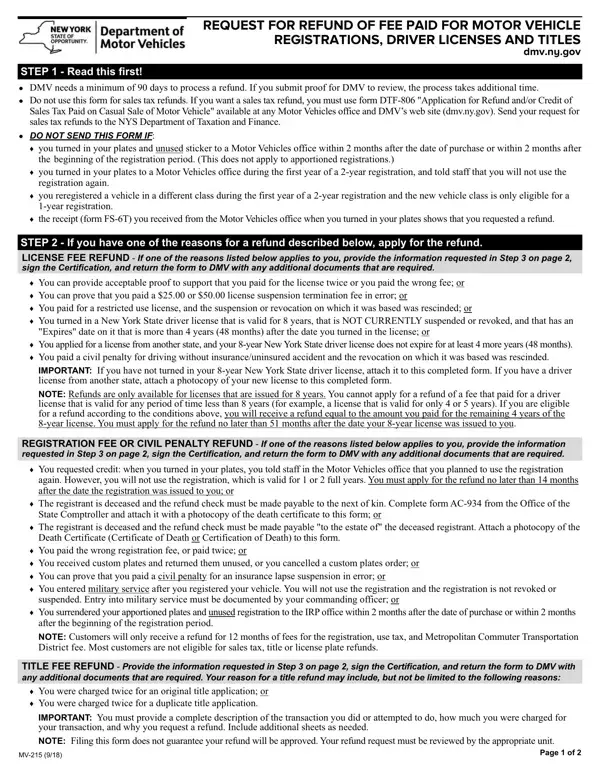

Form MV-215 at a glance
What it is: Request for refund of fee paid for motor vehicle registrations, driver licenses and titles.
Who signs: Signature of Customer Filing the Claim. Date. If other than registrant or license customer, provide relationship.
A filled-in Form MV-215 example: a registrant claims a registration fee refund
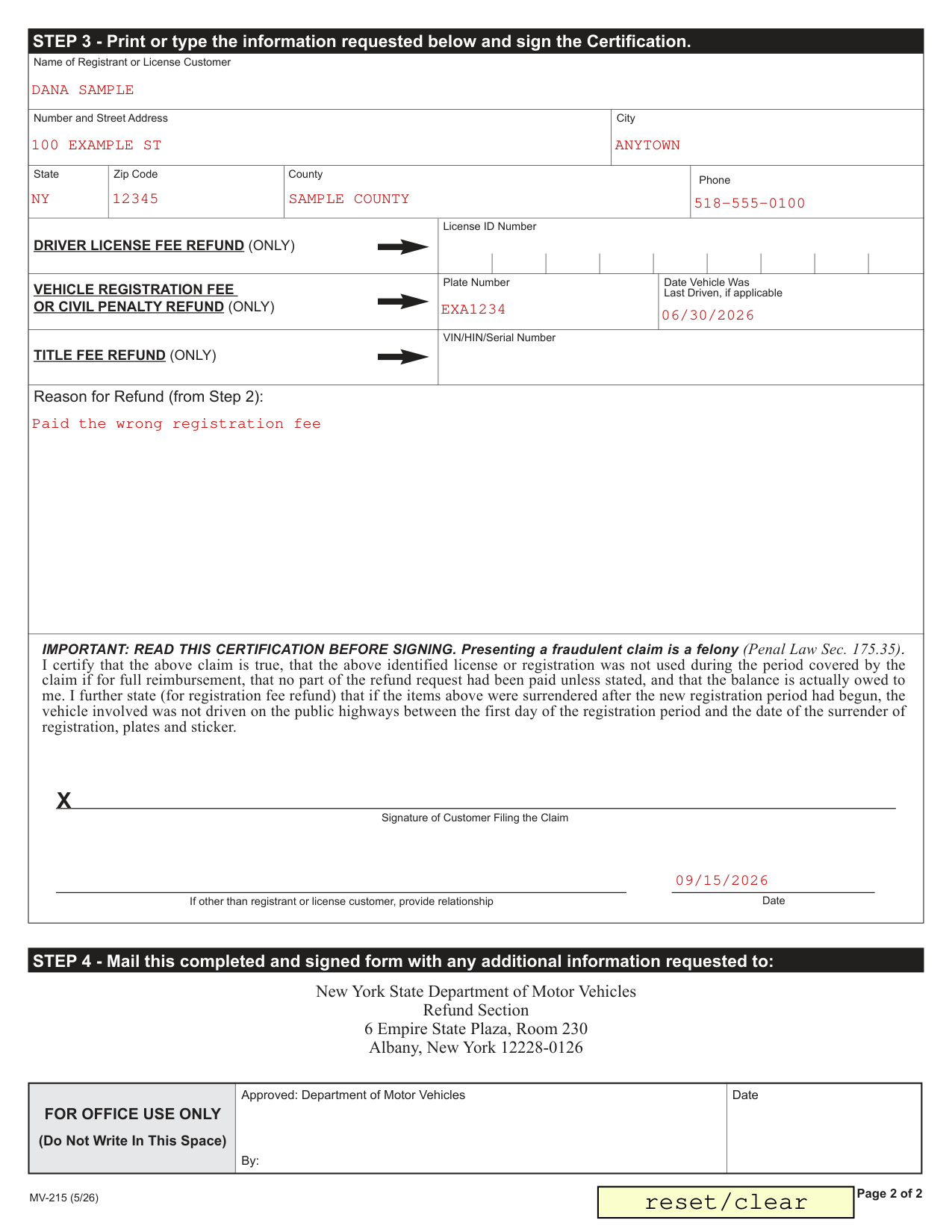
How to fill out Form MV-215, box by box
Name of Registrant or License Customer

Name of Registrant or License Customer, Number and Street Address, City, State, Zip Code, County and Phone.
Driver license fee refund (only)

License ID Number, for a DRIVER LICENSE FEE REFUND (ONLY).
LICENSE FEE REFUND - If one of the reasons listed below applies to you, provide the information requested in Step 3 on page 2, sign the Certification, and return the form to DMV with any additional documents that are required.
You can provide acceptable proof to support that you paid for the license twice or you paid the wrong fee; or
You can prove that you paid a license suspension termination fee in error; or
You paid for a restricted use license, and the suspension or revocation on which it was based was rescinded; or
You turned in a New York State driver license that is valid for 8 years, that is NOT CURRENTLY suspended or revoked, and that has an "Expires" date on it that is more than 4 years (48 months) after the date you turned in the license; or
You applied for a license from another state, and your 8-year New York State driver license does not expire for at least 4 more years (48 months).
You paid a civil penalty for driving without insurance/uninsured accident and the revocation on which it was based was rescinded. IMPORTANT: If you have not turned in your 8-year New York State driver license, attach it to this completed form. If you have a driver license from another state, attach a photocopy of your new license to this completed form. NOTE: Refunds are only available for licenses that are issued for 8 years. You cannot apply for a refund of a fee that paid for a driver license that is valid for any period of time less than 8 years (for example, a license that is valid for only 4 or 5 years). If you are eligible for a refund according to these conditions, you will receive a refund equal to the amount you paid for the remaining 4 years of the 8-year license. You must apply for the refund no later than 51 months after the date your 8-year license was issued to you.
Vehicle registration fee or civil penalty refund (only)

Plate Number and Date Vehicle Was Last Driven, if applicable, for a VEHICLE REGISTRATION FEE OR CIVIL PENALTY REFUND (ONLY).
REGISTRATION FEE OR CIVIL PENALTY REFUND - If one of the reasons listed below applies to you, provide the information requested in Step 3 on page 2, sign the Certification, and return the form to DMV with any additional documents that are required.
You requested credit: when you turned in your plates, you told staff in the Motor Vehicles office that you planned to use the registration again. However, you will not use the registration, which is valid for 1 or 2 full years. You must apply for the refund no later than 14 months after the date the registration was issued to you; or
The registrant is deceased and the refund check must be made payable to the next of kin. Complete form AC-934 from the Office of the State Comptroller and attach it with a photocopy of the death certificate to this form; or
The registrant is deceased and the refund check must be made payable "to the estate of" the deceased registrant. Attach a photocopy of the Death Certificate (Certificate of Death or Certification of Death) to this form.
You paid the wrong registration fee, or paid twice; or
You received custom plates and returned them unused, or you cancelled a custom plates order; or
You can prove that you paid a civil penalty for an insurance lapse suspension in error; or
You entered military service after you registered your vehicle. You will not use the registration and the registration is not revoked or suspended. Entry into military service must be documented by your commanding officer; or
You surrendered your apportioned plates and unused registration to the IRP office within 2 months after the date of purchase or within 2 months after the beginning of the registration period. NOTE: Customers will only receive a refund for 12 months of fees for the registration, use tax, and Metropolitan Commuter Transportation
District fee. Most customers are not eligible for sales tax, title or license plate refunds.
By signing you further state (for registration fee refund) that if the items were surrendered after the new registration period had begun, the vehicle involved was not driven on the public highways between the first day of the registration period and the date of the surrender of registration, plates and sticker.
Title fee refund (only)

VIN/HIN/Serial Number, for a TITLE FEE REFUND (ONLY).
TITLE FEE REFUND - Provide the information requested in Step 3 on page 2, sign the Certification, and return the form to DMV with any additional documents that are required. Your reason for a title refund may include, but not be limited to the following reasons: You were charged twice for an original title application; or You were charged twice for a duplicate title application. IMPORTANT: You must provide a complete description of the transaction you did or attempted to do, how much you were charged for your transaction, and why you request a refund. Include additional sheets as needed. NOTE: Filing this form does not guarantee your refund will be approved. Your refund request must be reviewed by the appropriate unit.
Reason for Refund (from Step 2)
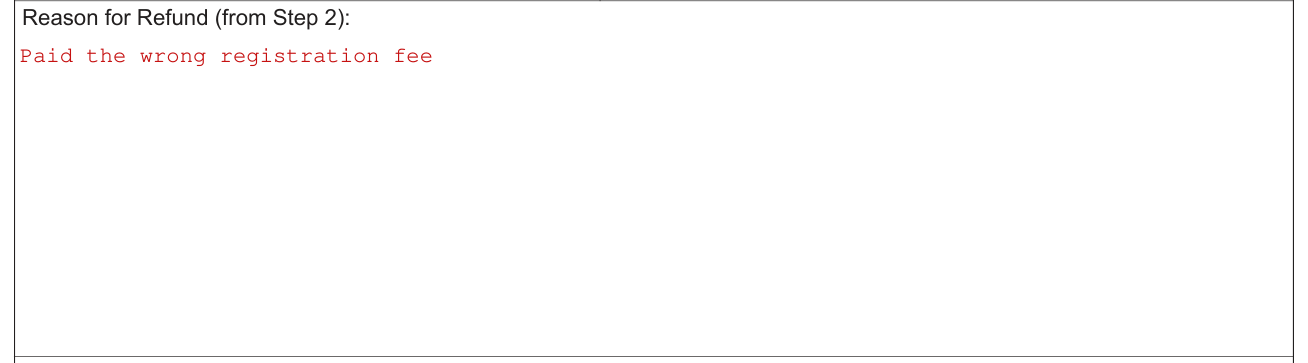
Reason for Refund (from Step 2): if you have one of the reasons for a refund described in Step 2, apply for the refund.
Certification and Signature of Customer Filing the Claim

Read this certification before signing. By signing you certify that the claim is true, that the identified license or registration was not used during the period covered by the claim if for full reimbursement, that no part of the refund request had been paid unless stated, and that the balance is actually owed to you.
Signature of Customer Filing the Claim. Date. If other than registrant or license customer, provide relationship.
Common questions about Form MV-215
Where do I file it?
STEP 4 - Mail this completed and signed form with any additional information requested to: New York State Department of Motor Vehicles Refund Section 6 Empire State Plaza, Room 230 Albany, New York 12228-0126
Is there a penalty?
Presenting a fraudulent claim is a felony (Penal Law Sec. 175.35).
When is this form not the right one?
DMV needs a minimum of 90 days to process a refund. If you submit proof for DMV to review, the process takes additional time. Do not use this form for sales tax refunds. If you want a sales tax refund, you must use form DTF-806 "Application for Refund and/or Credit of Sales Tax Paid on Casual Sale of Motor Vehicle" available at any Motor Vehicles office and DMV's web site (dmv.ny.gov). Send your request for sales tax refunds to the NYS Department of Taxation and Finance. DO NOT SEND THIS FORM IF: you turned in your plates and unused sticker to a Motor Vehicles office within 2 months after the date of purchase or within 2 months after the beginning of the registration period. (This does not apply to apportioned registrations.) you turned in your plates to a Motor Vehicles office during the first year of a 2-year registration, and told staff that you will not use the registration again. you reregistered a vehicle in a different class during the first year of a 2-year registration and the new vehicle class is only eligible for a 1-year registration. the receipt (form FS-6T) you received from the Motor Vehicles office when you turned in your plates shows that you requested a refund.
Sources
[1] Form MV-215 (5/26), Request for Refund of Fee Paid for Motor Vehicle Registrations, Driver Licenses and Titles, New York State Department of Motor Vehicles (the Official source link on this page).