

Form PL-1 at a glance
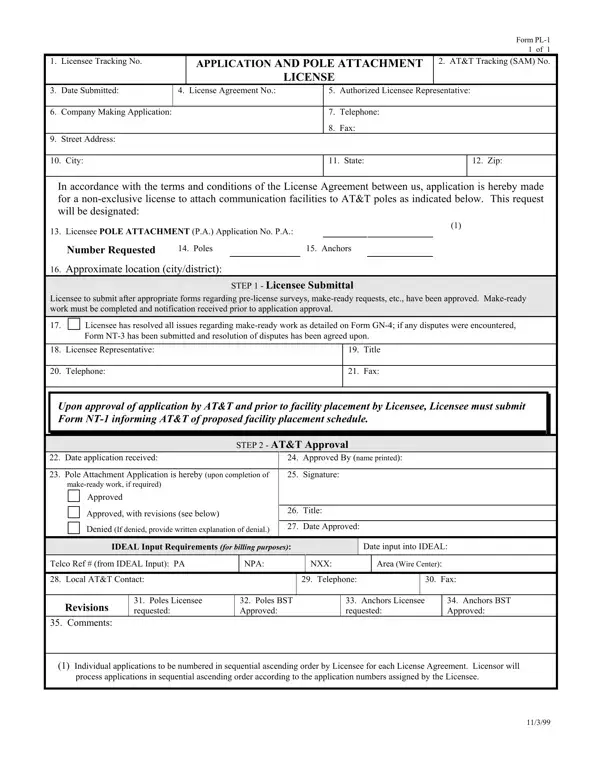
What it is: Form PL-1 is the Application and Pole Attachment License, to attach communication facilities to AT&T poles.
Where and when to file: Licensee to submit after appropriate forms regarding pre-license surveys, make-ready requests, etc., have been approved. Upon approval of application by AT&T and prior to facility placement by Licensee, Licensee must submit Form NT-1 informing AT&T of proposed facility placement schedule.
The Company Making Application and its Authorized Licensee Representative, under the terms and conditions of the License Agreement.
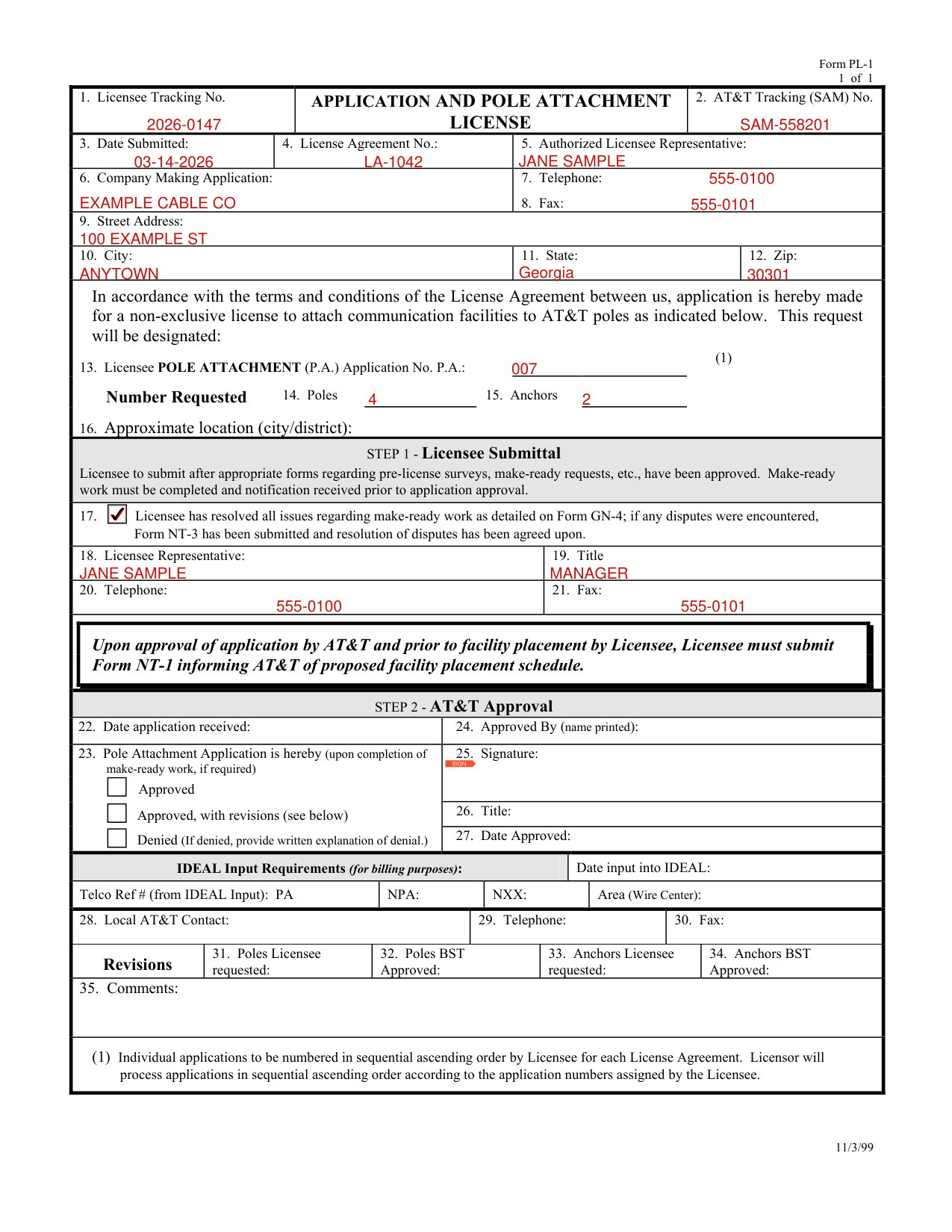
A filled-in Form PL-1 example: a licensee asks for pole attachments
How to fill out Form PL-1, box by box
Licensee Tracking No. and AT&T Tracking (SAM) No.

Enter the Licensee Tracking No. in box 1.
Enter the AT&T Tracking (SAM) No. in box 2.
Date Submitted, License Agreement No. and Authorized Licensee Representative

Enter the Date Submitted in box 3, the License Agreement No. in box 4 and the Authorized Licensee Representative in box 5.
Company Making Application and its address
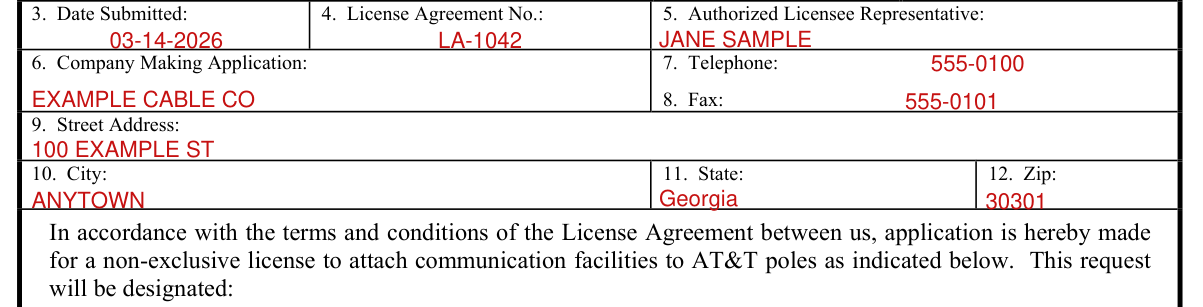
Enter the Company Making Application in box 6, its Telephone in box 7, its Fax in box 8, its Street Address in box 9, its City in box 10, its State in box 11 and its Zip in box 12.
Application No. and Number Requested

Enter the Licensee POLE ATTACHMENT (P.A.) Application No. in box 13.
Individual applications to be numbered in sequential ascending order by Licensee for each License Agreement.
Licensor will process applications in sequential ascending order according to the application numbers assigned by the Licensee.
Under Number Requested, enter the Poles in box 14 and the Anchors in box 15.
Enter the Approximate location (city/district) in box 16 after printing.
Step 1 Licensee Submittal

Mark box 17 if the Licensee has resolved all issues regarding make-ready work as detailed on Form GN-4; if any disputes were encountered, Form NT-3 has been submitted and resolution of disputes has been agreed upon.
Licensee to submit after appropriate forms regarding pre-license surveys, make-ready requests, etc., have been approved.
Make-ready work must be completed and notification received prior to application approval.
Enter the Licensee Representative in box 18, the Title in box 19, the Telephone in box 20 and the Fax in box 21.
Step 2 AT&T Approval
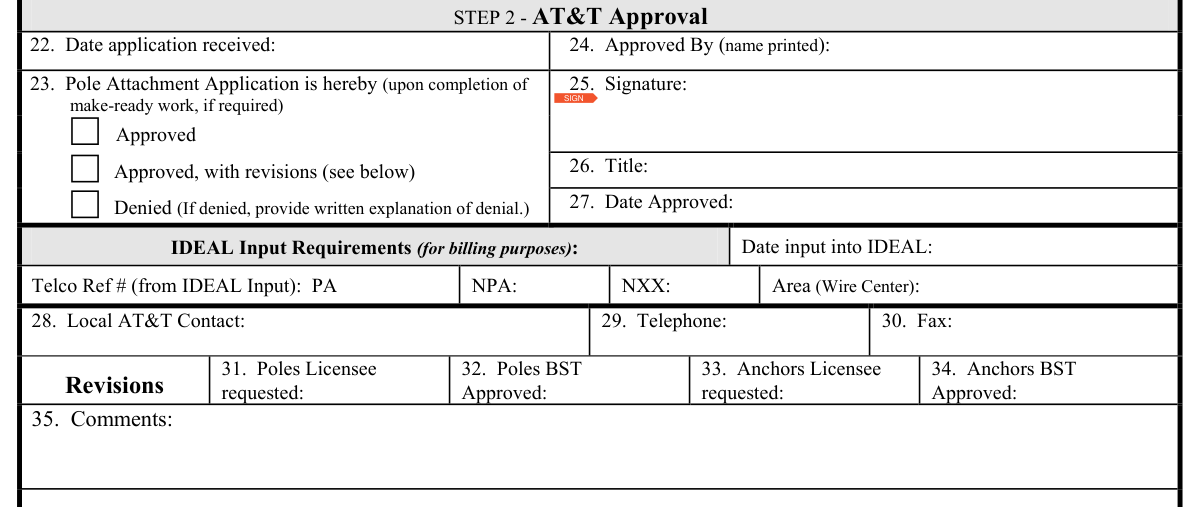
AT&T enters the Date application received in box 22.
In box 23, AT&T marks the Pole Attachment Application as hereby (upon completion of make-ready work, if required) Approved, Approved, with revisions (see below), or Denied. If denied, AT&T provides written explanation of denial.
Under STEP 2 - AT&T Approval, AT&T enters the Approved By (name printed) in box 24, signs the Signature in box 25, and enters the Title in box 26 and the Date Approved in box 27.
Under IDEAL Input Requirements (for billing purposes), AT&T enters the Date input into IDEAL.
AT&T enters the Telco Ref # (from IDEAL Input): PA, then the NPA, the NXX and the Area (Wire Center).
AT&T enters the Local AT&T Contact in box 28, the Telephone in box 29 and the Fax in box 30.
Under Revisions, AT&T enters the Poles Licensee requested in box 31, the Poles BST Approved in box 32, the Anchors Licensee requested in box 33, the Anchors BST Approved in box 34 and the Comments in box 35.
Sources
[1] Form PL-1, Application and Pole Attachment License (the Official source link on this page).