
Form RFA-1W at a glance
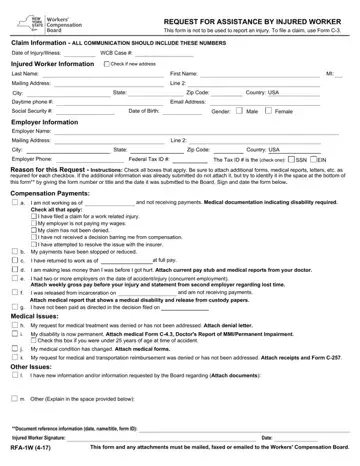
What it is: Form RFA-1W is the Request for Assistance by Injured Worker.
Who signs: Sign on the Injured Worker Signature line and enter the Date.
A filled-in Form RFA-1W example: an injured worker reports a changed medical condition
How to fill out Form RFA-1W, box by box
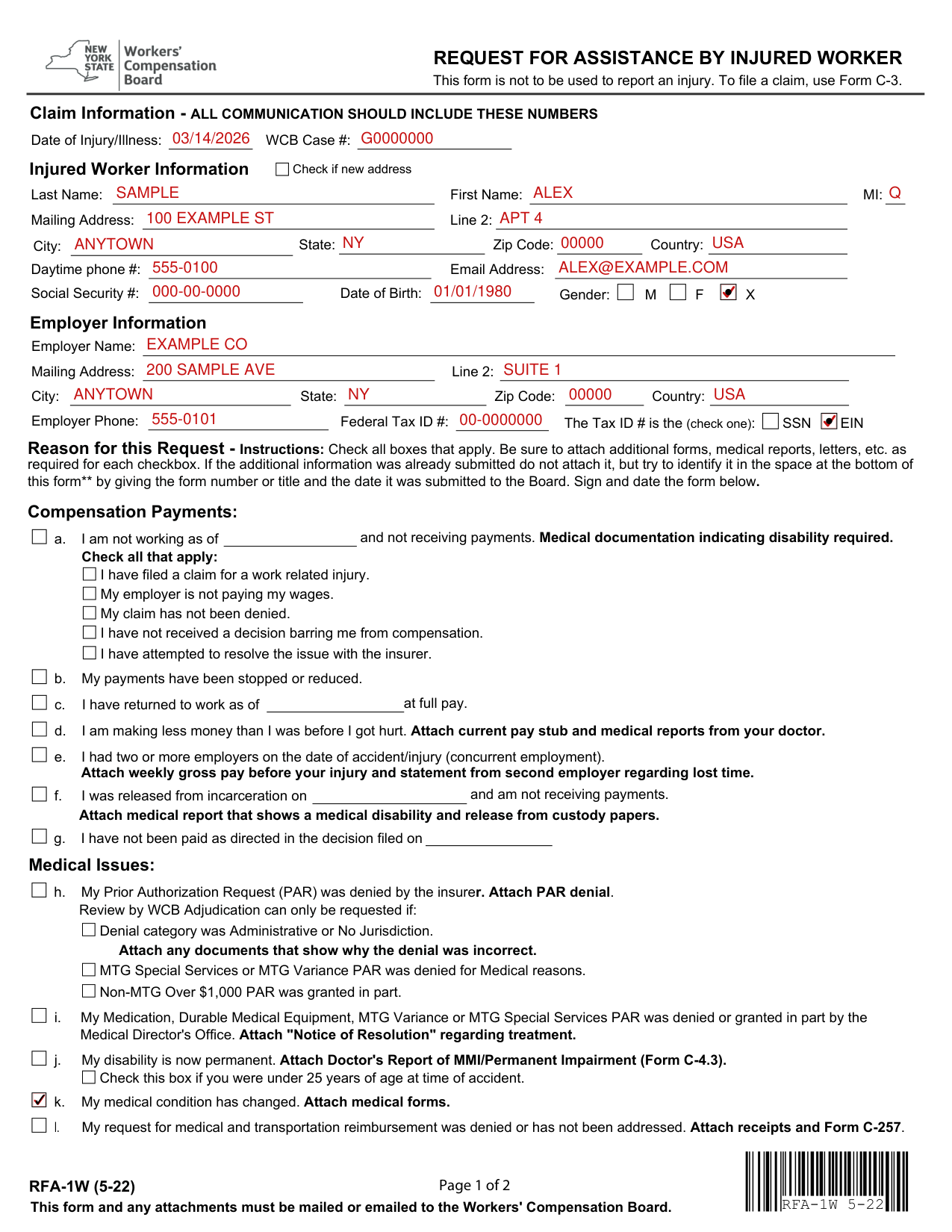
Claim Information: Date of Injury/Illness and WCB Case #

Claim Information: all communication should include these numbers. Enter the Date of Injury/Illness and the WCB Case #.
This form is not to be used to report an injury. To file a claim, use Form C-3.
Injured Worker Information
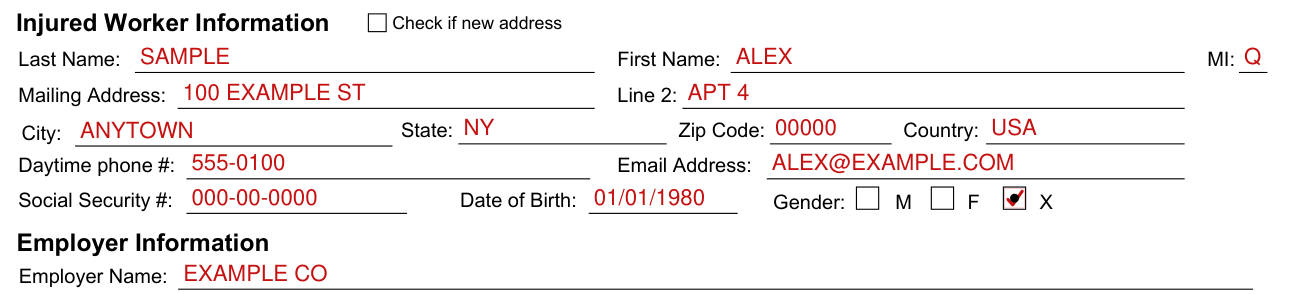
Under Injured Worker Information, enter the Last Name, First Name, MI, Mailing Address, Line 2, City, State, Zip Code, Country, Daytime phone #, Email Address, Social Security # and Date of Birth, and mark M, F or X for Gender.
Check if new address.
Providing your social security number to the Board is voluntary.
There is no penalty for failure to provide your social security number on this form; it will not result in a denial of your claim or a reduction in benefits.
Employer Information
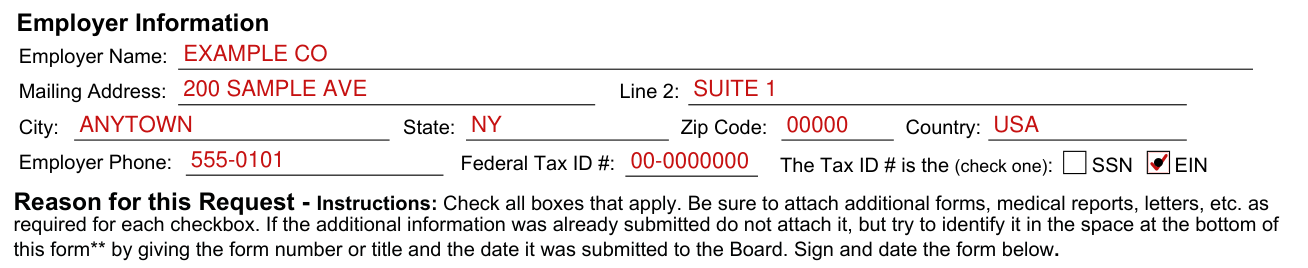
Under Employer Information, enter the Employer Name, Mailing Address, Line 2, City, State, Zip Code, Country and Employer Phone.
The Tax ID # is the (check one): SSN or EIN. Enter the Federal Tax ID #.
Compensation Payments
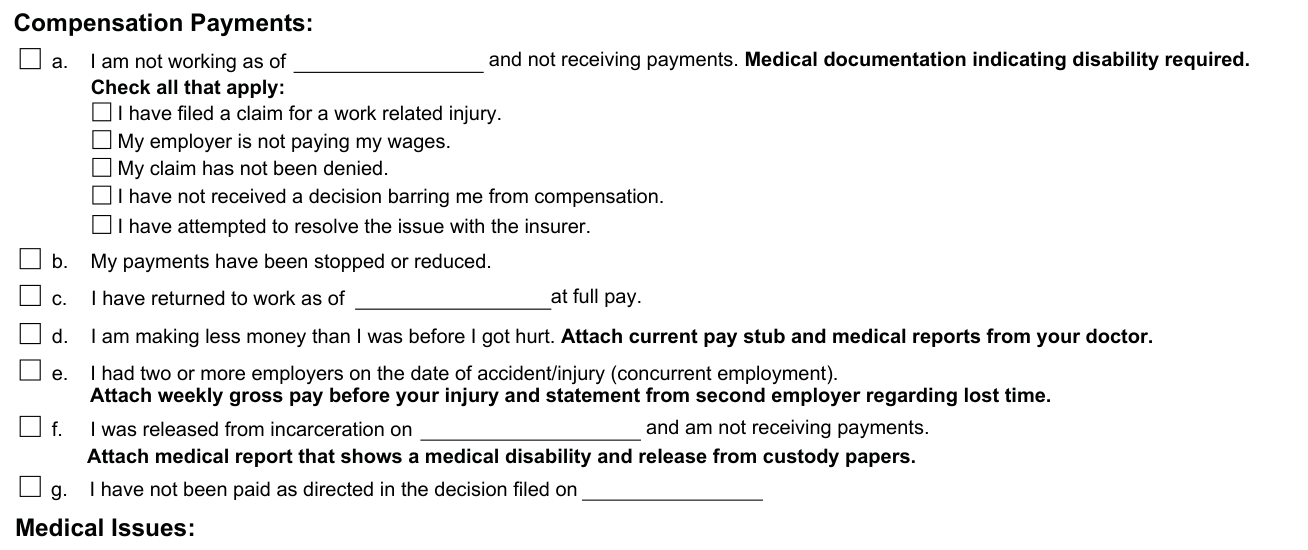
Box a: I am not working as of __ and not receiving payments. Medical documentation indicating disability required. Check all that apply:
I have filed a claim for a work related injury. My employer is not paying my wages. My claim has not been denied. I have not received a decision barring me from compensation. I have attempted to resolve the issue with the insurer.
Box b: My payments have been stopped or reduced.
Box c: I have returned to work as of __ at full pay.
Box d: I am making less money than I was before I got hurt. Attach current pay stub and medical reports from your doctor.
Box e: I had two or more employers on the date of accident/injury (concurrent employment). Attach weekly gross pay before your injury and statement from second employer regarding lost time.
Box f: I was released from incarceration on __ and am not receiving payments. Attach medical report that shows a medical disability and release from custody papers.
Box g: I have not been paid as directed in the decision filed on __.
Medical Issues
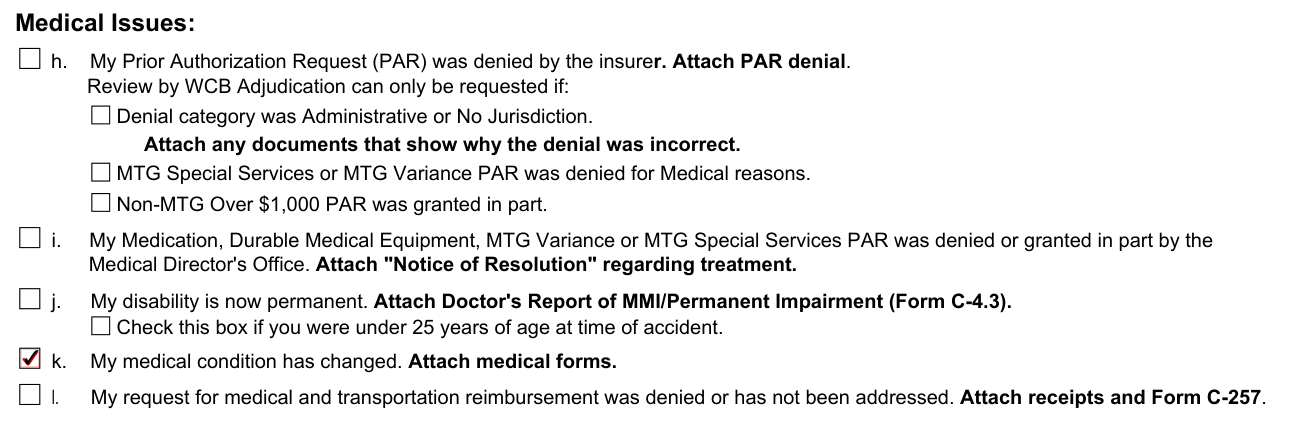
Box h: My Prior Authorization Request (PAR) was denied by the insurer. Attach PAR denial.
Box h: Review by WCB Adjudication can only be requested if: Denial category was Administrative or No Jurisdiction, and you attach any documents that show why the denial was incorrect; or MTG Special Services or MTG Variance PAR was denied for Medical reasons; or Non-MTG Over $1,000 PAR was granted in part (checked October 20, 2026).
Medical Treatment: this form is to be used when a medical request has been denied and you are requesting assistance from the Board regarding one of the reasons listed in box h.
If prior authorization has not been requested yet and is required, your health care provider must submit a Prior Authorization Request (PAR).
Box i: My Medication, Durable Medical Equipment, MTG Variance or MTG Special Services PAR was denied or granted in part by the Medical Director's Office. Attach "Notice of Resolution" regarding treatment.
Box j: My disability is now permanent. Attach Doctor's Report of MMI/Permanent Impairment (Form C-4.3). Check this box if you were under 25 years of age at time of accident.
Box k: My medical condition has changed. Attach medical forms.
Box l: My request for medical and transportation reimbursement was denied or has not been addressed. Attach receipts and Form C-257.
Other Issues
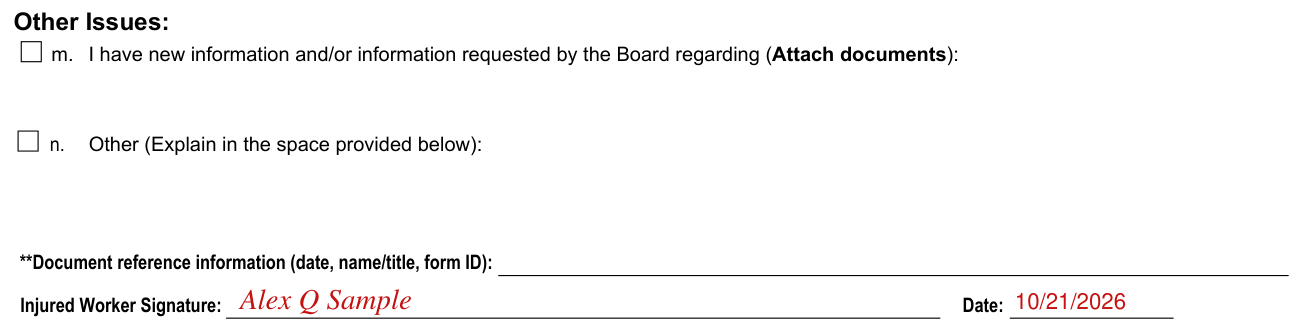
Box m: I have new information and/or information requested by the Board regarding (Attach documents):
Box n: Other (Explain in the space provided in Other Issues):
**Document reference information (date, name/title, form ID): for the Reason for this Request, if the additional information was already submitted, do not attach it, but identify it here by giving the form number or title and the date it was submitted to the Board.
Injured Worker Signature and Date

Sign on the Injured Worker Signature line and enter the Date.
More rules for Form RFA-1W
You may file this form (RFA-1W) and any attachments with the Workers' Compensation Board when you want the Board to take a specific action in your claim, or if you need to alert the Board to any problem or situation that is affecting your claim.
Reason for this Request: check all boxes that apply. Be sure to attach additional forms, medical reports, letters, etc. as required for each checkbox. If the additional information was already submitted do not attach it, but try to identify it in the space at the bottom of this form by giving the form number or title and the date it was submitted to the Board.
Many of the most frequently requested actions/situations are listed as either compensation payment issues (items a through g), or medical issues (items h through l), but you are not limited to those listed.
For example, if you are letting the Board know that your disability is now permanent (box j), the information required is, Doctor's Report of MMI/Permanent Impairment (Form C-4.3).
If you have any other concerns, you may contact the Board's ADVOCATE FOR INJURED WORKERS at (800) 580-6665.
You have the right to legal representation.
A lawyer cannot charge you directly for representation in a workers' compensation claim.
If there is an award in your claim, any legal fee request must be approved by the Board and will be deducted from the award to you by the insurer and paid directly to the lawyer.
If you would like to follow your claim online, you can register for eCase using the registration instructions available on the Board's website under the eCase link.
Sending the form and a copy
Where to send the form
Complete the identifying information at the top of Form RFA-1W and send the form, with all applicable information attached, to: Workers' Compensation Board, PO Box 5205, Binghamton, NY 13902-5205. Address for Email Filing: wcbclaimsfiling@wcb.ny.gov. The Board will contact you and all parties when it takes action on your claim. *After each check box you will see the information needed in bold letters.
A copy for the insurer or employer
You must send a copy of this form to the insurer(s), or directly to the employer or its third party administrator if the employer is self-insured.
Common questions about Form RFA-1W
Is there a penalty?
Any person who knowingly and with intent to defraud presents, causes to be presented, or prepares with knowledge or belief that it will be presented to, or by an insurer, or self insurer, any information containing any false material statement or conceals any material fact shall be guilty of a crime and subject to substantial fines and imprisonment.
Sources
[1] Form RFA-1W (5-22), Request for Assistance by Injured Worker, New York State Workers' Compensation Board (the Official source link on this page).
