
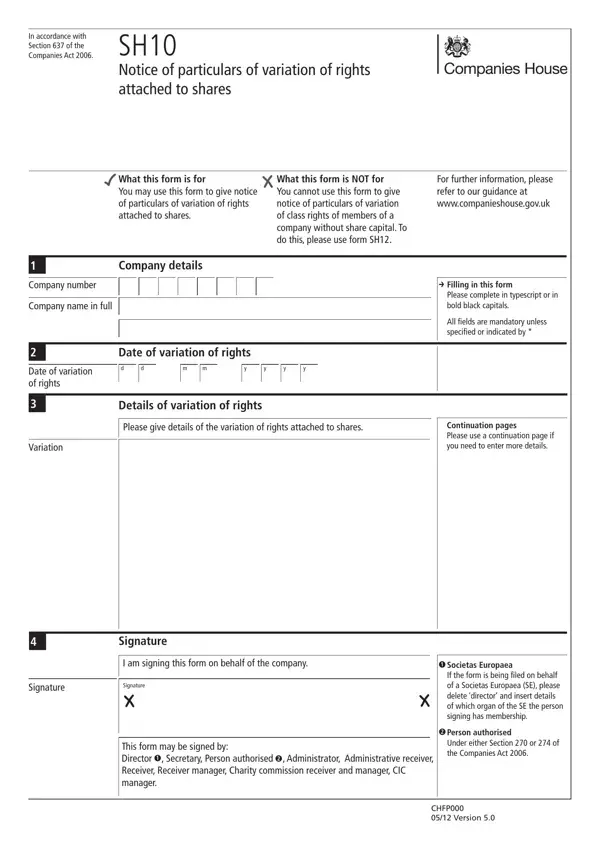
Navigating through the complexities of corporate governance, the SH10 form emerges as a pivotal document for businesses incorporated under the UK Companies Act 2006. Specifically designed to report changes in the rights attached to shares, this form caters to an essential aspect of corporate administration and compliance. Implemented by Section 637 of the same act, the SH10 helps maintain transparency and accountability in the corporate environment by making alterations in share rights public. While the form is indispensable for indicating any variation of rights, it explicitly excludes matters related to class rights in companies without share capital, directing such issues towards the SH12 form instead. The procedural requirements for filling out the SH10 are straightforward, demanding complete and accurate information in a prescribed format, with mandatory fields that must be addressed without exception. It also outlines who is authorized to sign off on these changes - including directors, secretaries, and various types of receivers, among others. The importance of this documentation extends beyond internal record-keeping; once filed, the information becomes part of the public record, accessible for scrutiny. This ensures that stakeholders, both current and prospective, are well-informed about the company's structure and governance. For further assistance, the Companies House provides detailed guidance and supports filings across different regional offices in the UK, making the process as seamless as possible for businesses navigating through their corporate responsibilities.
| Question | Answer |
|---|---|
| Form Name | Form Sh10 |
| Form Length | 2 pages |
| Fillable? | Yes |
| Fillable fields | 39 |
| Avg. time to fill out | 30 sec |
| Other names | Linenhall, 2006, uk, sh10 continuation page |
Form Sh10 isn’t the one you’re looking for?