

Form SSA-21 at a glance
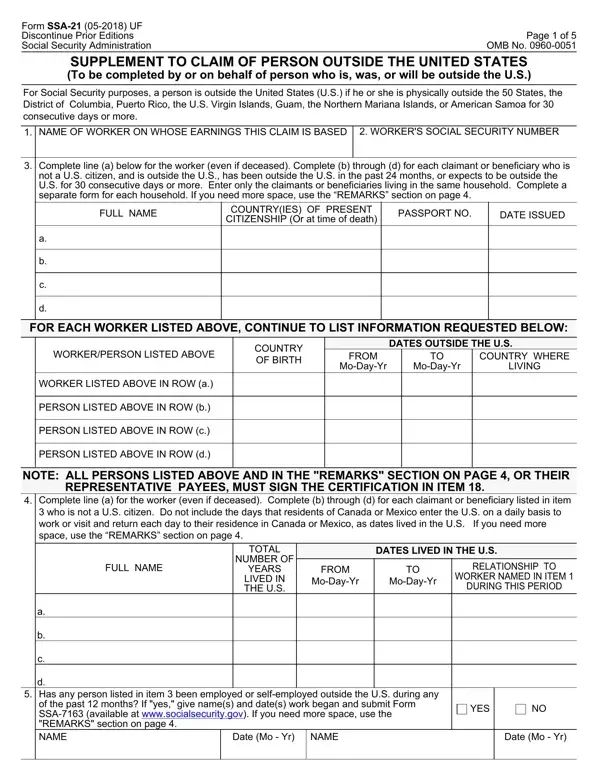
What it is: The Social Security Administration's Form SSA-21 is the Supplement to Claim of Person Outside the United States, completed by or on behalf of a person who is, was, or will be outside the U.S.
Who signs: All persons listed in item 3 and in the REMARKS section on page 4, or their representative payees, must sign the certification in item 18.
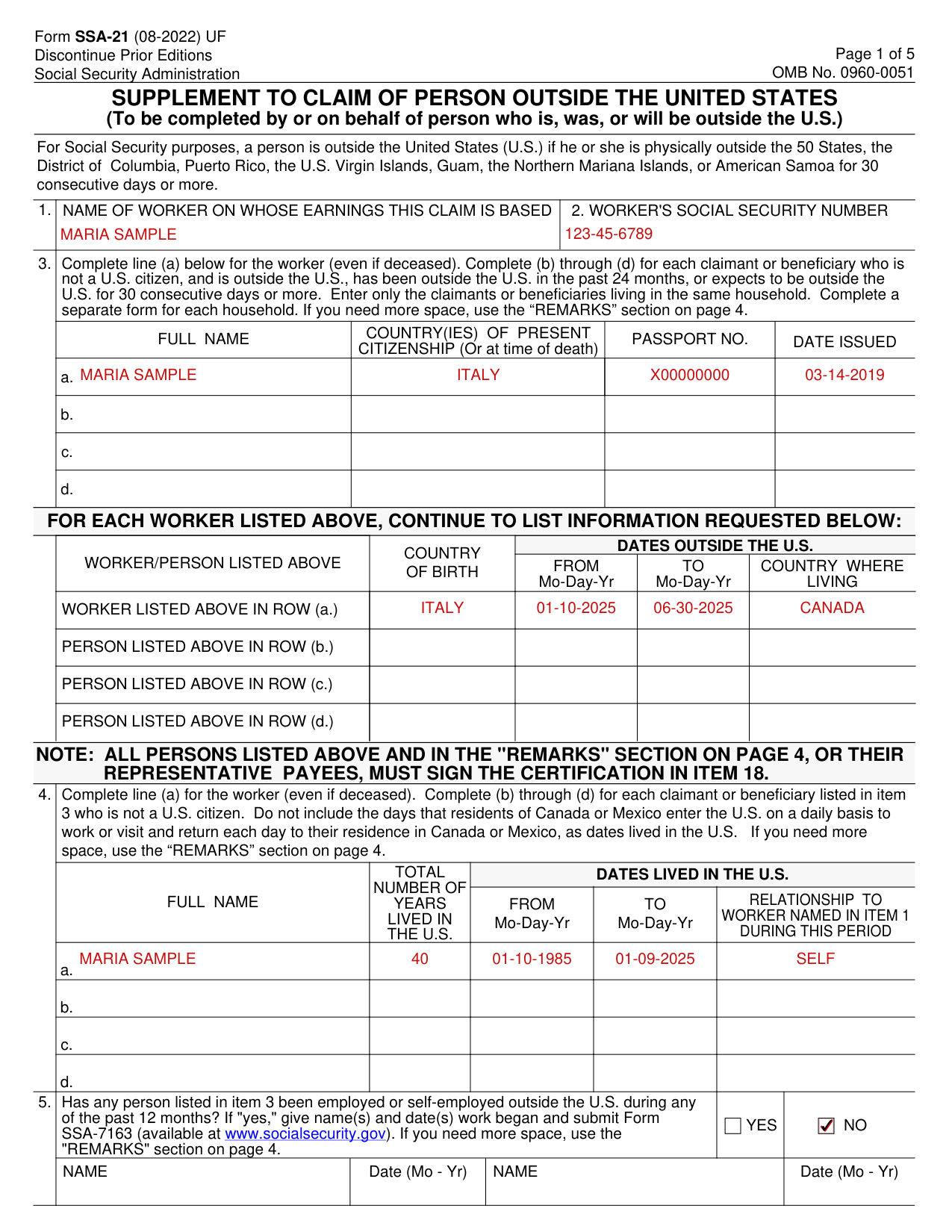
A filled-in Form SSA-21 example: a retired worker lists only herself
How to fill out Form SSA-21, box by box
Name of worker on whose earnings this claim is based and Social Security number

Enter the name of the worker on whose earnings this claim is based and the worker's Social Security number.
Full name, country of present citizenship, passport number and date issued

Complete line (a) for the worker (even if deceased). Complete (b) through (d) for each claimant or beneficiary who is not a U.S. citizen, and is outside the U.S., has been outside the U.S. in the past 24 months, or expects to be outside the U.S. for 30 consecutive days or more. Enter only the claimants or beneficiaries living in the same household. Complete a separate form for each household. If you need more space, use the REMARKS section on page 4.
Enter the Full Name, Country(ies) of Present Citizenship (Or at time of death), Passport No. and Date Issued.
Dates outside the U.S.

Continue to list the Country of Birth, the Dates Outside the U.S. (From Mo-Day-Yr, To Mo-Day-Yr) and the Country Where Living for the worker listed in ROW (a.) and each person listed in ROW (b.), ROW (c.) and ROW (d.).
Dates lived in the U.S.

For item 4, complete line (a) for the worker (even if deceased). Complete (b) through (d) for each claimant or beneficiary listed in item 3 who is not a U.S. citizen. Do not include the days that residents of Canada or Mexico enter the U.S. on a daily basis to work or visit and return each day to their residence in Canada or Mexico, as dates lived in the U.S. If you need more space in item 4, use the REMARKS section on page 4.
Enter the Full Name, the Total Number of Years Lived in the U.S., the Dates Lived in the U.S. (From Mo-Day-Yr, To Mo-Day-Yr) and the Relationship to Worker Named in Item 1 During This Period.
Employed or self-employed outside the U.S. during any of the past 12 months

Has any person listed in item 3 been employed or self-employed outside the U.S. during any of the past 12 months? If "yes," give name(s) and date(s) work began and submit Form SSA-7163 (available at www.socialsecurity.gov).
Expect to begin employment or self-employment outside the U.S. in the future

Does any person listed in item 3 expect to begin employment or self-employment outside the U.S. in the future? If "yes," give name(s) and date(s) work is expected to begin.
Did the worker die while in the military service of the U.S.

Answer item 7 only if the worker named in item 1 is deceased. Did the worker die while in the military service of the U.S. or as a result of disease or injury incurred or made worse while in military service?
Supplementary Medical Insurance

Supplementary Medical Insurance generally is payable only for medical services provided inside the U.S. If anyone listed in item 3 is now enrolled in Supplementary Medical Insurance under Medicare and wishes to terminate that enrollment, enter his or her name here.
Income tax treaty benefits
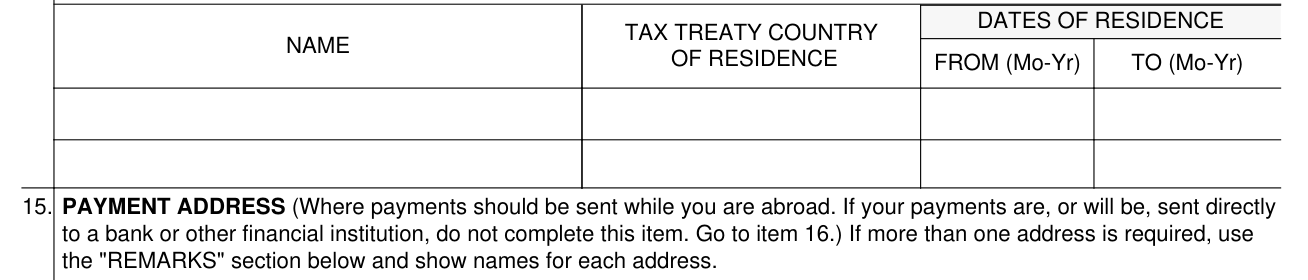
Complete this item for any person(s) who intend(s) to claim a reduced rate of Federal income tax withholding under the provisions of an income tax treaty with the U.S. To enter additional person(s), use the REMARKS section on page 4.
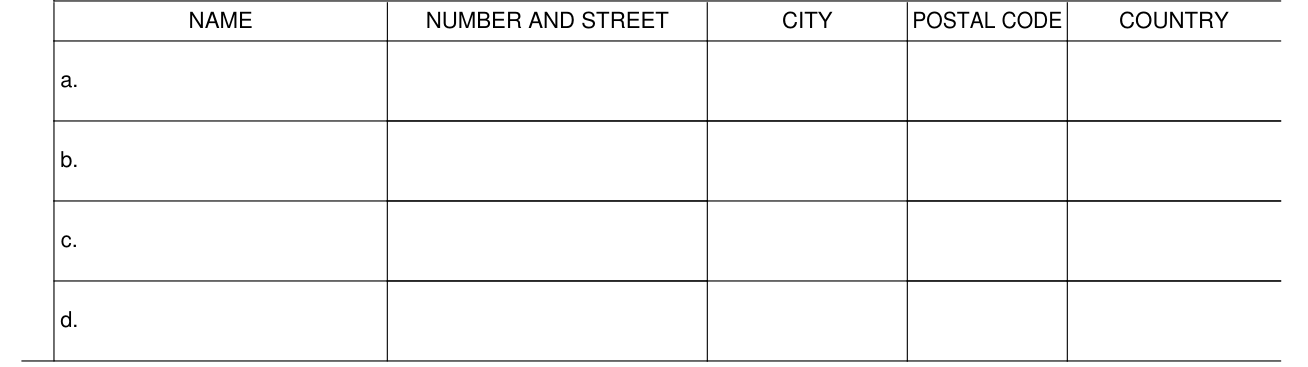
Payment address

Enter the payment address, where payments should be sent while you are abroad. If your payments are, or will be, sent directly to a bank or other financial institution, do not complete this item. Go to item 16.
Mailing address

Enter the mailing address, where your mail should be sent while you are abroad. If it is the same as the address in item 15, enter "same as 15" and go to item 17. If more than one address is required, use the REMARKS section on page 4 and show names for each address.
Residence address
You must complete this item if you live, or will live, at an address other than the address shown in item 15 or 16.
If the address where you live, or will live, is the same as the address in item 15 or 16, enter "same as 15 (or 16 if appropriate)" and go to item 18.
If your payments are not, or will not be, sent directly to a bank or other financial institution and you receive, or will receive, them by mail at an address that is not your residence address, explain the reason in the REMARKS section on page 4.
Remarks
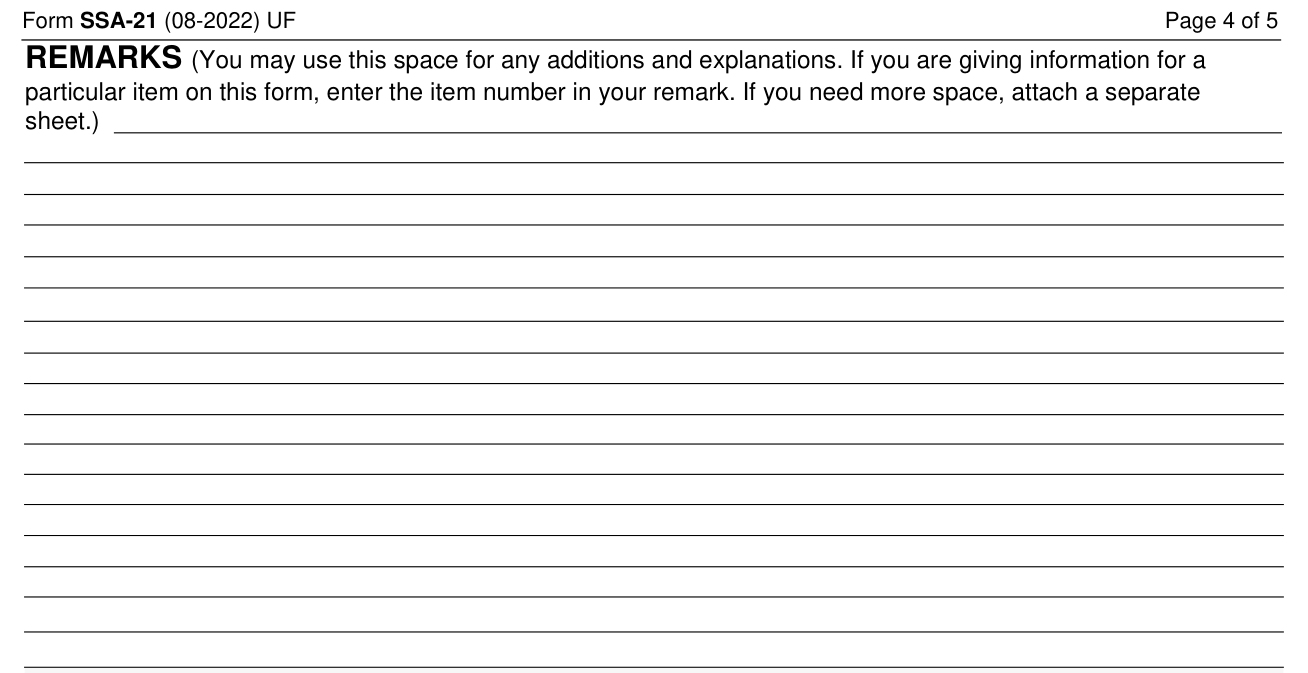
Use the REMARKS space for any additions and explanations. If you are giving information for a particular item on this form, enter the item number in your remark. If you need more space, attach a separate sheet.
Certification and signatures
I agree to notify the Social Security Administration promptly if I (or any person for whom I receive benefits) become employed or self-employed while outside the United States, change citizenship, or go (for 30 days or more) to any country other than that indicated in item 17. I also agree to return any payments which are not due.
Under penalties of perjury, I declare that I have examined the information on this form and to the best of my knowledge and belief it is true, correct, and complete.
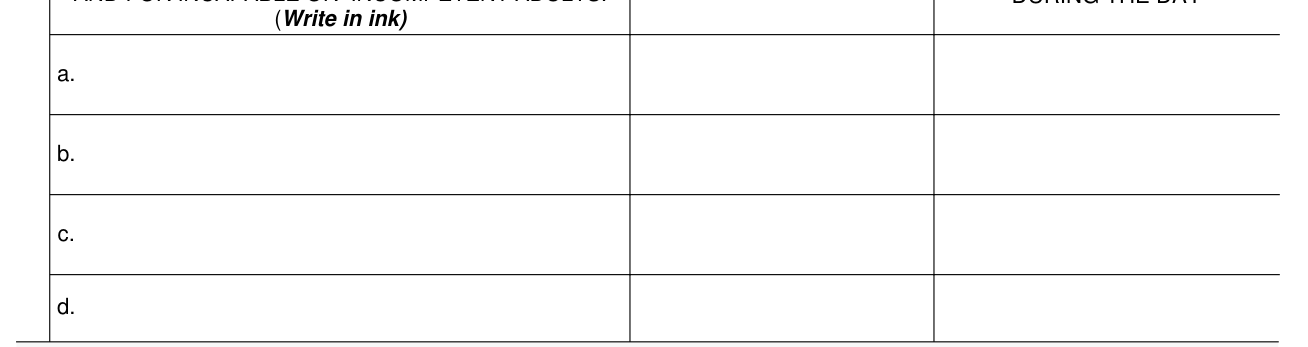
Sign in ink: enter the first name, middle initial, and last name of each person listed in item 3. Representative payees must sign for minors and for incapable or incompetent adults.
Enter the Date and the Telephone Number Where You May Be Contacted During the Day.
Signature of witness
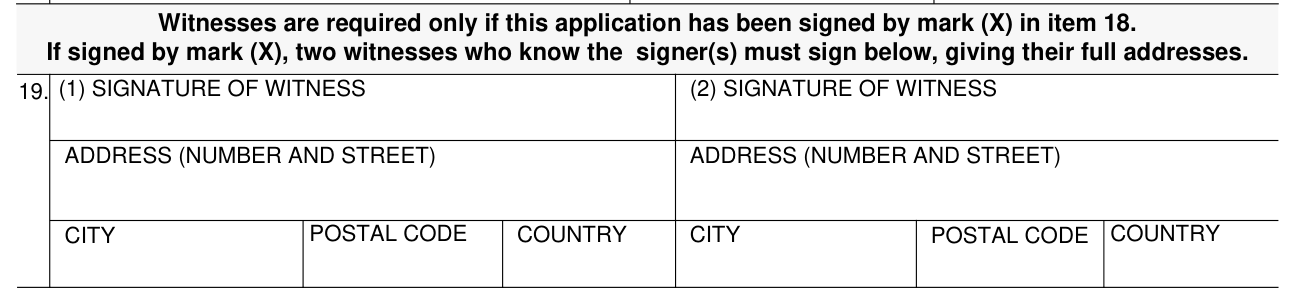
Witnesses are required only if this application has been signed by mark (X) in item 18. If signed by mark (X), two witnesses who know the signer(s) must sign, giving their full addresses.
More rules for Form SSA-21
The U.S. Internal Revenue Code (IRC) requires the Social Security Administration (SSA) to withhold a 30 percent Federal income tax from 85 percent of monthly retirement, survivors and disability benefits paid to beneficiaries who are neither citizens nor residents of the United States.
This results in an effective tax of 25.5 percent of the monthly benefit.
SSA must withhold this tax from the benefits of all nonresident aliens except those who are residents of countries that have tax treaties with the U.S. that provide an exemption from this tax, or a lower rate of withholding. Currently these countries are Canada, Egypt, Germany, India, Ireland, Israel, Italy, Japan, Romania, Switzerland, and the United Kingdom.
Complete items 9 through 13 about all persons listed in item 3 who are not U.S. citizens and want to be considered U.S. residents for income tax purposes.
Furnishing this information to the Social Security Administration is voluntary. However, failing to provide all or part may prevent it from making an accurate and timely decision on any claim filed or could result in the loss of benefits.
Common questions about Form SSA-21
What is form SSA-21 used for?
The Social Security Administration's Form SSA-21 is the Supplement to Claim of Person Outside the United States, completed by or on behalf of a person who is, was, or will be outside the U.S. A person is outside the United States (U.S.) if he or she is physically outside the 50 States, the District of Columbia, Puerto Rico, the U.S. Virgin Islands, Guam, the Northern Mariana Islands, or American Samoa for 30 consecutive days or more.
Is there a penalty?
I understand that anyone who knowingly gives a false or misleading statement about a material fact in this information, or causes someone else to do so, commits a crime and may be sent to prison, or may face other penalties, or both.
Sources
[1] Form SSA-21 (08-2022), Supplement to Claim of Person Outside the United States, Social Security Administration (the Official source link on this page).