
Form UD-1 at a glance
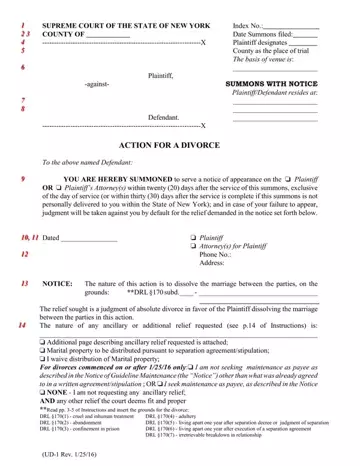
What it is: UD-1 is the Summons With Notice for an Action For A Divorce in the Supreme Court of the State of New York.
Who signs: Mark Plaintiff or Attorney(s) for Plaintiff.
A filled-in Form UD-1 example: a plaintiff serves a Summons With Notice
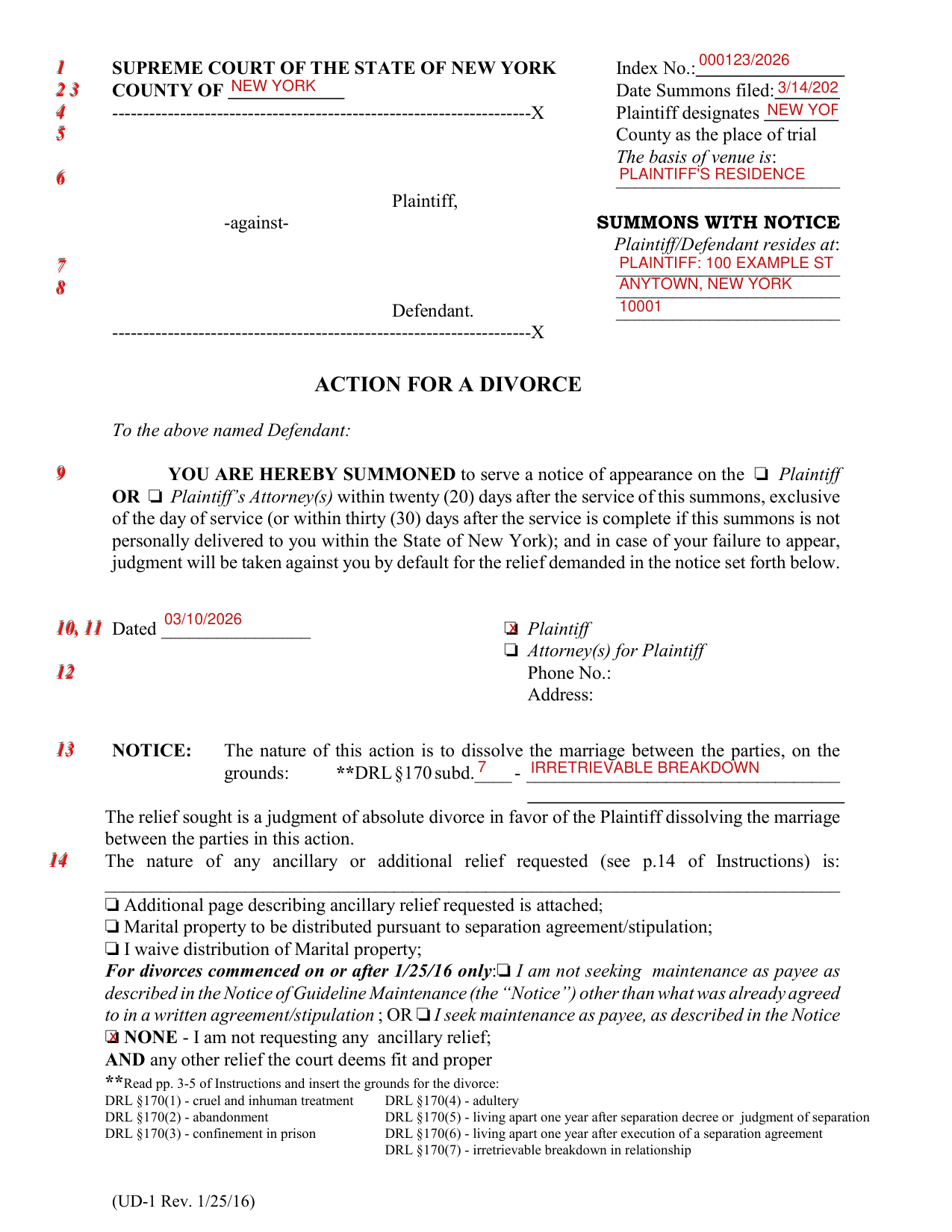
How to fill out Form UD-1, box by box
Index No., Date Summons filed, venue and residence
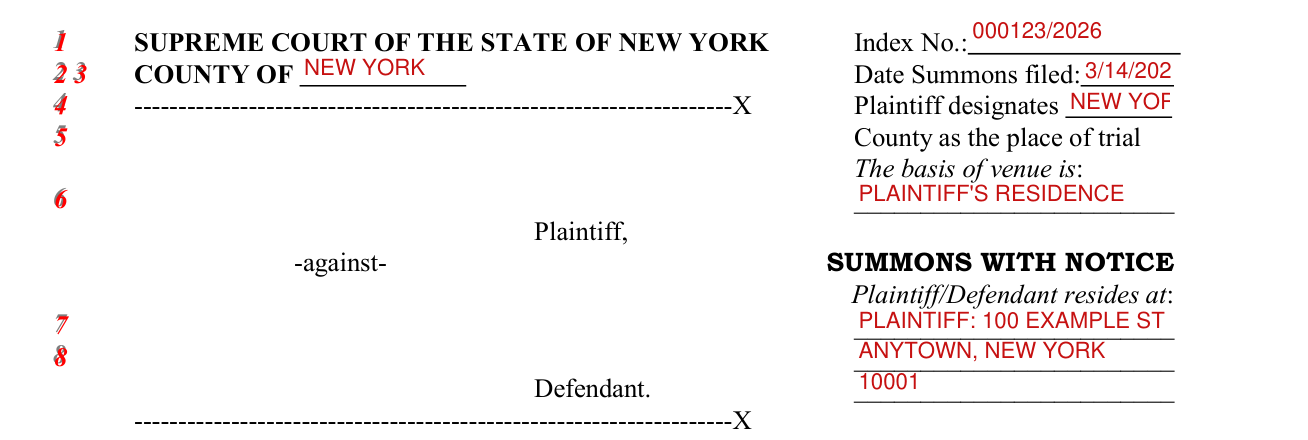
At the top, enter the Index No., the COUNTY OF, the Date Summons filed, and the County that Plaintiff designates as the place of trial.
After The basis of venue is, write the basis; after Plaintiff/Defendant resides at, write the place.
Dated, Plaintiff or Attorney(s) for Plaintiff

Enter the date after Dated, and fill in Phone No. and Address.
The grounds for the divorce

Under NOTICE, the nature of this action is to dissolve the marriage between the parties, on the grounds: enter DRL §170 subd. and the ground. Read pp. 3-5 of Instructions and insert the grounds for the divorce.
The grounds are DRL §170(1) - cruel and inhuman treatment; DRL §170(4) - adultery; DRL §170(2) - abandonment; DRL §170(5) - living apart one year after separation decree or judgment of separation; DRL §170(3) - confinement in prison; DRL §170(6) - living apart one year after execution of a separation agreement; DRL §170(7) - irretrievable breakdown in relationship.
The relief sought is a judgment of absolute divorce in favor of the Plaintiff dissolving the marriage between the parties in this action.
Ancillary or additional relief
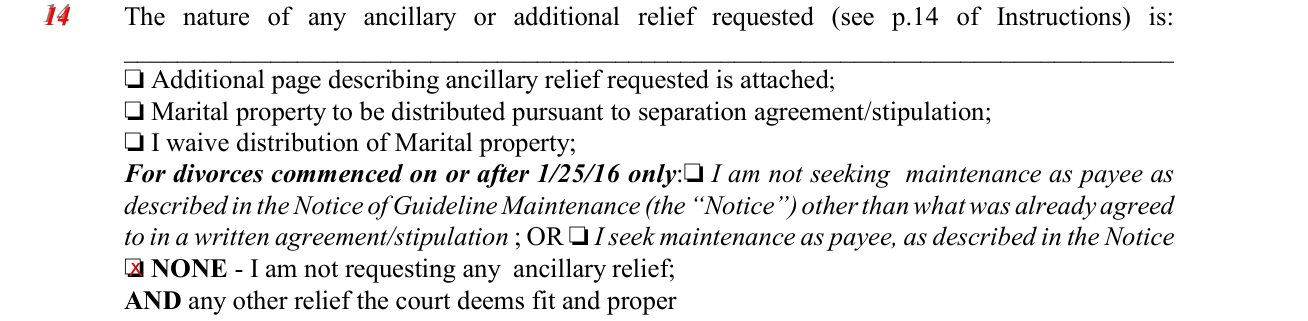
Write the nature of any ancillary or additional relief requested (see p.14 of Instructions) on the line, then mark Additional page describing ancillary relief requested is attached; Marital property to be distributed pursuant to separation agreement/stipulation; or I waive distribution of Marital property.
For divorces commenced on or after 1/25/16 only: mark I am not seeking maintenance as payee as described in the Notice of Guideline Maintenance (the "Notice") other than what was already agreed to in a written agreement/stipulation; OR mark I seek maintenance as payee, as described in the Notice.
Mark NONE - I am not requesting any ancillary relief; AND any other relief the court deems fit and proper.
More rules for Form UD-1
In case of the failure of the Defendant to appear, judgment will be taken by default for the relief demanded in the notice set forth under NOTICE.
Common questions about Form UD-1
Is there a deadline?
The Defendant must serve a notice of appearance on the Plaintiff or the Plaintiff's Attorney(s) within twenty (20) days after the service of this summons, exclusive of the day of service, or within thirty (30) days after the service is complete if this summons is not personally delivered to the Defendant within the State of New York.
Sources
[1] Form UD-1 (Rev. 1/25), Summons With Notice, Supreme Court of the State of New York (the Official source link on this page).
