
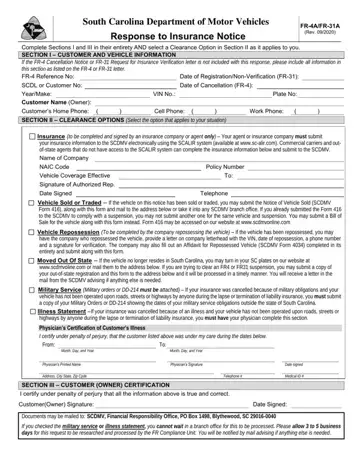
Form FR-4A/FR-31A at a glance
What it is: The South Carolina Department of Motor Vehicles form FR-4A/FR-31A is the Response to Insurance Notice.
Where and when to file: Documents may be mailed to: SCDMV, Financial Responsibility Office, PO Box 1498, Blythewood, SC 29016-0040
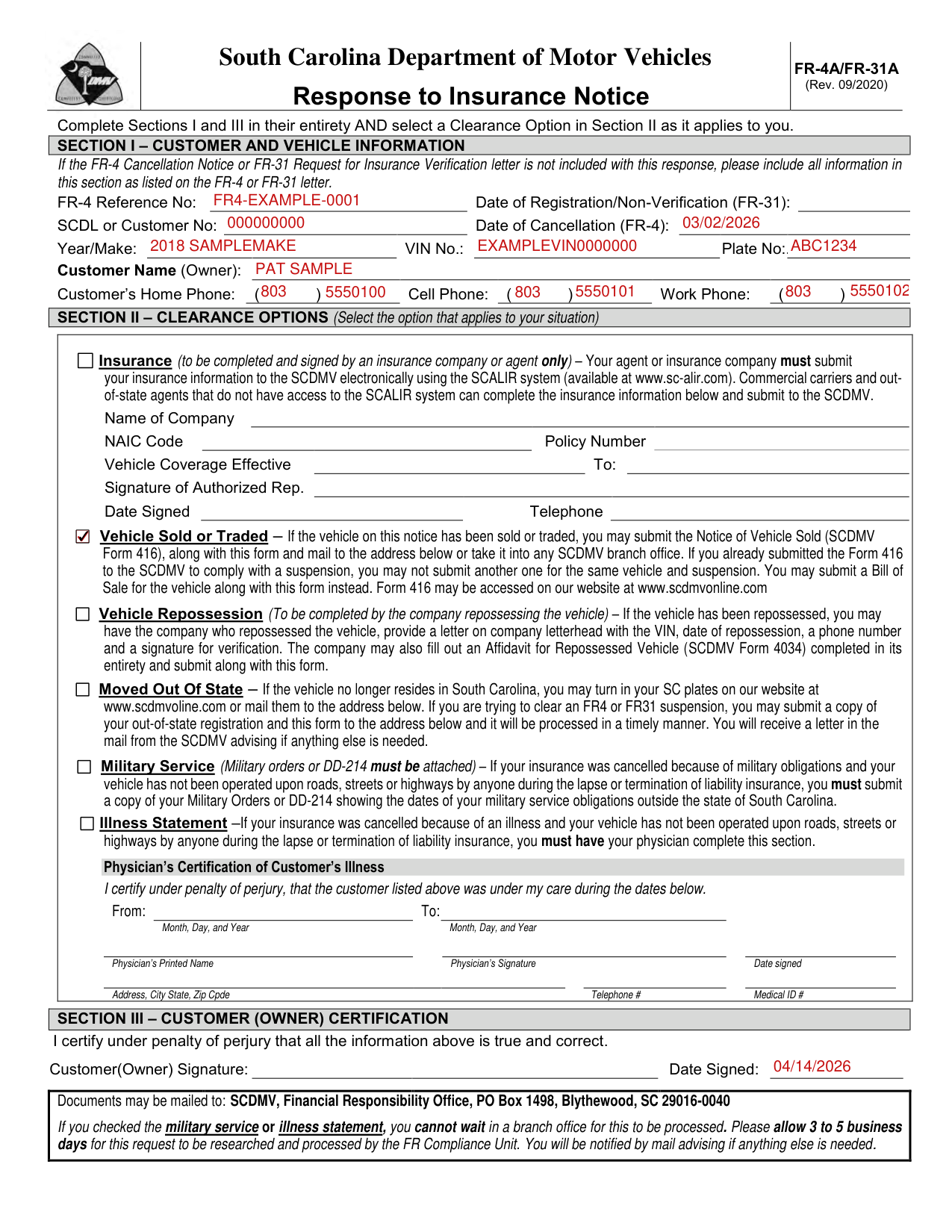
A filled-in Form FR-4A/FR-31A example: a sold vehicle after an FR-4 notice
How to fill out Form FR-4A/FR-31A, box by box
Customer and vehicle information

Complete Sections I and III in their entirety and select a Clearance Option in Section II as it applies to you. If the FR-4 Cancellation Notice or FR-31 Request for Insurance Verification letter is not included with this response, include all information in Section I as listed on the FR-4 Cancellation Notice or FR-31 letter. Section I has the FR-4 Reference No, the Date of Registration/Non-Verification (FR-31), the SCDL or Customer No and the Date of Cancellation (FR-4).
Enter the Year/Make, VIN No., Plate No, Customer Name (Owner) and the Customer's Home Phone, Cell Phone and Work Phone.
Insurance, to be completed and signed by an insurance company or agent only
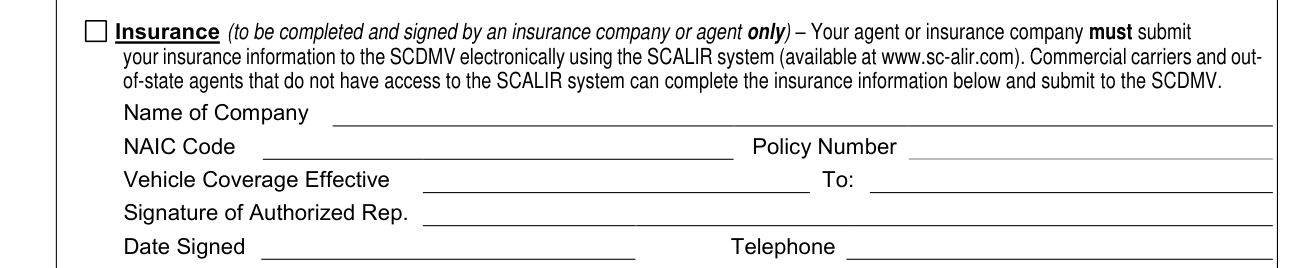
Insurance is to be completed and signed by an insurance company or agent only; your agent or insurance company must submit your insurance information to the SCDMV electronically using the SCALIR system (available at www.sc-alir.com). Commercial carriers and out-of-state agents that do not have access to the SCALIR system can complete the insurance information and submit to the SCDMV. Name of Company.
NAIC Code, Policy Number, Vehicle Coverage Effective To, Signature of Authorized Rep.
Vehicle Sold or Traded, Vehicle Repossession and Moved Out Of State
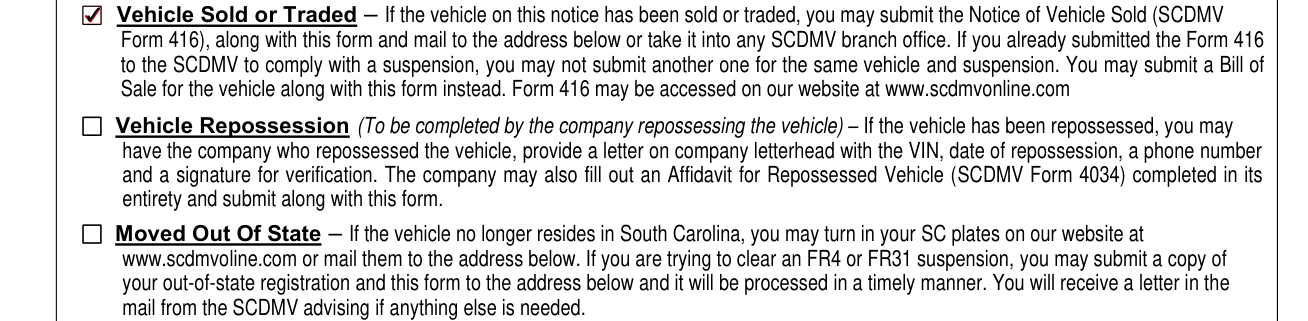
Vehicle Sold or Traded: if the vehicle on this notice has been sold or traded, you may submit the Notice of Vehicle Sold (SCDMV Form 416), along with this form and mail to SCDMV, Financial Responsibility Office, PO Box 1498, Blythewood, SC 29016-0040 or take it into any SCDMV branch office. If you already submitted the Form 416 to the SCDMV to comply with a suspension, you may not submit another one for the same vehicle and suspension. You may submit a Bill of Sale for the vehicle along with this form instead. Form 416 may be accessed on the SCDMV website at www.scdmvonline.com
Vehicle Repossession (To be completed by the company repossessing the vehicle): if the vehicle has been repossessed, you may have the company who repossessed the vehicle, provide a letter on company letterhead with the VIN, date of repossession, a phone number and a signature for verification. The company may also fill out an Affidavit for Repossessed Vehicle (SCDMV Form 4034) completed in its entirety and submit along with this form.
Moved Out Of State: if the vehicle no longer resides in South Carolina, you may turn in your SC plates on the SCDMV website at www.scdmvoline.com or mail them to SCDMV, Financial Responsibility Office, PO Box 1498, Blythewood, SC 29016-0040. If you are trying to clear an FR4 or FR31 suspension, you may submit a copy of your out-of-state registration and this form to SCDMV, Financial Responsibility Office, PO Box 1498, Blythewood, SC 29016-0040 and it will be processed in a timely manner. You will receive a letter in the mail from the SCDMV advising if anything else is needed.
Military Service and Illness Statement
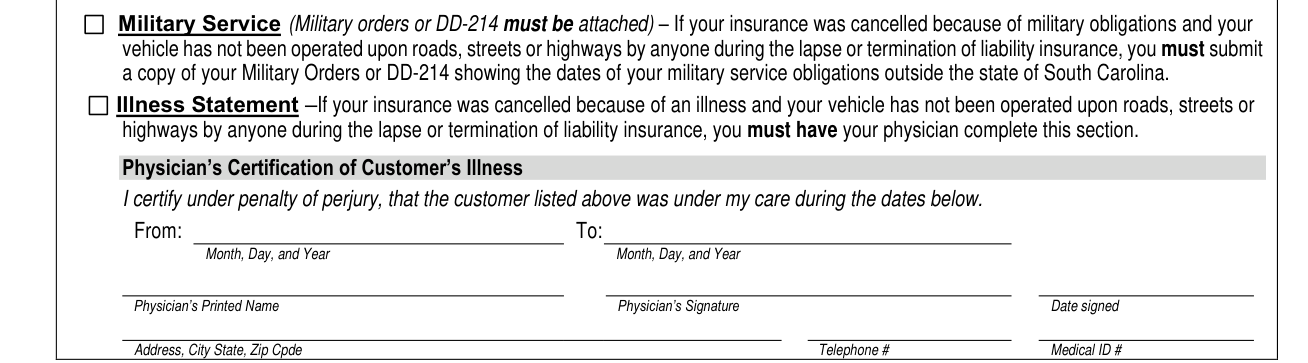
Military Service (Military orders or DD-214 must be attached): if your insurance was cancelled because of military obligations and your vehicle has not been operated upon roads, streets or highways by anyone during the lapse or termination of liability insurance, you must submit a copy of your Military Orders or DD-214 showing the dates of your military service obligations outside the state of South Carolina. Illness Statement: if your insurance was cancelled because of an illness and your vehicle has not been operated upon roads, streets or highways by anyone during the lapse or termination of liability insurance, you must have your physician complete this section.
The physician certifies under penalty of perjury that the customer was under care during the dates in From and To, entered as Month, Day, and Year.
The physician enters Physician's Printed Name, Physician's Signature, Date signed, Address, City State, Zip Cpde, Telephone # and Medical ID #.
If you checked the military service or illness statement, you cannot wait in a branch office for this to be processed. Please allow 3 to 5 business days for this request to be researched and processed by the FR Compliance Unit. You will be notified by mail advising if anything else is needed.
Customer (Owner) certification

In Section III, Customer (Owner) Certification, you certify under penalty of perjury that all the information is true and correct, then enter your Signature and the Date Signed.
More rules for Form FR-4A/FR-31A
Select the option that applies to your situation in Section II, Clearance Options.
Sources
[1] Form FR-4A/FR-31A (Rev. 09/2020), Response to Insurance Notice, South Carolina Department of Motor Vehicles (the Official source link on this page).
