Please rate Funds Distribution Request

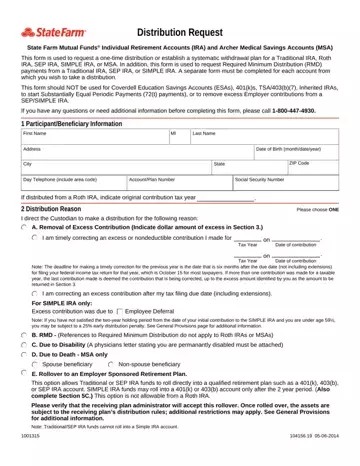
In the intricate world of individual retirement savings and medical savings accounts, navigating the processes for accessing funds can be a nuanced affair. The Funds Distribution Request form provided by State Farm Mutual Funds® serves as a crucial tool for individuals holding Traditional IRA, Roth IRA, SEP IRA, SIMPLE IRA, or Archer Medical Savings Accounts (MSA) who wish to initiate a one-time distribution or set up a systematic withdrawal plan. The utility of this form extends further to facilitating Required Minimum Distribution (RMD) payments from specific accounts, emphasizing the need for separate completion for each account distribution is sought from. Its delineation of not being applicable for Coverdell Education Savings Accounts (ESAs), 401(k)s, TSA/403(b)(7), Inherited IRAs, to initiate Substantially Equal Periodic Payments (72(t) payments), or for the removal of excess Employer contributions from a SEP/SIMPLE IRA, underscores the specificity required in these financial maneuvers. The form’s structure guides participants through providing personal information, selecting the distribution reason—including correcting excess contributions, RMD payments, distributions due to disability, death, or establishing rollovers to employer-sponsored retirement plans or to a State Farm 401(k) Plan administered by AscensusSM, among other options. Additionally, it addresses method of payment choices, optionally directing investment of proceeds, cash distributions, or rollovers to qualified retirement plans, augmented by withholding election details to ensure compliance with tax obligations. The procedural intricacies encapsulated within this form highlight the complexities entailed in managing one’s retirement and medical savings effectively.
| Question | Answer |
|---|---|
| Form Name | Funds Distribution Request |
| Form Length | 7 pages |
| Fillable? | No |
| Fillable fields | 0 |
| Avg. time to fill out | 1 min 45 sec |
| Other names | state farm rollover form, state farm mutual funds withdrawal, state farm transfer form, state farm mutual funds forms |
Funds Distribution Request isn’t the one you’re looking for?
Please rate Funds Distribution Request
