
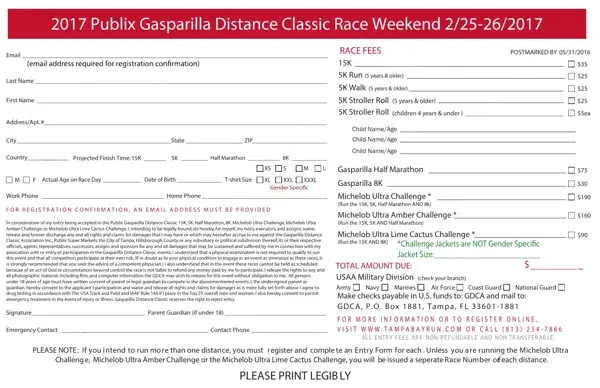
The Gdca Application form is an essential tool for anyone looking to participate in the diverse range of events offered during the 2017 Publix Gasparilla Distance Classic Race Weekend, scheduled for February 25-26. Participants entering the 15K, 5K, Half Marathon, and 8K races, as well as those taking on the Michelob Ultra Challenge, Michelob Ultra Amber Challenge, or Michelob Ultra Lime Cactus Challenge, are required to provide comprehensive personal information, including email, name, address, projected finish times, actual age on race day, T-shirt size, and contact numbers. This form not only facilitates registration but also includes a waiver section to be acknowledged and signed by the participant (or parent/guardian if under 18), indicating an understanding of the risks involved and consenting to potential emergency treatment. Furthermore, specific race fees are detailed for each event, including special pricing for military personnel and challenges that combine multiple races. Important to note is the strict policy on entry fees being non-refundable and non-transferable, underscoring the commitment required upon signing up. Instructions for payment, alongside options for online registration and contact information for inquiries, provide prospective participants with all they need to secure their place in these eagerly anticipated races.
| Question | Answer |
|---|---|
| Form Name | Gdca Application Form |
| Form Length | 1 pages |
| Fillable? | No |
| Fillable fields | 0 |
| Avg. time to fill out | 15 sec |
| Other names | gdca exam form, gdca exam 2020 application form date, gdca exam 2021 application form date, gdca online registration 2021 |