Please rate Illinois Perc Card Packet Updated 10-17-24

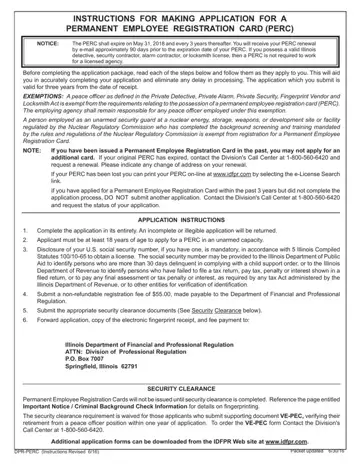
The Illinois Permanent Employee Registration Card (PERC) form serves as an essential document for those seeking employment within specific sectors in Illinois, including private security and detective roles. The PERC form outlines a structured application process, emphasizing the necessity for accuracy and completeness by applicants to prevent delays. Key aspects include the requirement for applicants to be at least 18 years old, the mandatory disclosure of their U.S. Social Security number in compliance with state laws, and the provision of a non-refundable $55 registration fee. Further, the form highlights certain exemptions, notably for individuals already holding valid Illinois detective, security contractor, alarm contractor, or locksmith licenses, and outlines a stringent security clearance process that involves a criminal background check. The completion of this application, which remains valid for three years from the date of receipt, is a critical step for prospective employees in these regulated fields, ensuring that they meet the state's professional standards and legal requirements.
| Question | Answer |
|---|---|
| Form Name | Illinois Perc Card |
| Form Length | 5 pages |
| Fillable? | Yes |
| Fillable fields | 59 |
| Avg. time to fill out | 1 min |
| Other names | idfpr perc card application, perc card online, illinois perc card application, perc card application online |
Illinois Perc Card isn’t the one you’re looking for?
Please rate Illinois Perc Card Packet Updated 10-17-24
